Free Fire Advance Server
Ενημερώθηκε
Τρέχουσα έκδοση
67.55.0
Προσφέρεται από

Με όλο το πάθος σας για το παιχνίδι Free Fire Advance Server, τα χέρια σας δεν πρέπει να περιορίζονται σε μια μικροσκοπική οθόνη του τηλεφώνου σας. Παίξτε σαν επαγγελματίας και αποκτήστε τον πλήρη έλεγχο του παιχνιδιού σας με πληκτρολόγιο και ποντίκι. Το MEmu σας προσφέρει όλα όσα περιμένετε. Κατεβάστε και παίξτε Free Fire Advance Server σε υπολογιστή. Παίξτε όσο θέλετε, χωρίς άλλους περιορισμούς μπαταρίας, δεδομένων κινητής τηλεφωνίας και ενοχλητικών κλήσεων. Το ολοκαίνουργιο MEmu 9 είναι η καλύτερη επιλογή για να παίξετε Free Fire Advance Server σε υπολογιστή. Ετοιμασμένο με την εμπειρία μας, το εξαιρετικό σύστημα προκαθορισμένης αντιστοίχισης πλήκτρων καθιστά το Free Fire Advance Server ένα πραγματικό παιχνίδι υπολογιστή. Ο διαχειριστής πολλαπλών περιπτώσεων MEmu καθιστά δυνατό το παιχνίδι με 2 ή περισσότερους λογαριασμούς στην ίδια συσκευή. Και το πιο σημαντικό, η αποκλειστική μηχανή εξομοίωσης μας μπορεί να απελευθερώσει πλήρως τις δυνατότητες του υπολογιστή σας, κάνοντας τα πάντα ομαλά.
Show more
Απολαύστε την υπέροχη εμπειρία αναπαραγωγής του Free Fire Advance Server σε υπολογιστή με το MEMU App Player. Πρόκειται για έναν ισχυρό δωρεάν εξομοιωτή Android που σας επιτρέπει να παίζετε χιλιάδες παιχνίδια Android. Free Fire Advance Server is for players who want to test planned OB updates while they are still being reviewed.
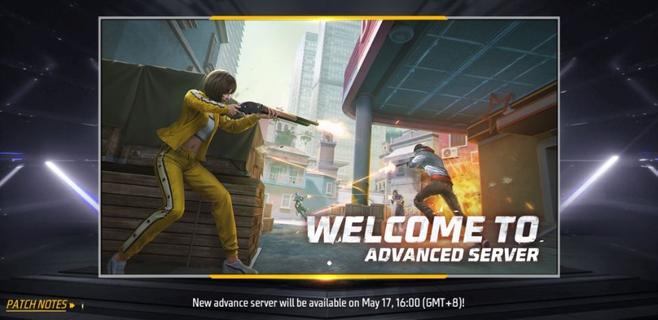
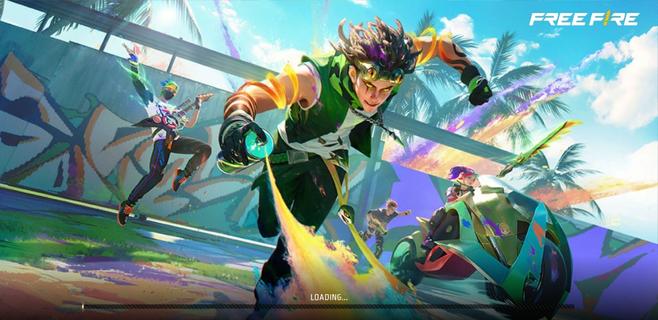
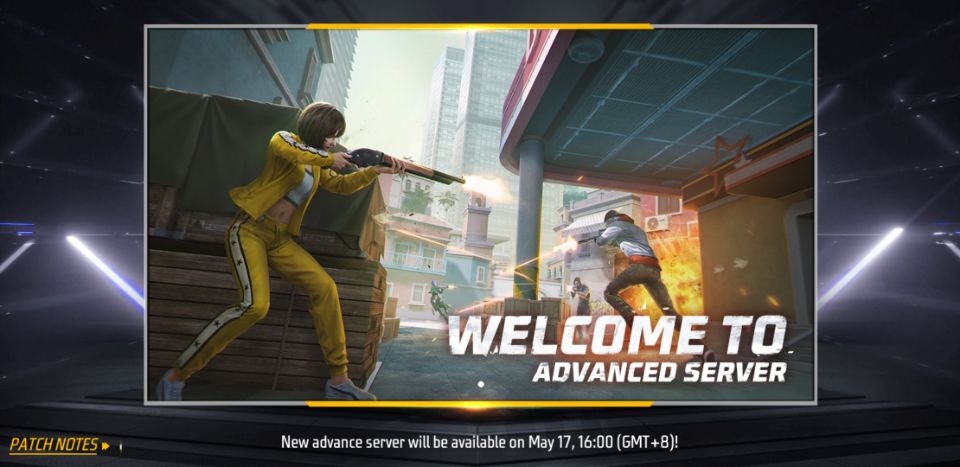
Free Fire Advance Server is for players who want to test planned OB updates while they are still being reviewed. It is Garenaâs official limited time test program and runs separately from the live game. Players need to register, receive a personal activation code, and enter during an open test period. If you plan to use the Free Fire Advance Server APK, remember that installing the file alone does not grant server access.Free Fire Advance Server featuresPreview planned game contentFree Fire Advance Server may include weapons, characters, map changes, modes, skins, and Booyah Pass content planned for a future update. The available content can differ from one test cycle to another. Since these items are still under review, their details may change before they reach the live game.Use familiar match systemsYou can test new content through familiar lobbies, controls, matchmaking, and matches. This helps players try experimental additions in a setting that resembles regular Free Fire gameplay. However, the test server can contain unfinished elements or temporary issues.Keep live account progress separateFree Fire Advance Server uses a dedicated test build instead of the main game environment. Your rank, inventory, match history, and progress in the live Free Fire account are not affected by activity on the test server. As a result, players can focus on testing without changing their regular game records.Send bug reports and feedbackYou can use the in app reporting tools to describe bugs and share feedback about new features. Reports can help developers review gameplay problems, weapon tuning, and character adjustments. Include clear details about what happened, where it happened, and how the issue can be repeated.Possible Bug Hunter rewardsFree Fire Advance Server may offer Bug Hunter diamond rewards for certain reports. A report must be valid, confirmed, and previously unknown to qualify. Submitting a report does not guarantee a reward, so players should provide useful information rather than sending repeated reports.Access requirements for Free Fire Advance ServerAccess depends on registration through Garenaâs official Advance Server registration portal. Players sign in with a Facebook or Google account, then request access for the active testing cycle. An account linked activation code is required to enter the server after registration.Activation codes are personal and cannot be shared with other players. Code availability is limited, and not every registered player will receive one. Each code also expires when its test cycle ends, so an older code cannot be used for a later server opening.Limited test windowsFree Fire Advance Server does not remain open all the time. Garena announces opening and closing dates for each test period, and players can only enter while that cycle is active. Before installing or returning to the test build, check whether registration, code distribution, and server access are currently available.How to use Free Fire Advance ServerBefore you download Free Fire Advance Server, register for the current test cycle and check whether you have received an activation code. The test build is intended for Android devices and requires the same account used during registration. Once the server opens, use the code to begin testing the available content.Open Garenaâs official Advance Server registration portal and sign in with your Facebook or Google account.Register for the active test cycle, then wait for the activation code status shown for your account.When the download period opens, get the current Android test build and open the downloaded APK file on your phone.Complete the installation prompts, launch Free Fire Advance Server, and sign in with the account used for registration.Enter your personal activation code, join available matches, and submit detailed reports if you find a problem.Get ready for the next test cycleFree Fire Advance Server is a separate Garena test environment for registered players who want to review upcoming Free Fire changes and report issues. Check the official registration period, keep your activation code private, and download Free Fire Advance Server latest version when the announced test window is open.
Show more

1. Κατεβάστε το πρόγραμμα εγκατάστασης MEmu και ολοκληρώστε την εγκατάσταση

2. Ξεκινήστε το MEmu και στη συνέχεια ανοίξτε το Google Play στην επιφάνεια εργασίας

3. Αναζητήστε τον Free Fire Advance Server στο Google Play
Install
4. Λήψη και εγκατάσταση του Free Fire Advance Server
5. Μόλις ολοκληρωθεί η εγκατάσταση, κάντε κλικ στο εικονίδιο για να ξεκινήσετε

6. Enjoy playing Free Fire Advance Server on PC with MEmu
Το MEmu Play, αποτελεί την ιδανικότερη δωρεάν λύση για την εξομοίωση του λειτουργικού Android, και χρησιμοποιείται ήδη από περισσότερους από 50 εκατομμύρια χρήστες, ο οποίοι απολαμβάνουν, την καταπληκτική εμπειρία παιχνιδιού που προσφέρεται μέσω της εφαρμογής. Με τη χρήση του MEmu Virtualization, είναι δυνατή η αναπαραγωγή παιχνιδιών Android στον υπολογιστή, ακόμη και εκείνων που απαιτούν μεγάλη επεξεργαστική ισχύ γραφικών, δίχως συμβιβασμούς στην ποιότητα και στην εμπειρία χρήσης, ακριβώς όπως ένα τελευταίας γενιάς κινητό τηλέφωνο.
Μεγαλύτερη οθόνη με καλύτερα γραφικά. Μεγάλη διάρκεια ζωής, χωρίς περιορισμό μπαταρίας ή δεδομένων κινητής τηλεφωνίας.
Πλήρης υποστήριξη αντιστοίχισης πλήκτρων για ακριβή έλεγχο του πληκτρολογίου και του ποντικιού ή του gamepad.
Πολλαπλοί λογαριασμοί παιχνιδιών ή εργασίες σε έναν υπολογιστή ταυτόχρονα με τον διαχειριστή πολλαπλών περιπτώσεων.
Play Free Fire Advance Server on PC by following steps: