Impostor Challenge: Guess Who
Ενημερώθηκε
Τρέχουσα έκδοση
1.0.6
Προσφέρεται από

Με όλο το πάθος σας για το παιχνίδι Impostor Challenge: Guess Who, τα χέρια σας δεν πρέπει να περιορίζονται σε μια μικροσκοπική οθόνη του τηλεφώνου σας. Παίξτε σαν επαγγελματίας και αποκτήστε τον πλήρη έλεγχο του παιχνιδιού σας με πληκτρολόγιο και ποντίκι. Το MEmu σας προσφέρει όλα όσα περιμένετε. Κατεβάστε και παίξτε Impostor Challenge: Guess Who σε υπολογιστή. Παίξτε όσο θέλετε, χωρίς άλλους περιορισμούς μπαταρίας, δεδομένων κινητής τηλεφωνίας και ενοχλητικών κλήσεων. Το ολοκαίνουργιο MEmu 9 είναι η καλύτερη επιλογή για να παίξετε Impostor Challenge: Guess Who σε υπολογιστή. Ετοιμασμένο με την εμπειρία μας, το εξαιρετικό σύστημα προκαθορισμένης αντιστοίχισης πλήκτρων καθιστά το Impostor Challenge: Guess Who ένα πραγματικό παιχνίδι υπολογιστή. Ο διαχειριστής πολλαπλών περιπτώσεων MEmu καθιστά δυνατό το παιχνίδι με 2 ή περισσότερους λογαριασμούς στην ίδια συσκευή. Και το πιο σημαντικό, η αποκλειστική μηχανή εξομοίωσης μας μπορεί να απελευθερώσει πλήρως τις δυνατότητες του υπολογιστή σας, κάνοντας τα πάντα ομαλά.
Show more
Απολαύστε την υπέροχη εμπειρία αναπαραγωγής του Impostor Challenge: Guess Who σε υπολογιστή με το MEMU App Player. Πρόκειται για έναν ισχυρό δωρεάν εξομοιωτή Android που σας επιτρέπει να παίζετε χιλιάδες παιχνίδια Android. Impostor Challenge: Guess Who mixes word guessing with classic impostor gameplay in a unique imposter party word game and social party game experience.


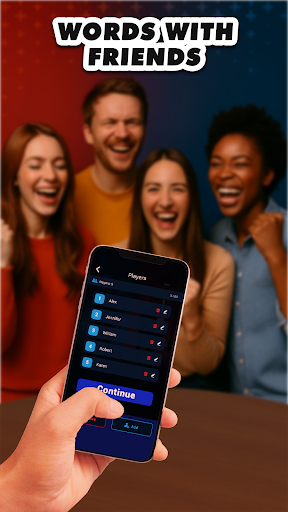
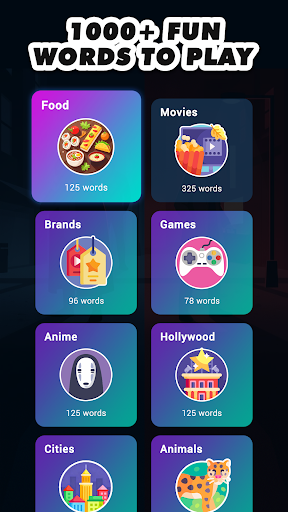
Impostor Challenge: Guess Who mixes word guessing with classic impostor gameplay in a unique imposter party word game and social party game experience. Each round, everyone knows the secret word-except one. Can you identify who is the imposter by observing their answers and behavior? Use your instincts, read each reaction, and try to guess the imposter before they slip away. Dive into this hilarious and strategic imposter who challenge where every round brings new surprises .
Watch carefully as players bluff, hesitate, or try to fakeit while pretending they know the word. This social deduction adventure delivers nonstop fun as you race to uncover the liar in this thrilling imposter who party game.
Get ready for chaos and clever thinking in this imposter party word game and social party game:
- All players see the secret word - except the imposter.
- The imposter sees nothing but the word “Imposter.”
- Everyone gives one clue about the real word, trying not to be obvious.
- The imposter tries to fakeit, hoping nobody notices their strange hints.
- The group argues, laughs, and tries to decide who is the imposter based on every clue.
- Reveal the liar dramatically and jump straight into the next imposter who round.
Each game is fast, tense, and full of surprises. Whether you're the Imposter, Mr White, or a Civilian, your mission is to read the room, protect the Secret Word, and uncover the liar before it's too late. Play like a high-stakes version of words with friends, but with bluffing, deception, and clever undercover tactics at every turn. Step into the role of a social spy as you analyze clues, catch slip-ups, and keep everyone guessing in this fun family game filled with laughter and suspense.
Key Features:
- Simple rules, endless mind games, and tons of replay value
- A hilarious imposter party word game that feels like social spy games
- 10+ fun categories: food, movies, hobbies, and more
- 500+ words encouraging players to bluff, twist clues, and fakeit like pros
- Great for gatherings with friends, family, or classmates-perfect for any “imposter who” moment.
Ready to test your deduction skills? Impostor Challenge throws you into an intense Party Word Challenge filled with sneaky hints and bold bluffs. Everyone gets the hidden word, but one player is faking it. Study every reaction and clue, then try to guess who knows the words without falling for their tricks. When the tension peaks, stand your ground and vote out the Imposter to claim victory .
Show more

1. Κατεβάστε το πρόγραμμα εγκατάστασης MEmu και ολοκληρώστε την εγκατάσταση

2. Ξεκινήστε το MEmu και στη συνέχεια ανοίξτε το Google Play στην επιφάνεια εργασίας

3. Αναζητήστε τον Impostor Challenge: Guess Who στο Google Play
Install
4. Λήψη και εγκατάσταση του Impostor Challenge: Guess Who
5. Μόλις ολοκληρωθεί η εγκατάσταση, κάντε κλικ στο εικονίδιο για να ξεκινήσετε

6. Enjoy playing Impostor Challenge: Guess Who on PC with MEmu
Το MEmu Play, αποτελεί την ιδανικότερη δωρεάν λύση για την εξομοίωση του λειτουργικού Android, και χρησιμοποιείται ήδη από περισσότερους από 50 εκατομμύρια χρήστες, ο οποίοι απολαμβάνουν, την καταπληκτική εμπειρία παιχνιδιού που προσφέρεται μέσω της εφαρμογής. Με τη χρήση του MEmu Virtualization, είναι δυνατή η αναπαραγωγή παιχνιδιών Android στον υπολογιστή, ακόμη και εκείνων που απαιτούν μεγάλη επεξεργαστική ισχύ γραφικών, δίχως συμβιβασμούς στην ποιότητα και στην εμπειρία χρήσης, ακριβώς όπως ένα τελευταίας γενιάς κινητό τηλέφωνο.
Μεγαλύτερη οθόνη με καλύτερα γραφικά. Μεγάλη διάρκεια ζωής, χωρίς περιορισμό μπαταρίας ή δεδομένων κινητής τηλεφωνίας.
Πλήρης υποστήριξη αντιστοίχισης πλήκτρων για ακριβή έλεγχο του πληκτρολογίου και του ποντικιού ή του gamepad.
Πολλαπλοί λογαριασμοί παιχνιδιών ή εργασίες σε έναν υπολογιστή ταυτόχρονα με τον διαχειριστή πολλαπλών περιπτώσεων.
Play Impostor Challenge: Guess Who on PC by following steps: