1.1.1.1 + WARP: Safer Internet
Ενημερώθηκε
Τρέχουσα έκδοση
6.38.11
Προσφέρεται από

Σταματήστε να ανησυχείτε για υπερβολικές χρεώσεις όταν χρησιμοποιείτε το 1.1.1.1 + WARP: Safer Internet στο κινητό σας, απελευθερώστε τον εαυτό σας από τη μικροσκοπική οθόνη και απολαύστε τη χρήση της εφαρμογής σε μια πολύ μεγαλύτερη οθόνη. Από τώρα και στο εξής, αποκτήστε εμπειρία πλήρους οθόνης της εφαρμογής σας με πληκτρολόγιο και ποντίκι. Το MEmu σας προσφέρει όλες τις εκπληκτικές δυνατότητες που περιμένατε: γρήγορη εγκατάσταση και εύκολη εγκατάσταση, διαισθητικά χειριστήρια, όχι περισσότερους περιορισμούς μπαταρίας, δεδομένα κινητής τηλεφωνίας και ενοχλητικές κλήσεις. Το ολοκαίνουργιο MEmu 9 είναι η καλύτερη επιλογή για χρήση του 1.1.1.1 + WARP: Safer Internet στον υπολογιστή σας. Κωδικοποιημένο με την απορρόφηση μας, ο διαχειριστής πολλαπλών παρουσιών καθιστά δυνατό το άνοιγμα 2 ή περισσότερων λογαριασμών ταυτόχρονα. Και το πιο σημαντικό, ο αποκλειστικός κινητήρας εξομοίωσης μπορεί να απελευθερώσει όλες τις δυνατότητες του υπολογιστή σας, να κάνει τα πάντα ομαλά και ευχάριστα.
Show more
Απολαύστε την υπέροχη εμπειρία αναπαραγωγής του 1.1.1.1 + WARP: Safer Internet σε υπολογιστή με το MEMU Play. Πρόκειται για έναν ισχυρό δωρεάν εξομοιωτή Android που σας επιτρέπει να παίζετε χιλιάδες παιχνίδια Android. 1.
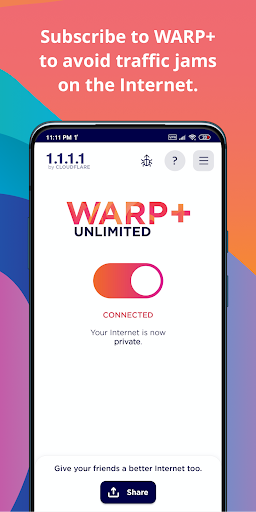
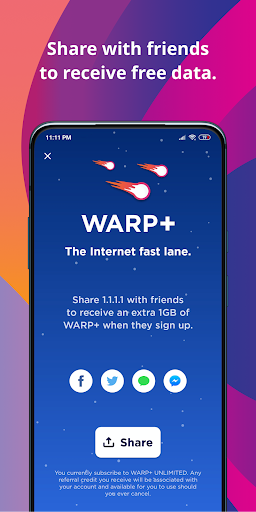
1.1.1.1 w/ WARP – the free app that makes your Internet more private –
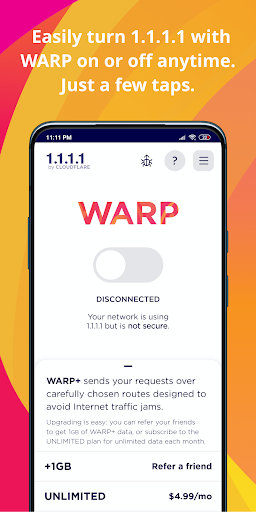
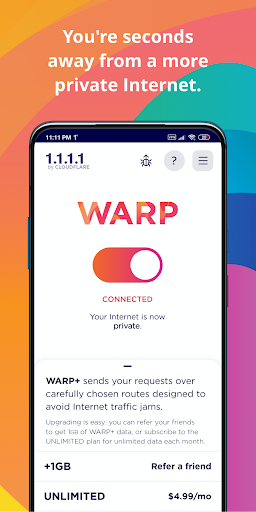
1.1.1.1 w/ WARP makes your Internet more private and safer. No one should be able to snoop on what you do on the Internet. We’ve created 1.1.1.1 so that you can connect to the Internet securely anytime, anywhere.
A better way to connect
1.1.1.1 with WARP replaces the connection between your phone and the Internet with a modern, optimized, protocol.
Greater privacy
1.1.1.1 with WARP prevents anyone from snooping on you by encrypting more of the traffic leaving your phone. We believe privacy is a right. We won't sell your data.
Better security
1.1.1.1 with WARP protects your phone from security threats like malware, phishing, crypto mining and other security threats. Enable 1.1.1.1 for Families option from the DNS settings inside the app.
Easy to use
One-touch setup to make your Internet more safe and private. Install it today, get a more private Internet, it’s that simple.
The only way to get WARP+
We test thousands of paths over the Internet every second to find which have the best performance. Skip right past Internet traffic jams using the same technology that we use to make thousands of websites 30% faster (on average).
---------------------
Subscription Information for WARP+
• 1.1.1.1 with WARP is free, but WARP+ is a paid feature which can be enabled at any time.
• Subscribe on a monthly basis to receive unlimited WARP+ data for the duration of the subscription.
• Your subscription will automatically renew for the same package length at the same price until you cancel in settings in the Google Play Store at least 24 hours prior to the end of the current period.
• Any unused portion of a free trial period and/or WARP+ data transfer credits, if offered, will be forfeited when you purchase a subscription, where applicable.
Required Permissions (these are essential for providing the core functionality of the service)
• None
Optional Permissions (these require the user's consent only when the relevant feature is used. Even if such permission is not granted, users may continue to use the service except for the features requiring that permission.)
• Notifications: Used to provide important app updates.
Location: Used to enable the Trusted Networks feature by allowing the app to access your location. WARP users can choose to share their precise location through their device settings to use the Trusted Networks feature. The Trusted Networks feature requires access to the network name (SSID) and is available only on Android devices that support precise location sharing. Trusted Networks allows WARP to recognize known networks, improving compatibility with home devices such as printers and TVs.
Show more

1. Κατεβάστε το πρόγραμμα εγκατάστασης MEmu και ολοκληρώστε την εγκατάσταση

2. Ξεκινήστε το MEmu και στη συνέχεια ανοίξτε το Google Play στην επιφάνεια εργασίας

3. Αναζητήστε τον 1.1.1.1 + WARP: Safer Internet στο Google Play
Install
4. Λήψη και εγκατάσταση του 1.1.1.1 + WARP: Safer Internet
5. Μόλις ολοκληρωθεί η εγκατάσταση, κάντε κλικ στο εικονίδιο για να ξεκινήσετε

6. Απολαύστε τη χρήση του 1.1.1.1 + WARP: Safer Internet σε υπολογιστή με το MEmu
Το MEmu Play είναι ο καλύτερος δωρεάν εξομοιωτής Android, που χρησιμοποιείται αυτήν τη στιγμή από πάνω από 50 εκατομμύρια χρήστες που απολαμβάνουν την εμπειρία εφαρμογών που προσφέρει. Μέσω της τεχνολογίας εικονικοποίησης MEmu 9, οι χρήστες μπορούν να δοκιμάσουν εφαρμογές Android στους υπολογιστές τους, ακόμα και σε εκείνους που απαιτούν υψηλή ισχύ επεξεργασίας γραφικών, οι οποίες λειτουργούν ομαλά σαν να λειτουργούν στα κινητά τηλέφωνα τελευταίας γενιάς, χωρίς να θυσιάζεται η ποιότητα της εικόνας και η εμπειρία χρήστη.
Μεγαλύτερη οθόνη με καλύτερα γραφικά. Μεγάλη διάρκεια ζωής, χωρίς περιορισμό μπαταρίας ή δεδομένων κινητής τηλεφωνίας.
Πλήρης υποστήριξη αντιστοίχισης πλήκτρων για ακριβή έλεγχο του πληκτρολογίου και του ποντικιού ή του gamepad.
Πολλαπλοί λογαριασμοί παιχνιδιών ή εργασίες σε έναν υπολογιστή ταυτόχρονα με τον διαχειριστή πολλαπλών περιπτώσεων.
Use 1.1.1.1 + WARP: Safer Internet on PC by following steps: