Doujindesu
Ενημερώθηκε
Τρέχουσα έκδοση
18.0.0
Προσφέρεται από

Σταματήστε να ανησυχείτε για υπερβολικές χρεώσεις όταν χρησιμοποιείτε το Doujindesu στο κινητό σας, απελευθερώστε τον εαυτό σας από τη μικροσκοπική οθόνη και απολαύστε τη χρήση της εφαρμογής σε μια πολύ μεγαλύτερη οθόνη. Από τώρα και στο εξής, αποκτήστε εμπειρία πλήρους οθόνης της εφαρμογής σας με πληκτρολόγιο και ποντίκι. Το MEmu σας προσφέρει όλες τις εκπληκτικές δυνατότητες που περιμένατε: γρήγορη εγκατάσταση και εύκολη εγκατάσταση, διαισθητικά χειριστήρια, όχι περισσότερους περιορισμούς μπαταρίας, δεδομένα κινητής τηλεφωνίας και ενοχλητικές κλήσεις. Το ολοκαίνουργιο MEmu 9 είναι η καλύτερη επιλογή για χρήση του Doujindesu στον υπολογιστή σας. Κωδικοποιημένο με την απορρόφηση μας, ο διαχειριστής πολλαπλών παρουσιών καθιστά δυνατό το άνοιγμα 2 ή περισσότερων λογαριασμών ταυτόχρονα. Και το πιο σημαντικό, ο αποκλειστικός κινητήρας εξομοίωσης μπορεί να απελευθερώσει όλες τις δυνατότητες του υπολογιστή σας, να κάνει τα πάντα ομαλά και ευχάριστα.
Show more
Απολαύστε την υπέροχη εμπειρία αναπαραγωγής του Doujindesu σε υπολογιστή με το MEMU Play. Πρόκειται για έναν ισχυρό δωρεάν εξομοιωτή Android που σας επιτρέπει να παίζετε χιλιάδες παιχνίδια Android. Doujindesu suits readers who want quick access to new chapters and a broad mix of genres in one place.
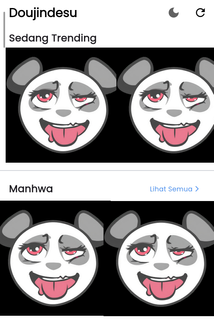


Doujindesu suits readers who want quick access to new chapters and a broad mix of genres in one place. It organizes Japanese manga, Korean manhwa, and Chinese manhua into a simple, mobile-friendly library so you can jump into a series at any time. You can browse widely, keep track of favorites, and read even when you are away from a stable connection. Daily readers and casual users can both find something to enjoy with Doujindesu APK.Key features of DoujindesuWide catalog with smart discoveryDoujindesu gathers thousands of titles across Action, Romance, Isekai, Horror, and more. You can search by title or author, then refine results by genre or type to narrow down what fits your mood. The app also highlights trending and frequently updated series, which helps you find active reads without digging through long lists.Frequent chapter updates and alertsFocused on fresh releases, Doujindesu adds over fifty new chapters each day. You can follow specific series to receive notifications as soon as new chapters arrive, which makes it easier to keep up without manual checks. Update timing varies by title since different series release on different schedules, so following your favorites is the most reliable way to stay current.Comfortable reading with clear imagesHigh-quality panels are displayed to keep text and art sharp on a phone screen. The vertical reader delivers smooth scrolling so you can move through pages at a steady pace. This setup supports both quick chapter checks and longer sessions without constant zooming.Offline downloads with storage controlSave individual chapters before a trip or commute for reading without data.Download only a few chapters at a time to manage space on your device.Remove finished chapters from the downloads section to free storage when you are done.Doujindesu keeps downloads simple so you can plan ahead and avoid heavy data usage.Dark Mode for night readingDark Mode is supported to reduce screen brightness in dim environments. Switching to a darker theme can make long sessions more comfortable, especially late at night. You can change the theme whenever needed, then return to the standard view during the day.Helpful notes before using DoujindesuContent variety and tagsSeries range from lighthearted to intense themes. Check tags and genres on a title page to see if a series matches your preferences before starting. Filters help you tune your feed so you spend less time skipping content you do not want.Release timing varies by seriesSome titles update daily, while others appear weekly or monthly. Following a series is the best way to receive timely alerts without checking manually. If an expected chapter is not available yet, it often appears once the source updates.When chapters fail to loadOccasionally, a chapter may not open due to changes in sources. If this happens, return to the series page and try another recent chapter, or revisit the title later. You can also browse recommendations and trending sections to keep reading while waiting for a refresh.How to use Doujindesu on AndroidGetting started is quick and straightforward, whether you plan daily reading or occasional sessions. After you download Doujindesu APK, the home screens and search tools guide you to new and ongoing series. The steps below outline a simple flow from discovery to offline reading.Open the app and explore the Home and Library tabs to see updates and suggestions.Use Search to find titles by name or author, then apply genre or type filters to narrow results.Open a series page and tap Follow to track it; allow notifications if you want alerts for new chapters.Tap a chapter to start reading and scroll vertically through the panels at your own pace.Select the download option on a chapter to save it for offline reading; later, remove finished downloads to free space. Switch to Dark Mode from the reader or settings when reading in low light.Start reading nowDoujindesu brings a large catalog, quick updates, and simple tools that support regular reading and discovery. If you want a focused mobile reader with offline options and theme control, download Doujindesu latest version APK from APKPure to see how it fits your routine.
Show more

1. Κατεβάστε το πρόγραμμα εγκατάστασης MEmu και ολοκληρώστε την εγκατάσταση

2. Ξεκινήστε το MEmu και στη συνέχεια ανοίξτε το Google Play στην επιφάνεια εργασίας

3. Αναζητήστε τον Doujindesu στο Google Play
Install
4. Λήψη και εγκατάσταση του Doujindesu
5. Μόλις ολοκληρωθεί η εγκατάσταση, κάντε κλικ στο εικονίδιο για να ξεκινήσετε

6. Απολαύστε τη χρήση του Doujindesu σε υπολογιστή με το MEmu
Το MEmu Play είναι ο καλύτερος δωρεάν εξομοιωτής Android, που χρησιμοποιείται αυτήν τη στιγμή από πάνω από 50 εκατομμύρια χρήστες που απολαμβάνουν την εμπειρία εφαρμογών που προσφέρει. Μέσω της τεχνολογίας εικονικοποίησης MEmu 9, οι χρήστες μπορούν να δοκιμάσουν εφαρμογές Android στους υπολογιστές τους, ακόμα και σε εκείνους που απαιτούν υψηλή ισχύ επεξεργασίας γραφικών, οι οποίες λειτουργούν ομαλά σαν να λειτουργούν στα κινητά τηλέφωνα τελευταίας γενιάς, χωρίς να θυσιάζεται η ποιότητα της εικόνας και η εμπειρία χρήστη.
Μεγαλύτερη οθόνη με καλύτερα γραφικά. Μεγάλη διάρκεια ζωής, χωρίς περιορισμό μπαταρίας ή δεδομένων κινητής τηλεφωνίας.
Πλήρης υποστήριξη αντιστοίχισης πλήκτρων για ακριβή έλεγχο του πληκτρολογίου και του ποντικιού ή του gamepad.
Πολλαπλοί λογαριασμοί παιχνιδιών ή εργασίες σε έναν υπολογιστή ταυτόχρονα με τον διαχειριστή πολλαπλών περιπτώσεων.
Use Doujindesu on PC by following steps: