Microsoft Excel: Spreadsheets
Ενημερώθηκε
Τρέχουσα έκδοση
1778589207
Προσφέρεται από

Σταματήστε να ανησυχείτε για υπερβολικές χρεώσεις όταν χρησιμοποιείτε το Microsoft Excel: Spreadsheets στο κινητό σας, απελευθερώστε τον εαυτό σας από τη μικροσκοπική οθόνη και απολαύστε τη χρήση της εφαρμογής σε μια πολύ μεγαλύτερη οθόνη. Από τώρα και στο εξής, αποκτήστε εμπειρία πλήρους οθόνης της εφαρμογής σας με πληκτρολόγιο και ποντίκι. Το MEmu σας προσφέρει όλες τις εκπληκτικές δυνατότητες που περιμένατε: γρήγορη εγκατάσταση και εύκολη εγκατάσταση, διαισθητικά χειριστήρια, όχι περισσότερους περιορισμούς μπαταρίας, δεδομένα κινητής τηλεφωνίας και ενοχλητικές κλήσεις. Το ολοκαίνουργιο MEmu 9 είναι η καλύτερη επιλογή για χρήση του Microsoft Excel: Spreadsheets στον υπολογιστή σας. Κωδικοποιημένο με την απορρόφηση μας, ο διαχειριστής πολλαπλών παρουσιών καθιστά δυνατό το άνοιγμα 2 ή περισσότερων λογαριασμών ταυτόχρονα. Και το πιο σημαντικό, ο αποκλειστικός κινητήρας εξομοίωσης μπορεί να απελευθερώσει όλες τις δυνατότητες του υπολογιστή σας, να κάνει τα πάντα ομαλά και ευχάριστα.
Show more
Απολαύστε την υπέροχη εμπειρία αναπαραγωγής του Microsoft Excel: Spreadsheets σε υπολογιστή με το MEMU Play. Πρόκειται για έναν ισχυρό δωρεάν εξομοιωτή Android που σας επιτρέπει να παίζετε χιλιάδες παιχνίδια Android. Spreadsheets & Calculations .
Spreadsheets & Calculations
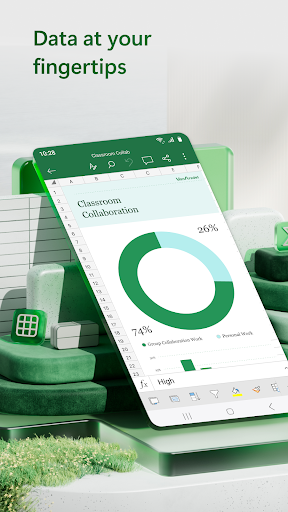
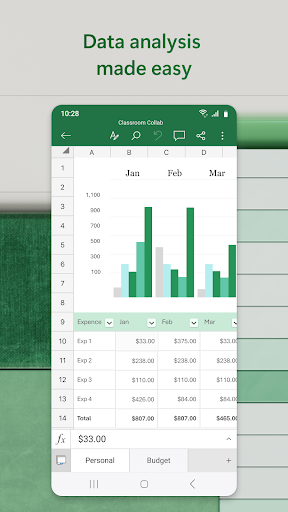
• Create charts, budgets, project plans, accounting & financial analysis with Excel's modern templates.
• Use an accounting calculator, data analysis tools and familiar formulae to perform calculations.
• Work with clear, easy-to-read sheets and charts enhanced by rich formatting.
Accounting, Budget and Expense Tracking
• Budget templates and planning tools: Use ready-made spreadsheets to plan spending across categories and time frames.
• Budget Tracker: Track expenses and save money.
• Accounting Tools: Use Excel as a tax calculator for estimates, personal finances and more.
Data Analysis
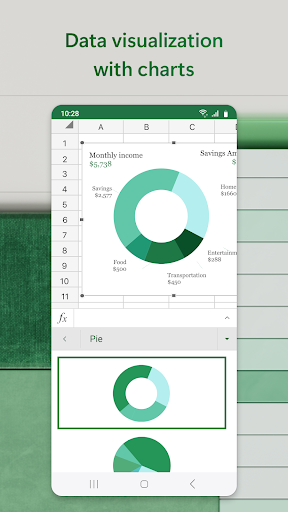
• Chart maker: Annotate, edit and insert charts that bring data to life.
• Expense tracker: Track expenses with a personal budget template.
• Pivot charts and spreadsheet visualisation tools offer easily digestible formats.
Review and Edit
• File editor: Edit documents, charts and data from anywhere.
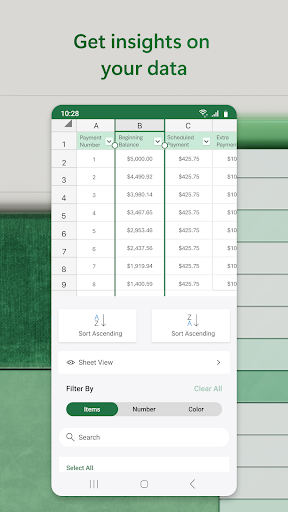
• Data analysis features like sort and filter columns.
• Annotate charts, highlight parts of worksheets and write equations with the draw tab on devices with touch capabilities.
Collaborate and Work Anywhere
• Share files and Excel sheets with just a few taps to invite others to edit, view or add comments.
• Edit and copy your worksheet in the body of an email or attach a link to your workbook.
AI Assistance with Copilot*
• Summarise data and highlight trends quickly.
• Generate charts and tables from raw data with simple prompts.
• Get intelligent recommendations for budgeting and forecasting.
REQUIREMENTS:
1 GB RAM or above
To create or edit documents, sign in with a free Microsoft account on devices with a screen size smaller than 10.1 inches.
*Unlock the full Microsoft 365 experience with a qualifying Microsoft 365 subscription for your phone, tablet, PC and Mac.
Microsoft 365 subscriptions purchased from the app will be charged to your Play Store account and will automatically renew within 24 hours prior to the end of the current subscription period, unless auto-renewal is disabled beforehand. You can manage your subscriptions in your Play Store account settings. A subscription cannot be cancelled during the active subscription period.
This app is provided by either Microsoft or a third-party app publisher and is subject to a separate privacy statement and terms and conditions. Data provided through the use of this store and this app may be accessible to Microsoft or the third-party app publisher, where applicable, and transferred to, stored and processed in the United States or any other country where Microsoft or the app publisher and their affiliates or service providers maintain facilities.
Please refer to Microsoft's EULA for Terms of Service for Microsoft 365 on Android. By installing the app, you agree to these terms and conditions: http://aka.ms/eula
Show more

1. Κατεβάστε το πρόγραμμα εγκατάστασης MEmu και ολοκληρώστε την εγκατάσταση

2. Ξεκινήστε το MEmu και στη συνέχεια ανοίξτε το Google Play στην επιφάνεια εργασίας

3. Αναζητήστε τον Microsoft Excel: Spreadsheets στο Google Play
Install
4. Λήψη και εγκατάσταση του Microsoft Excel: Spreadsheets
5. Μόλις ολοκληρωθεί η εγκατάσταση, κάντε κλικ στο εικονίδιο για να ξεκινήσετε

6. Απολαύστε τη χρήση του Microsoft Excel: Spreadsheets σε υπολογιστή με το MEmu
Το MEmu Play είναι ο καλύτερος δωρεάν εξομοιωτής Android, που χρησιμοποιείται αυτήν τη στιγμή από πάνω από 50 εκατομμύρια χρήστες που απολαμβάνουν την εμπειρία εφαρμογών που προσφέρει. Μέσω της τεχνολογίας εικονικοποίησης MEmu 9, οι χρήστες μπορούν να δοκιμάσουν εφαρμογές Android στους υπολογιστές τους, ακόμα και σε εκείνους που απαιτούν υψηλή ισχύ επεξεργασίας γραφικών, οι οποίες λειτουργούν ομαλά σαν να λειτουργούν στα κινητά τηλέφωνα τελευταίας γενιάς, χωρίς να θυσιάζεται η ποιότητα της εικόνας και η εμπειρία χρήστη.
Μεγαλύτερη οθόνη με καλύτερα γραφικά. Μεγάλη διάρκεια ζωής, χωρίς περιορισμό μπαταρίας ή δεδομένων κινητής τηλεφωνίας.
Πλήρης υποστήριξη αντιστοίχισης πλήκτρων για ακριβή έλεγχο του πληκτρολογίου και του ποντικιού ή του gamepad.
Πολλαπλοί λογαριασμοί παιχνιδιών ή εργασίες σε έναν υπολογιστή ταυτόχρονα με τον διαχειριστή πολλαπλών περιπτώσεων.
Use Microsoft Excel: Spreadsheets on PC by following steps: