NetMirror
Ενημερώθηκε
Τρέχουσα έκδοση
1.0.0
Προσφέρεται από

Σταματήστε να ανησυχείτε για υπερβολικές χρεώσεις όταν χρησιμοποιείτε το NetMirror στο κινητό σας, απελευθερώστε τον εαυτό σας από τη μικροσκοπική οθόνη και απολαύστε τη χρήση της εφαρμογής σε μια πολύ μεγαλύτερη οθόνη. Από τώρα και στο εξής, αποκτήστε εμπειρία πλήρους οθόνης της εφαρμογής σας με πληκτρολόγιο και ποντίκι. Το MEmu σας προσφέρει όλες τις εκπληκτικές δυνατότητες που περιμένατε: γρήγορη εγκατάσταση και εύκολη εγκατάσταση, διαισθητικά χειριστήρια, όχι περισσότερους περιορισμούς μπαταρίας, δεδομένα κινητής τηλεφωνίας και ενοχλητικές κλήσεις. Το ολοκαίνουργιο MEmu 9 είναι η καλύτερη επιλογή για χρήση του NetMirror στον υπολογιστή σας. Κωδικοποιημένο με την απορρόφηση μας, ο διαχειριστής πολλαπλών παρουσιών καθιστά δυνατό το άνοιγμα 2 ή περισσότερων λογαριασμών ταυτόχρονα. Και το πιο σημαντικό, ο αποκλειστικός κινητήρας εξομοίωσης μπορεί να απελευθερώσει όλες τις δυνατότητες του υπολογιστή σας, να κάνει τα πάντα ομαλά και ευχάριστα.
Show more
Απολαύστε την υπέροχη εμπειρία αναπαραγωγής του NetMirror σε υπολογιστή με το MEMU Play. Πρόκειται για έναν ισχυρό δωρεάν εξομοιωτή Android που σας επιτρέπει να παίζετε χιλιάδες παιχνίδια Android. NetMirror suits moments when you need quick guidance on what to watch next.
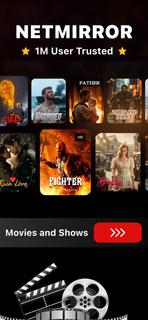

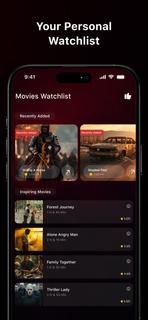
NetMirror suits moments when you need quick guidance on what to watch next. It focuses on discovery and planning, so you can scan current trends and keep track of titles in one place. The app presents essential details in a clear layout and leaves viewing decisions to you. It provides information only and does not host or stream videos. If you plan to download NetMirror, check that its information-focused approach fits your viewing habits. NetMirror featuresBrowse charts for fast discoveryNetMirror lets you look through curated lists such as popular, top-rated, and upcoming. This view helps you spot trending films and series in seconds. It is a quick way to scan highlights before you dive into details.Filter by genre and categoryAfter checking the main charts, you can narrow results with simple category and genre filters. Choose the types you like to reduce noise and surface titles that match your taste. This keeps browsing focused when the catalog feels large.Search with keywords and criteriaYou can find specific titles by typing keywords and combining basic filters. The search helps when you remember only part of a name or want to explore by theme. Results refresh quickly, so you can refine terms as you go.Open rich title pagesWhen a title stands out, open its page to read a short synopsis and see release and rating info. Cast and creator sections add context, and series entries include episode or season structure where available. Scroll further to view similar recommendations that relate to what you are checking.Multiple language options and historyTo support daily use, NetMirror includes multiple language choices in its interface. A simple history keeps a record of what you viewed, which makes it easier to revisit items and continue planning later. This helps maintain a consistent watch shortlist over time. NetMirror's scopeNetMirror is designed as an information and discovery tool. It does not provide video playback, file hosting, or content downloads. Always choose lawful viewing options in your region and use the app to research titles, compare basic facts, and plan a watchlist. How to use NetMirror on AndroidAfter the NetMirror APK is installed, the home screen presents charts and categories for quick access. You can move between sections to explore before opening any title for details.Open the app and look over the charts on the home screen to get an overview of what is trending.Tap a chart like Popular or Upcoming to see the full list, then swipe between sections to compare options.Use the filter or category controls to pick genres and adjust the sort so results match your preferences.Select a title to open its page, read the synopsis, check the cast and ratings, and scroll to similar suggestions.Return to the main view to continue browsing, then open the history section to revisit recent titles and refine your plan. Start exploring todayNetMirror helps you browse film and series information, compare basics, and build a personal shortlist without video playback. To keep features current, consider downloading the NetMirror latest version APK from APKPure when it becomes available. Open the app and start exploring titles that match your interests.
Show more

1. Κατεβάστε το πρόγραμμα εγκατάστασης MEmu και ολοκληρώστε την εγκατάσταση

2. Ξεκινήστε το MEmu και στη συνέχεια ανοίξτε το Google Play στην επιφάνεια εργασίας

3. Αναζητήστε τον NetMirror στο Google Play
Install
4. Λήψη και εγκατάσταση του NetMirror
5. Μόλις ολοκληρωθεί η εγκατάσταση, κάντε κλικ στο εικονίδιο για να ξεκινήσετε

6. Απολαύστε τη χρήση του NetMirror σε υπολογιστή με το MEmu
Το MEmu Play είναι ο καλύτερος δωρεάν εξομοιωτής Android, που χρησιμοποιείται αυτήν τη στιγμή από πάνω από 50 εκατομμύρια χρήστες που απολαμβάνουν την εμπειρία εφαρμογών που προσφέρει. Μέσω της τεχνολογίας εικονικοποίησης MEmu 9, οι χρήστες μπορούν να δοκιμάσουν εφαρμογές Android στους υπολογιστές τους, ακόμα και σε εκείνους που απαιτούν υψηλή ισχύ επεξεργασίας γραφικών, οι οποίες λειτουργούν ομαλά σαν να λειτουργούν στα κινητά τηλέφωνα τελευταίας γενιάς, χωρίς να θυσιάζεται η ποιότητα της εικόνας και η εμπειρία χρήστη.
Μεγαλύτερη οθόνη με καλύτερα γραφικά. Μεγάλη διάρκεια ζωής, χωρίς περιορισμό μπαταρίας ή δεδομένων κινητής τηλεφωνίας.
Πλήρης υποστήριξη αντιστοίχισης πλήκτρων για ακριβή έλεγχο του πληκτρολογίου και του ποντικιού ή του gamepad.
Πολλαπλοί λογαριασμοί παιχνιδιών ή εργασίες σε έναν υπολογιστή ταυτόχρονα με τον διαχειριστή πολλαπλών περιπτώσεων.
Use NetMirror on PC by following steps: