One Store
Ενημερώθηκε
Τρέχουσα έκδοση
4.8.0-release
Προσφέρεται από

Σταματήστε να ανησυχείτε για υπερβολικές χρεώσεις όταν χρησιμοποιείτε το One Store στο κινητό σας, απελευθερώστε τον εαυτό σας από τη μικροσκοπική οθόνη και απολαύστε τη χρήση της εφαρμογής σε μια πολύ μεγαλύτερη οθόνη. Από τώρα και στο εξής, αποκτήστε εμπειρία πλήρους οθόνης της εφαρμογής σας με πληκτρολόγιο και ποντίκι. Το MEmu σας προσφέρει όλες τις εκπληκτικές δυνατότητες που περιμένατε: γρήγορη εγκατάσταση και εύκολη εγκατάσταση, διαισθητικά χειριστήρια, όχι περισσότερους περιορισμούς μπαταρίας, δεδομένα κινητής τηλεφωνίας και ενοχλητικές κλήσεις. Το ολοκαίνουργιο MEmu 9 είναι η καλύτερη επιλογή για χρήση του One Store στον υπολογιστή σας. Κωδικοποιημένο με την απορρόφηση μας, ο διαχειριστής πολλαπλών παρουσιών καθιστά δυνατό το άνοιγμα 2 ή περισσότερων λογαριασμών ταυτόχρονα. Και το πιο σημαντικό, ο αποκλειστικός κινητήρας εξομοίωσης μπορεί να απελευθερώσει όλες τις δυνατότητες του υπολογιστή σας, να κάνει τα πάντα ομαλά και ευχάριστα.
Show more
Απολαύστε την υπέροχη εμπειρία αναπαραγωγής του One Store σε υπολογιστή με το MEMU Play. Πρόκειται για έναν ισχυρό δωρεάν εξομοιωτή Android που σας επιτρέπει να παίζετε χιλιάδες παιχνίδια Android. One Store helps users who want a reliable place to find Android apps, games, and digital content tailored to local tastes.
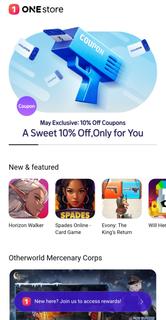
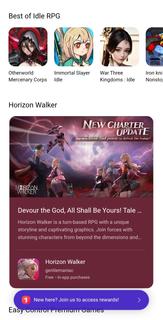
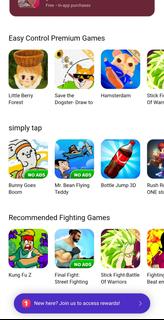
One Store helps users who want a reliable place to find Android apps, games, and digital content tailored to local tastes. It brings together everyday purchases and entertainment in one app, so browsing and buying feel straightforward from the start. With an emphasis on convenience, it supports familiar payment methods and organized categories for simple navigation. As content changes over time, users see fresh options and timely deals. For easy access, many users look for the One Store APK to install and update on their devices.One Store featuresExtensive catalogOne Store offers a broad range of Android apps, games, eâbooks, music, and other digital content. It organizes these categories so you can move from browsing to downloading without confusion. As new releases arrive, the catalog expands and maintains a mix of local and global selections.Exclusive titles and regional releasesOne Store includes exclusive apps and games that may debut in specific regions first. These releases appear alongside standard listings, so users can see what is newly available without searching elsewhere. Over time, exclusives rotate and keep the lineup fresh for local audiences.Secure payment optionsOne Store supports carrier billing, credit cards, and gift cards, which reduces friction at checkout. Users choose the method that suits their situation, then confirm purchases in a straightforward flow. This flexibility helps purchases feel predictable and reduces failed transactions.Daily deals and reward pointsOne Store provides regular discounts and a rewards system that grants points and benefits. You can apply points during checkout or save them for future purchases, which adds value over time. Because promotions change daily or seasonally, checking the deals section helps you plan purchases more efficiently.Personalized discovery and quick downloadsOne Store uses recommendations and an intuitive layout to surface relevant apps and content. As you browse, suggestions adapt and guide you toward items that fit your interests. When you decide to install, downloads begin promptly, and progress indicators help you track completion.Legitimacy and regional availability of One StoreOne Store is recognized as Koreaâs leading Android marketplace and is backed by major carriers and regional partners. This foundation supports verified payment options and ongoing security updates for the client app. Availability, featured content, and promotions can vary by country and carrier, so the experience may differ across regions. To access the latest releases and stability improvements, confirm you are using the One Store latest version on your device.Preinstalled One Store on some devicesOn certain phones, especially those sold through specific carriers or partners, One Store may come preinstalled. In many cases, you can uninstall or disable it in the device settings like other apps. On some models, full removal is restricted, and disabling the app is the available option. This setup reflects carrier or partner choices for the default marketplace on those devices.How to use One Store on AndroidThis short guide outlines the basic flow from browsing to purchase inside One Store. If you prefer a manual install, locate the One Store APK from a trusted source, then open the app to begin.Open One Store, grant any required permissions, choose your language, and sign in or create an account.Browse categories or use search to find apps, games, eâbooks, or music that match your interests.Open a product page to read details, then tap purchase or install. Select carrier billing, credit card, or gift card as needed.Confirm the payment and start the download. Wait for the progress to complete before opening the item.Return to your library to manage updates, view purchases, and adjust notification or payment settings for future use.Start using One Store todayOne Store brings localized content, flexible payments, and ongoing deals into a single Android marketplace. To explore apps, games, and media without delay, download One Store and begin browsing.
Show more

1. Κατεβάστε το πρόγραμμα εγκατάστασης MEmu και ολοκληρώστε την εγκατάσταση

2. Ξεκινήστε το MEmu και στη συνέχεια ανοίξτε το Google Play στην επιφάνεια εργασίας

3. Αναζητήστε τον One Store στο Google Play
Install
4. Λήψη και εγκατάσταση του One Store
5. Μόλις ολοκληρωθεί η εγκατάσταση, κάντε κλικ στο εικονίδιο για να ξεκινήσετε

6. Απολαύστε τη χρήση του One Store σε υπολογιστή με το MEmu
Το MEmu Play είναι ο καλύτερος δωρεάν εξομοιωτής Android, που χρησιμοποιείται αυτήν τη στιγμή από πάνω από 50 εκατομμύρια χρήστες που απολαμβάνουν την εμπειρία εφαρμογών που προσφέρει. Μέσω της τεχνολογίας εικονικοποίησης MEmu 9, οι χρήστες μπορούν να δοκιμάσουν εφαρμογές Android στους υπολογιστές τους, ακόμα και σε εκείνους που απαιτούν υψηλή ισχύ επεξεργασίας γραφικών, οι οποίες λειτουργούν ομαλά σαν να λειτουργούν στα κινητά τηλέφωνα τελευταίας γενιάς, χωρίς να θυσιάζεται η ποιότητα της εικόνας και η εμπειρία χρήστη.
Μεγαλύτερη οθόνη με καλύτερα γραφικά. Μεγάλη διάρκεια ζωής, χωρίς περιορισμό μπαταρίας ή δεδομένων κινητής τηλεφωνίας.
Πλήρης υποστήριξη αντιστοίχισης πλήκτρων για ακριβή έλεγχο του πληκτρολογίου και του ποντικιού ή του gamepad.
Πολλαπλοί λογαριασμοί παιχνιδιών ή εργασίες σε έναν υπολογιστή ταυτόχρονα με τον διαχειριστή πολλαπλών περιπτώσεων.
Use One Store on PC by following steps: