One Store
อัปเดตเมื่อ
เวอร์ชันปัจจุบัน
4.8.0-release
ให้บริการโดย

เมื่อใช้ One Store บนโทรศัพท์ของคุณไม่ต้องกังวลกับการชาร์จไฟมากเกินไปปลดปล่อยตัวคุณเองจากหน้าจอขนาดเล็กและสนุกกับการใช้แอพนี้บนหน้าจอขนาดใหญ่ จากนี้ไปรับประสบการณ์เต็มหน้าจอของแอปพลิเคชันของคุณด้วยคีย์บอร์ดและเมาส์ MEmu มีคุณสมบัติที่น่าแปลกใจที่คุณคาดหวัง: การติดตั้งที่รวดเร็วและการตั้งค่าที่ง่ายควบคุมได้ง่ายไม่ จำกัด แบตเตอรี่ข้อมูลมือถือและการโทรที่รบกวน MEmu 9 ใหม่ล่าสุดเป็นตัวเลือกที่ดีที่สุดสำหรับการใช้ Meitu – โปรแกรมแก้ไขภาพแนวธรรมชาติ บนคอมพิวเตอร์ของคุณ ด้วยรหัสการดูดซึมของเราผู้จัดการหลายอินสแตนซ์ทำให้สามารถเปิดบัญชี 2 บัญชีขึ้นไปในเวลาเดียวกันได้ และที่สำคัญที่สุดเอ็นจิ้นจำลองพิเศษของเราสามารถปลดปล่อยศักยภาพของPCของคุณและทำให้ทุกอย่างราบรื่นและสนุกสนาน
แสดงเพิ่มเติม
สัมผัสประสบการณ์สุดยอดการใช้งาน One Store บนพีซีด้วย MEmu Play นี่คือโปรแกรมจำลอง Android ฟรีที่ทรงพลัง ให้คุณใช้งานแอป Android นับพันบนเดสก์ท็อป สนุกกับการเชื่อมต่อกับเพื่อนๆ และขัดเกลาผลงานของคุณอย่างมีประสิทธิภาพยิ่งขึ้น! One Store is a leading mobile app marketplace from South Korea, offering a seamless experience for downloading and purchasing digital content.
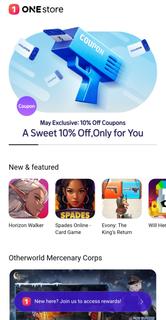
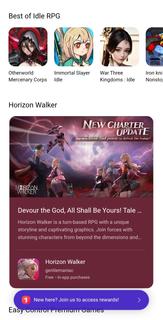
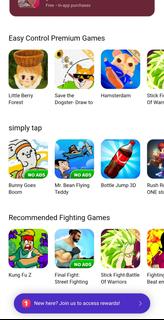
One Store is a leading mobile app marketplace from South Korea, offering a seamless experience for downloading and purchasing digital content. It provides a wide variety of applications, games, e-books, music, and more, catering to both local and global users. Known for its competitive pricing and exclusive deals, One Store serves as a trusted alternative to global app stores, supporting regional developers while delivering high-quality content to its audience.Key Features of One Store:Secure payment options with carrier billing, credit cards, and gift cards.Exclusive apps and games unavailable on other marketplaces.Personalized recommendations based on user preferences.Frequent promotional discounts and special offers.Multi-language customer support for global accessibility.Intuitive interface for easy browsing and quick downloads.Integrated reward system to earn points and benefits.Regular updates ensuring content freshness and security.
แสดงเพิ่มเติม

1. ดาวน์โหลดตัวติดตั้ง MEmu และสิ้นสุดการติดตั้ง

2. เริ่ม MEmu จากนั้นเปิด Google Play บนหน้าแรก

3. ค้นหา One Store ใน Google Play
Install
4. ดาวน์โหลดและติดตั้ง One Store
5. เมื่อติดตั้งเสร็จให้คลิกที่ไอคอนเพื่อเริ่มใช้งาน

6. ใช้ MEmu เพื่อสัมผัสประสบการณ์ One Store บนคอมพิวเตอร์ของคุณ
MEmu Play คือโปรแกรมจำลอง Android ที่ดีที่สุด มีผู้ใช้มากกว่า 50 ล้านคน มอบประสบการณ์การใช้งานแอป Android ขั้นสุดยอดให้กับคุณ เทคโนโลยีจำลองเสมือนของ MEmu ช่วยให้คุณรันแอป Android หลายพันแอปบนคอมพิวเตอร์ได้อย่างราบรื่น แม้แอปที่กินทรัพยากรเครื่องสูงที่สุด
จอใหญ่และกราฟฟิกสวยกว่า; เล่นได้นาน, ไม่ต้องใช้แบตเตอรี่โทรศัพท์หรือเน็ตโทรศัพท์.
ระบบปรับแต่งปุ่มคีย์บอร์ดและเม้าส์ตามที่คุณเลือก
เล่นมากกว่าหนึ่งเกมบน PC ในเวลาเดียวกันด้วยระบบหลายจอหรือ Multi-Instance manager.
Use One Store on PC by following steps: