Astro Bot
अपडेट किया गया
वर्तमान वर्शन
संसाधन

अपने सेलफोन पर Astro Bot का उपयोग करते समय ओवरचार्ज के बारे में चिंता करना बंद करें, अपने आप को छोटी स्क्रीन से मुक्त करें और बहुत बड़े डिस्प्ले पर ऐप का उपयोग करने का आनंद लें। अब से, कीबोर्ड और माउस के साथ अपने ऐप का पूर्ण-स्क्रीन अनुभव प्राप्त करें। एमईएमयू आपको उन सभी आश्चर्यजनक सुविधाओं की पेशकश करता है जिनकी आपको उम्मीद थी: त्वरित इंस्टॉल और आसान सेटअप, सहज नियंत्रण, बैटरी की कोई सीमा नहीं, मोबाइल डेटा और परेशान कॉल। आपके कंप्यूटर पर Astro Bot का उपयोग करने का सबसे अच्छा विकल्प नया MEmu 9 है। हमारे अवशोषण के साथ कोडित, बहु-उदाहरण प्रबंधक एक ही समय में 2 या अधिक खाते खोलना संभव बनाता है। और सबसे महत्वपूर्ण, हमारा अनन्य उत्सर्जन इंजन आपके पीसी की पूरी क्षमता को जारी कर सकता है, सब कुछ सुचारू और सुखद बना सकता है।
और दिखाएं
डाउनलोड करें Astro Bot पीसी पर MEmu एंड्रॉयड एमुलेटर के साथ बड़े पर्दे पर खेलने का आनंद लें। Join ASTRO in a brand-new, supersized space adventure!

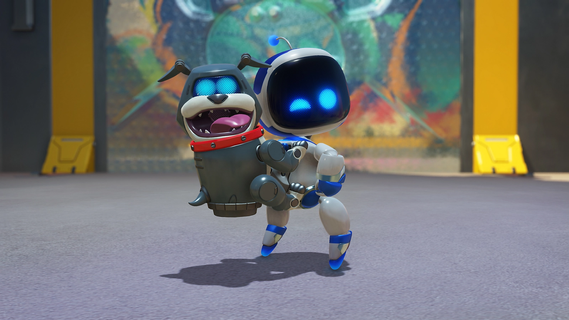
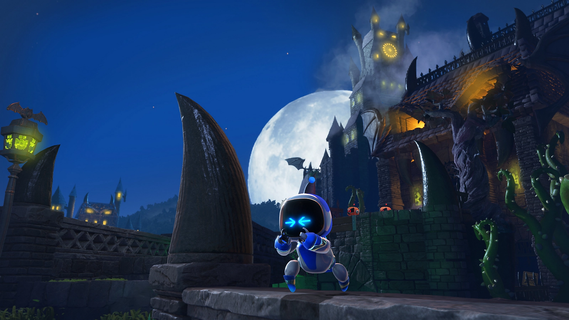
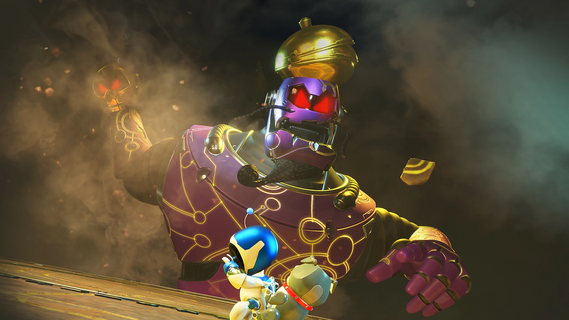
Join ASTRO in a brand-new, supersized space adventure!Board ASTRO's trusty Dual Speeder and get ready for an amazing adventure through spectacular worlds that are full of fun, secrets and surprises. The PS5® mothership has been wrecked by ASTRO’s alien rival, leaving his crew scattered across multiple galaxies. Can you help ASTRO rescue his stranded bot buddies and rebuild the mothership? Enjoy powered-up platforming action over 50 exciting planets. Make the most of ASTRO’s new abilities, from froggy boxing gloves to a giant ASTRO-shaped sponge! Key features Why you should play ASTRO BOT Become a galactic explorerBlast through the galaxy on ASTRO's Dual Speeder in the search for his Bot friends. Explore sky gardens, spooky graveyards, undersea cities, scorching volcanoes and much more! Powered-up platformingTake on crazy enemies and gigantic bosses with awesome new abilities. Feel their power through the DualSense wireless controller! A PlayStation celebrationRescue over 150 iconic VIP Bots inspired by legendary characters from 30 years of PlayStation history.
और दिखाएं

1. MEmu इंस्टॉलर को डाउनलोड करें और इंस्टॉलेशन को पूरा करें

2. MEmu शुरू करें फिर होमपेज पर Google Play खोलें

3. Google Play में Astro Bot खोजें
Install
4. Astro Bot डाउनलोड कर इंस्टॉल करें
5. इंस्टॉल पूरा होने पर आइकन दबाएं

6. MEmu से पीसी पर Astro Bot खेलने का आनंद लें
MEmu Play सबसे बेहतरीन मुफ़्त Android एमुलेटर है और 5 करोड़ लोग पहले ही इसके शानदार Android गेमिंग अनुभव का आनंद ले चुके हैं। MEmu 9 वर्चुअलाइज़ेशन तकनीक आपको अपने PC पर हज़ारों Android गेम, यहाँ तक कि सबसे ज़्यादा ग्राफ़िक्स वाले गेम भी, आसानी से खेलने की सुविधा देती है।
असीमित बैटरी या मोबाइल डेटा के साथ बेहतर ग्राफिक्स के साथ बड़ी स्क्रीन; लंबी अवधि।
कीबोर्ड और माउस या गेमपैड के उत्तम नियंत्रण के लिए संपूर्ण कीमैपिंग का समर्थन करता हैं।
एक ही पीसी पर मल्टी-इंस्टेंस मैनेजर के साथ एक समय में कई गेम खाते या कार्य कर सकते हैं।
Play Astro Bot on PC by following steps: