Flash Peak
अपडेट किया गया
वर्तमान वर्शन
0.4.0
संसाधन

अपने सेलफोन पर Flash Peak का उपयोग करते समय ओवरचार्ज के बारे में चिंता करना बंद करें, अपने आप को छोटी स्क्रीन से मुक्त करें और बहुत बड़े डिस्प्ले पर ऐप का उपयोग करने का आनंद लें। अब से, कीबोर्ड और माउस के साथ अपने ऐप का पूर्ण-स्क्रीन अनुभव प्राप्त करें। एमईएमयू आपको उन सभी आश्चर्यजनक सुविधाओं की पेशकश करता है जिनकी आपको उम्मीद थी: त्वरित इंस्टॉल और आसान सेटअप, सहज नियंत्रण, बैटरी की कोई सीमा नहीं, मोबाइल डेटा और परेशान कॉल। आपके कंप्यूटर पर Flash Peak का उपयोग करने का सबसे अच्छा विकल्प नया MEmu 9 है। हमारे अवशोषण के साथ कोडित, बहु-उदाहरण प्रबंधक एक ही समय में 2 या अधिक खाते खोलना संभव बनाता है। और सबसे महत्वपूर्ण, हमारा अनन्य उत्सर्जन इंजन आपके पीसी की पूरी क्षमता को जारी कर सकता है, सब कुछ सुचारू और सुखद बना सकता है।
और दिखाएं
डाउनलोड करें Flash Peak पीसी पर MEmu एंड्रॉयड एमुलेटर के साथ बड़े पर्दे पर खेलने का आनंद लें। 3RD-PERSON FOOTBALL.
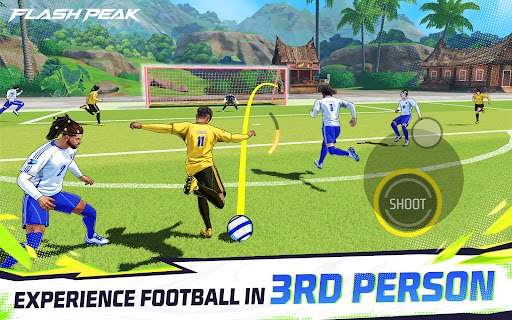
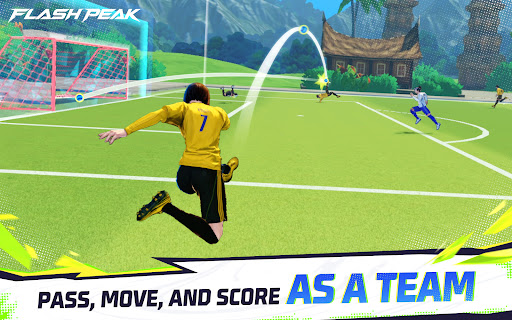

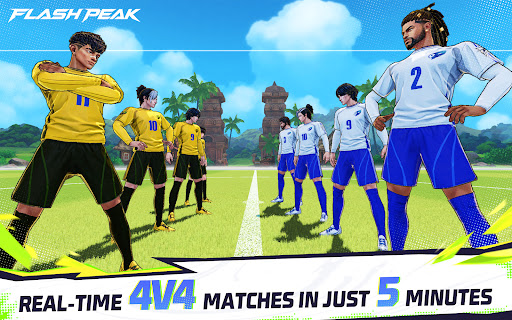
3RD-PERSON FOOTBALL
Step onto the pitch in a different kind of football game. Compete in fast-paced 4v4 matches and control your player directly in a 3rd-person view. Make the right runs, deliver key passes, and finish big chances in action-packed football battles.
WIN WITH TEAMWORK
Victory is not just about individual play. Smart positioning, quick passing, and coordinated team plays are the key to breaking through the defense and taking control of the match.
UNIQUE CHARACTER SKILLS
Every character brings unique skills to the field. From attack and dribbling to defense and finishing, different character skills create different ways to play and add tactical depth to every match.
REAL-TIME 4V4 PVP
Face real opponents in real-time PvP, where every moment matters. Read the game, react fast, and work with your team to outplay the competition.
FAST, RULE-FREE FOOTBALL
No offsides. No fouls. No out-of-bounds interruptions. Just fast, nonstop football where the action keeps flowing and every play can change the result.
PLAY TO WIN
Master the pitch, team up, and win with skill.
और दिखाएं

1. MEmu इंस्टॉलर को डाउनलोड करें और इंस्टॉलेशन को पूरा करें

2. MEmu शुरू करें फिर होमपेज पर Google Play खोलें

3. Google Play में Flash Peak खोजें
Install
4. Flash Peak डाउनलोड कर इंस्टॉल करें
5. इंस्टॉल पूरा होने पर आइकन दबाएं

6. MEmu से पीसी पर Flash Peak खेलने का आनंद लें
MEmu Play सबसे बेहतरीन मुफ़्त Android एमुलेटर है और 5 करोड़ लोग पहले ही इसके शानदार Android गेमिंग अनुभव का आनंद ले चुके हैं। MEmu 9 वर्चुअलाइज़ेशन तकनीक आपको अपने PC पर हज़ारों Android गेम, यहाँ तक कि सबसे ज़्यादा ग्राफ़िक्स वाले गेम भी, आसानी से खेलने की सुविधा देती है।
असीमित बैटरी या मोबाइल डेटा के साथ बेहतर ग्राफिक्स के साथ बड़ी स्क्रीन; लंबी अवधि।
कीबोर्ड और माउस या गेमपैड के उत्तम नियंत्रण के लिए संपूर्ण कीमैपिंग का समर्थन करता हैं।
एक ही पीसी पर मल्टी-इंस्टेंस मैनेजर के साथ एक समय में कई गेम खाते या कार्य कर सकते हैं।
Play Flash Peak on PC by following steps: