Girls Echo
अपडेट किया गया
वर्तमान वर्शन
संसाधन

अपने सेलफोन पर Girls Echo का उपयोग करते समय ओवरचार्ज के बारे में चिंता करना बंद करें, अपने आप को छोटी स्क्रीन से मुक्त करें और बहुत बड़े डिस्प्ले पर ऐप का उपयोग करने का आनंद लें। अब से, कीबोर्ड और माउस के साथ अपने ऐप का पूर्ण-स्क्रीन अनुभव प्राप्त करें। एमईएमयू आपको उन सभी आश्चर्यजनक सुविधाओं की पेशकश करता है जिनकी आपको उम्मीद थी: त्वरित इंस्टॉल और आसान सेटअप, सहज नियंत्रण, बैटरी की कोई सीमा नहीं, मोबाइल डेटा और परेशान कॉल। आपके कंप्यूटर पर Girls Echo का उपयोग करने का सबसे अच्छा विकल्प नया MEmu 9 है। हमारे अवशोषण के साथ कोडित, बहु-उदाहरण प्रबंधक एक ही समय में 2 या अधिक खाते खोलना संभव बनाता है। और सबसे महत्वपूर्ण, हमारा अनन्य उत्सर्जन इंजन आपके पीसी की पूरी क्षमता को जारी कर सकता है, सब कुछ सुचारू और सुखद बना सकता है।
और दिखाएं
डाउनलोड करें Girls Echo पीसी पर MEmu एंड्रॉयड एमुलेटर के साथ बड़े पर्दे पर खेलने का आनंद लें। "Two worlds.
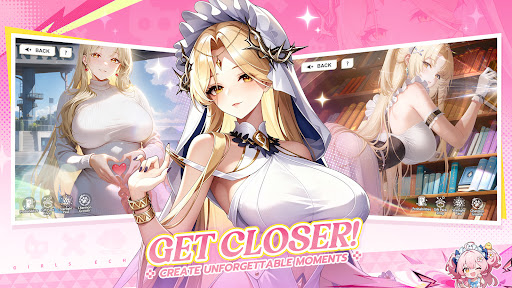
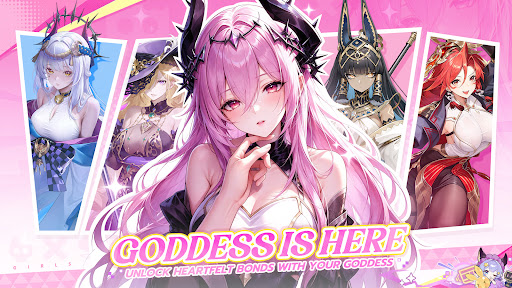
"Two worlds. One fate. A story waiting to be rewritten.
A mysterious catastrophe is tearing apart the boundary between the real world and the ancient realm of Shenzhou. As powerful Phantoms from forgotten eras and legends begin to emerge, an ancient enemy threatens to erase everything you know."
"The ancient pact has awakened.
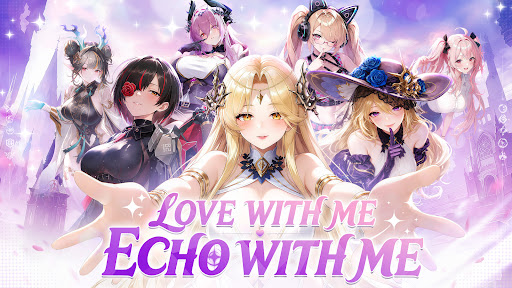
Will you like to enter into a covenant of love with the goddesses?"
"Bring Goddess to Life
Meet beautifully animated Goddess with stunning visuals, expressive animations, and incredible attention to detail."
"Build! Battle! Grow!
Create your dream Goddess team, set your strategy, and let your girls grow even while you’re offline."
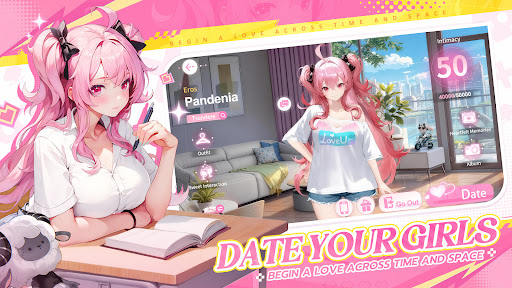
"Date Your Goddesses
Step beyond the battlefield and spend time with the Goddesses in intimate real-life dates. Deepen your relationship, unlock special moments, and discover exclusive CG endings."
"Bonds That Make You Stronger
Build a deeper bond with your favorite Goddesses through battles and dates. The closer you become, the stronger they grow—turning your connection into real power on the battlefield."
और दिखाएं

1. MEmu इंस्टॉलर को डाउनलोड करें और इंस्टॉलेशन को पूरा करें

2. MEmu शुरू करें फिर होमपेज पर Google Play खोलें

3. Google Play में Girls Echo खोजें
Install
4. Girls Echo डाउनलोड कर इंस्टॉल करें
5. इंस्टॉल पूरा होने पर आइकन दबाएं

6. MEmu से पीसी पर Girls Echo खेलने का आनंद लें
MEmu Play सबसे बेहतरीन मुफ़्त Android एमुलेटर है और 5 करोड़ लोग पहले ही इसके शानदार Android गेमिंग अनुभव का आनंद ले चुके हैं। MEmu 9 वर्चुअलाइज़ेशन तकनीक आपको अपने PC पर हज़ारों Android गेम, यहाँ तक कि सबसे ज़्यादा ग्राफ़िक्स वाले गेम भी, आसानी से खेलने की सुविधा देती है।
असीमित बैटरी या मोबाइल डेटा के साथ बेहतर ग्राफिक्स के साथ बड़ी स्क्रीन; लंबी अवधि।
कीबोर्ड और माउस या गेमपैड के उत्तम नियंत्रण के लिए संपूर्ण कीमैपिंग का समर्थन करता हैं।
एक ही पीसी पर मल्टी-इंस्टेंस मैनेजर के साथ एक समय में कई गेम खाते या कार्य कर सकते हैं।
Play Girls Echo on PC by following steps: