I Herd Ewe
अपडेट किया गया
वर्तमान वर्शन
1.0.5
संसाधन

अपने सेलफोन पर I Herd Ewe का उपयोग करते समय ओवरचार्ज के बारे में चिंता करना बंद करें, अपने आप को छोटी स्क्रीन से मुक्त करें और बहुत बड़े डिस्प्ले पर ऐप का उपयोग करने का आनंद लें। अब से, कीबोर्ड और माउस के साथ अपने ऐप का पूर्ण-स्क्रीन अनुभव प्राप्त करें। एमईएमयू आपको उन सभी आश्चर्यजनक सुविधाओं की पेशकश करता है जिनकी आपको उम्मीद थी: त्वरित इंस्टॉल और आसान सेटअप, सहज नियंत्रण, बैटरी की कोई सीमा नहीं, मोबाइल डेटा और परेशान कॉल। आपके कंप्यूटर पर I Herd Ewe का उपयोग करने का सबसे अच्छा विकल्प नया MEmu 9 है। हमारे अवशोषण के साथ कोडित, बहु-उदाहरण प्रबंधक एक ही समय में 2 या अधिक खाते खोलना संभव बनाता है। और सबसे महत्वपूर्ण, हमारा अनन्य उत्सर्जन इंजन आपके पीसी की पूरी क्षमता को जारी कर सकता है, सब कुछ सुचारू और सुखद बना सकता है।
और दिखाएं
डाउनलोड करें I Herd Ewe पीसी पर MEmu एंड्रॉयड एमुलेटर के साथ बड़े पर्दे पर खेलने का आनंद लें। भेड़ों के घर लौटने का समय आ गया है!
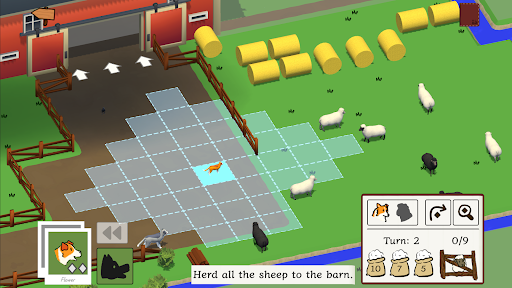
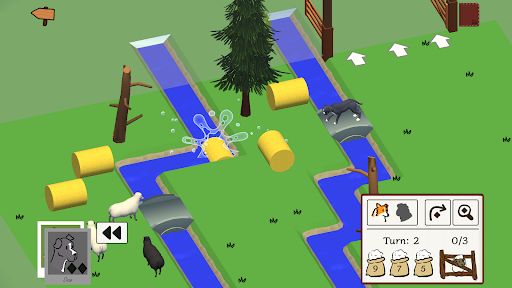
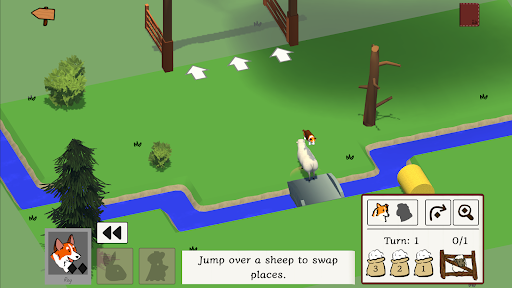
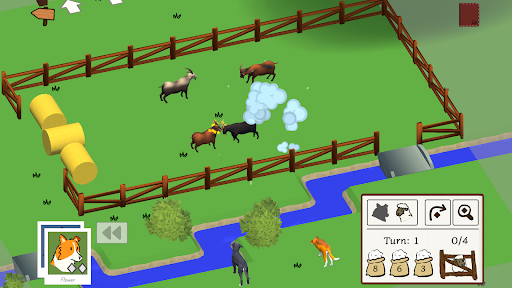
भेड़ों के घर लौटने का समय आ गया है! क्या आप अपने कुत्तों की टीम को आदेश देकर उन्हें कम से कम चालों में इकट्ठा कर लेंगे? या भेड़ें अपनी चालाकी से आपको मात दे देंगी?
अपने कुत्तों की टीम को निर्देश दें कि वे सभी भेड़ों और अन्य जानवरों को वापस घर ले जाएं. हर कुत्ते में एक अनोखी क्षमता होती है जो रास्ते खोलने, भेड़ों को संभालने और सभी को घर पहुंचाने में मदद करती है. पहेलियों का सबसे कारगर हल खोजने के लिए अपने कुत्तों की क्षमताओं का रणनीतिक उपयोग करें या बस भेड़ों का तब तक पीछा करें जब तक वे अपना रास्ता खुद न ढूंढ लें.
- कई कुत्ते, जिनमें से प्रत्येक की अपनी अनूठी झुंड बनाने की क्षमता है.
- अलग-अलग जानवरों का अपना अनूठा व्यवहार होता है.
- कोई गलत उत्तर नहीं और कोई चाल सीमा नहीं. भेड़ों को घर पहुंचाने में जितना समय चाहें, ले सकते हैं.
और दिखाएं

1. MEmu इंस्टॉलर को डाउनलोड करें और इंस्टॉलेशन को पूरा करें

2. MEmu शुरू करें फिर होमपेज पर Google Play खोलें

3. Google Play में I Herd Ewe खोजें
Install
4. I Herd Ewe डाउनलोड कर इंस्टॉल करें
5. इंस्टॉल पूरा होने पर आइकन दबाएं

6. MEmu से पीसी पर I Herd Ewe खेलने का आनंद लें
MEmu Play सबसे बेहतरीन मुफ़्त Android एमुलेटर है और 5 करोड़ लोग पहले ही इसके शानदार Android गेमिंग अनुभव का आनंद ले चुके हैं। MEmu 9 वर्चुअलाइज़ेशन तकनीक आपको अपने PC पर हज़ारों Android गेम, यहाँ तक कि सबसे ज़्यादा ग्राफ़िक्स वाले गेम भी, आसानी से खेलने की सुविधा देती है।
असीमित बैटरी या मोबाइल डेटा के साथ बेहतर ग्राफिक्स के साथ बड़ी स्क्रीन; लंबी अवधि।
कीबोर्ड और माउस या गेमपैड के उत्तम नियंत्रण के लिए संपूर्ण कीमैपिंग का समर्थन करता हैं।
एक ही पीसी पर मल्टी-इंस्टेंस मैनेजर के साथ एक समय में कई गेम खाते या कार्य कर सकते हैं।
Play I Herd Ewe on PC by following steps: