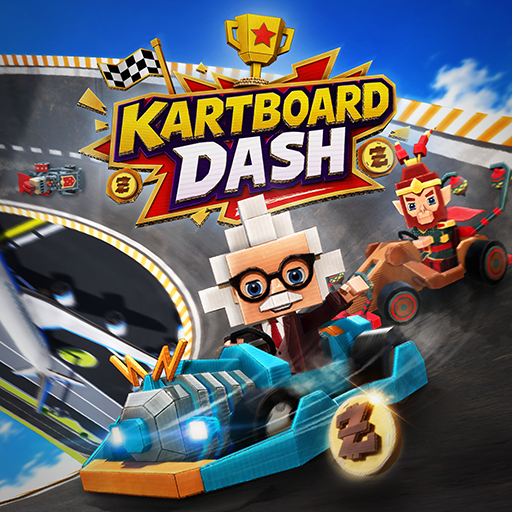
KartBoard Dash
अपडेट किया गया
वर्तमान वर्शन
1.103
संसाधन

अपने सेलफोन पर KartBoard Dash का उपयोग करते समय ओवरचार्ज के बारे में चिंता करना बंद करें, अपने आप को छोटी स्क्रीन से मुक्त करें और बहुत बड़े डिस्प्ले पर ऐप का उपयोग करने का आनंद लें। अब से, कीबोर्ड और माउस के साथ अपने ऐप का पूर्ण-स्क्रीन अनुभव प्राप्त करें। एमईएमयू आपको उन सभी आश्चर्यजनक सुविधाओं की पेशकश करता है जिनकी आपको उम्मीद थी: त्वरित इंस्टॉल और आसान सेटअप, सहज नियंत्रण, बैटरी की कोई सीमा नहीं, मोबाइल डेटा और परेशान कॉल। आपके कंप्यूटर पर KartBoard Dash का उपयोग करने का सबसे अच्छा विकल्प नया MEmu 9 है। हमारे अवशोषण के साथ कोडित, बहु-उदाहरण प्रबंधक एक ही समय में 2 या अधिक खाते खोलना संभव बनाता है। और सबसे महत्वपूर्ण, हमारा अनन्य उत्सर्जन इंजन आपके पीसी की पूरी क्षमता को जारी कर सकता है, सब कुछ सुचारू और सुखद बना सकता है।
और दिखाएं
डाउनलोड करें KartBoard Dash पीसी पर MEmu एंड्रॉयड एमुलेटर के साथ बड़े पर्दे पर खेलने का आनंद लें। Race through handcrafted tracks packed with sharp turns, ramps, obstacles, and surprises.
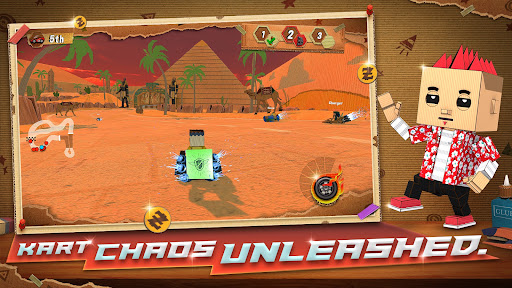
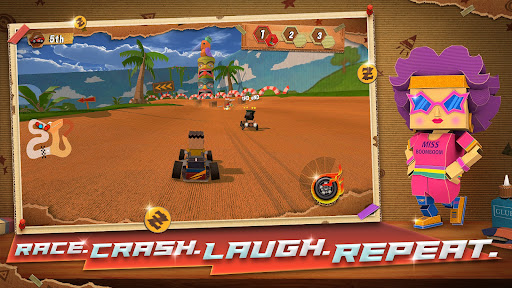
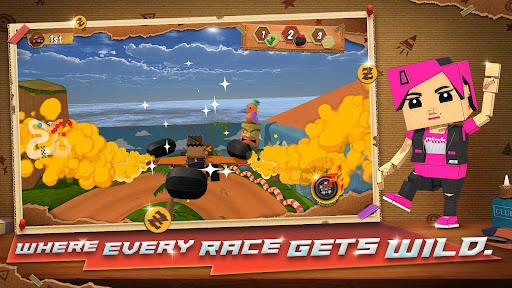
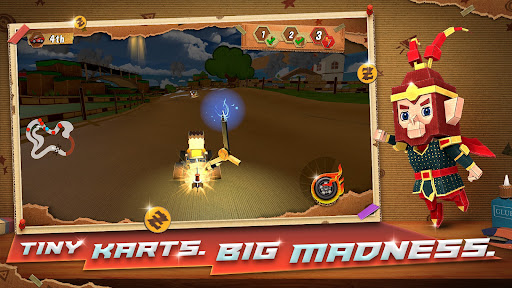
Race through handcrafted tracks packed with sharp turns, ramps, obstacles, and surprises.
The world may look playful, but the racing is intense, chaotic, and highly competitive. Quick reactions, smart powerup usage, and adapting to constant changes are the keys to victory.
Built From Cardboard
Enter a unique DIY world where every track, prop, and kart feels handcrafted.
From taped edges to layered textures, each environment brings a playful yet detailed racing experience.
Chaotic Powerups
Pick up powerups during races to gain the edge—or cause chaos.
Boost ahead, slow rivals, or disrupt the track at just the right moment to turn the race in your favor.
The race changes every lap. Literally.
In the final two laps, random modifiers activate for ALL players — speed surges, bumper madness, hazard trails. You can master the track. You can never master what happens next.
Expect:
Sudden speed boosts
Bumper-style collisions
Hazard trails behind karts
Unexpected chaos that forces instant adaptation
No two races ever play the same.
Unique Characters & Karts
Choose from a growing roster of racers and karts, each bringing their own personality to the track.
Mix and match to find your perfect racing style.
Unpredictable Races
Between dynamic powerups, evolving modifiers, and creative track design, every race feels fresh, chaotic, and exciting.
Fast, Accessible Arcade Racing
Easy to pick up, hard to master.
Whether you're drifting through corners or battling for first place, the action never slows down.
About the Game
Kartboard Dash is designed to deliver fast, chaotic, and endlessly replayable races.
You’re not just racing the track—you’re reacting to everything happening around you.
Every lap brings new surprises. Every race tells a different story.
और दिखाएं

1. MEmu इंस्टॉलर को डाउनलोड करें और इंस्टॉलेशन को पूरा करें

2. MEmu शुरू करें फिर होमपेज पर Google Play खोलें

3. Google Play में KartBoard Dash खोजें
Install
4. KartBoard Dash डाउनलोड कर इंस्टॉल करें
5. इंस्टॉल पूरा होने पर आइकन दबाएं

6. MEmu से पीसी पर KartBoard Dash खेलने का आनंद लें
MEmu Play सबसे बेहतरीन मुफ़्त Android एमुलेटर है और 5 करोड़ लोग पहले ही इसके शानदार Android गेमिंग अनुभव का आनंद ले चुके हैं। MEmu 9 वर्चुअलाइज़ेशन तकनीक आपको अपने PC पर हज़ारों Android गेम, यहाँ तक कि सबसे ज़्यादा ग्राफ़िक्स वाले गेम भी, आसानी से खेलने की सुविधा देती है।
असीमित बैटरी या मोबाइल डेटा के साथ बेहतर ग्राफिक्स के साथ बड़ी स्क्रीन; लंबी अवधि।
कीबोर्ड और माउस या गेमपैड के उत्तम नियंत्रण के लिए संपूर्ण कीमैपिंग का समर्थन करता हैं।
एक ही पीसी पर मल्टी-इंस्टेंस मैनेजर के साथ एक समय में कई गेम खाते या कार्य कर सकते हैं।
Play KartBoard Dash on PC by following steps: