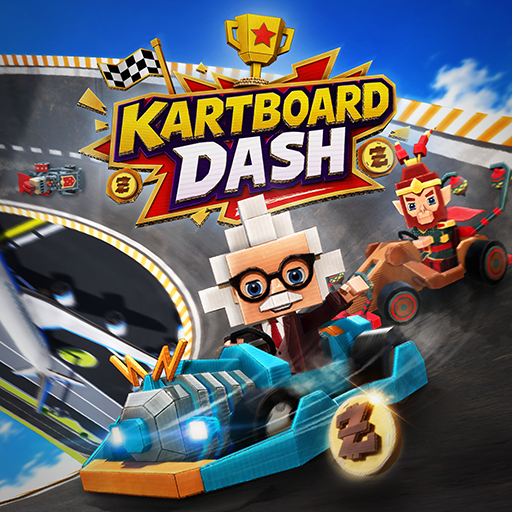
KartBoard Dash
Updated
Current Version
1.103
Offered By

With your passion for KartBoard Dash, you shouldn’t have to limit yourself to the small screen of a phone. Play like a pro and take full control of the game using a keyboard and mouse. MEmu gives you everything you’re looking for. Download and play KartBoard Dash on PC. Play as long as you want — no more worries about battery life, mobile data, or unexpected calls. The all-new MEmu 9 is the best way to play KartBoard Dash on PC. With our expertly designed keymapping system, KartBoard Dash feels just like a real PC game. The MEmu multi-instance manager lets you run two or more accounts on the same device at the same time. Most importantly, our exclusive emulation engine unlocks your PC’s full potential, delivering smooth and seamless performance.
Show more
Download KartBoard Dash on PC with MEmu Android Emulator. Enjoy playing on big screen. Race through handcrafted tracks packed with sharp turns, ramps, obstacles, and surprises.
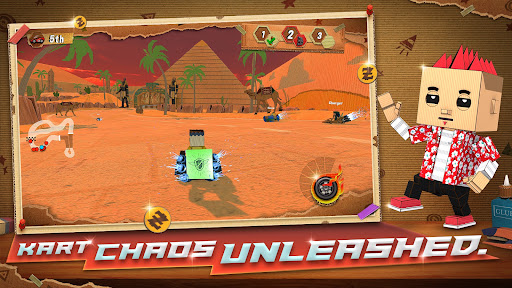
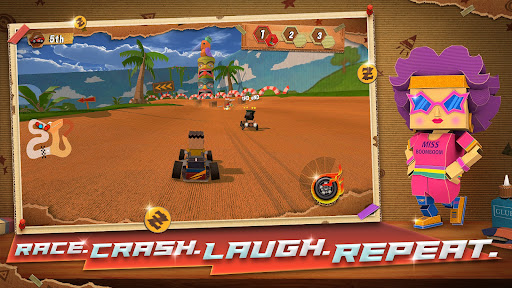
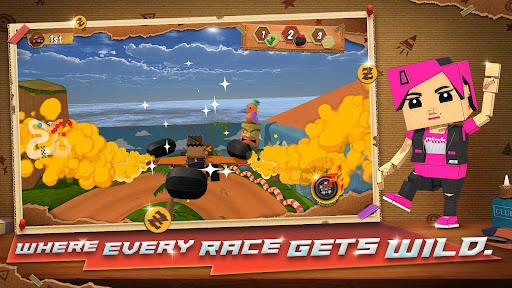
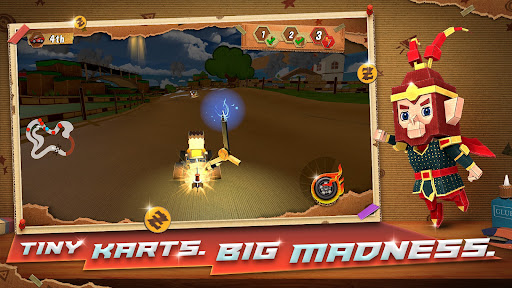
Race through handcrafted tracks packed with sharp turns, ramps, obstacles, and surprises.
The world may look playful, but the racing is intense, chaotic, and highly competitive. Quick reactions, smart powerup usage, and adapting to constant changes are the keys to victory.
Built From Cardboard
Enter a unique DIY world where every track, prop, and kart feels handcrafted.
From taped edges to layered textures, each environment brings a playful yet detailed racing experience.
Chaotic Powerups
Pick up powerups during races to gain the edge—or cause chaos.
Boost ahead, slow rivals, or disrupt the track at just the right moment to turn the race in your favor.
The race changes every lap. Literally.
In the final two laps, random modifiers activate for ALL players — speed surges, bumper madness, hazard trails. You can master the track. You can never master what happens next.
Expect:
Sudden speed boosts
Bumper-style collisions
Hazard trails behind karts
Unexpected chaos that forces instant adaptation
No two races ever play the same.
Unique Characters & Karts
Choose from a growing roster of racers and karts, each bringing their own personality to the track.
Mix and match to find your perfect racing style.
Unpredictable Races
Between dynamic powerups, evolving modifiers, and creative track design, every race feels fresh, chaotic, and exciting.
Fast, Accessible Arcade Racing
Easy to pick up, hard to master.
Whether you're drifting through corners or battling for first place, the action never slows down.
About the Game
Kartboard Dash is designed to deliver fast, chaotic, and endlessly replayable races.
You’re not just racing the track—you’re reacting to everything happening around you.
Every lap brings new surprises. Every race tells a different story.
Show more

1. Download MEmu installer and finish the setup

2. Start MEmu then open Google Play on the desktop

3. Search KartBoard Dash in Google Play
Install
4. Download and Install KartBoard Dash
5. On install completion click the icon to start

6. Enjoy playing KartBoard Dash on PC with MEmu
MEmu Play is the best Android emulator and 100 million people already enjoy its superb Android gaming experience. The MEmu virtualization technology empowers you to play thousands of Android games smoothly on your PC, even the most graphic-intensive ones.
Bigger screen with better graphics; Long duration, without limitation of battery or mobile data.
Full Keymapping support for precise control of keyboard and mouse or gamepad.
Multiple game accounts or tasks on single PC at one time with Multi-Instance manager.
Play KartBoard Dash on PC by following steps: