Nowhere
अपडेट किया गया
वर्तमान वर्शन
संसाधन

अपने सेलफोन पर Nowhere का उपयोग करते समय ओवरचार्ज के बारे में चिंता करना बंद करें, अपने आप को छोटी स्क्रीन से मुक्त करें और बहुत बड़े डिस्प्ले पर ऐप का उपयोग करने का आनंद लें। अब से, कीबोर्ड और माउस के साथ अपने ऐप का पूर्ण-स्क्रीन अनुभव प्राप्त करें। एमईएमयू आपको उन सभी आश्चर्यजनक सुविधाओं की पेशकश करता है जिनकी आपको उम्मीद थी: त्वरित इंस्टॉल और आसान सेटअप, सहज नियंत्रण, बैटरी की कोई सीमा नहीं, मोबाइल डेटा और परेशान कॉल। आपके कंप्यूटर पर Nowhere का उपयोग करने का सबसे अच्छा विकल्प नया MEmu 9 है। हमारे अवशोषण के साथ कोडित, बहु-उदाहरण प्रबंधक एक ही समय में 2 या अधिक खाते खोलना संभव बनाता है। और सबसे महत्वपूर्ण, हमारा अनन्य उत्सर्जन इंजन आपके पीसी की पूरी क्षमता को जारी कर सकता है, सब कुछ सुचारू और सुखद बना सकता है।
और दिखाएं
डाउनलोड करें Nowhere पीसी पर MEmu एंड्रॉयड एमुलेटर के साथ बड़े पर्दे पर खेलने का आनंद लें। Nowhere is a Nordic inspired narrative mystery/horror game.
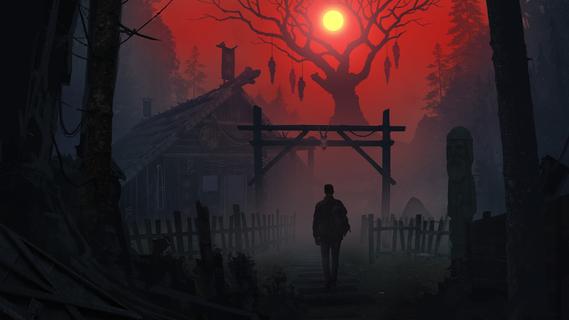
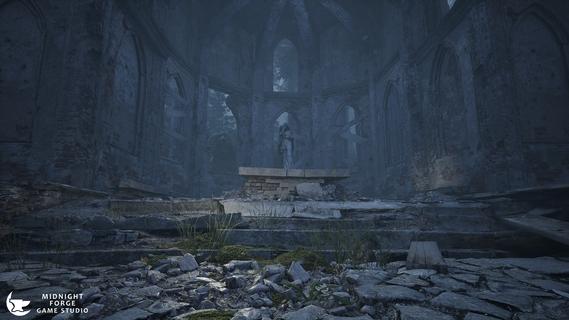
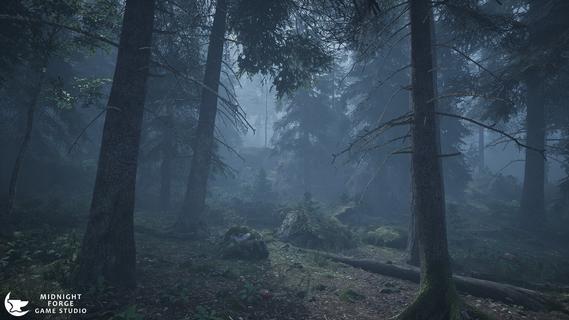
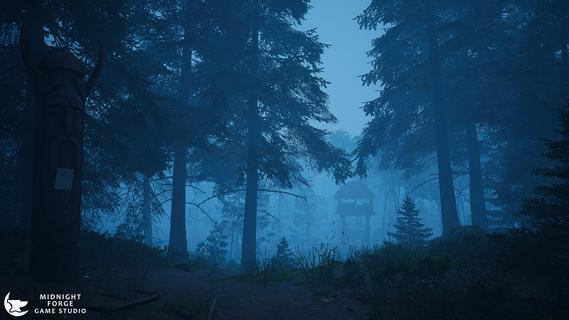
Nowhere is a Nordic inspired narrative mystery/horror game. Focusing on immersive and atmospheric creepy Scandinavian locations and a realistic investigation system, you play a detective trapped in the forests of Norway while searching for a group of missing tourists when you find there's more to the story than meets the eye. Tension slowly builds as you explore the world, never shaking the feeling you're being watched. Nowhere uses a unique blend of detective gameplay and survival horror in Nordic aesthetics.A unique tale on Norse mythology, the conflicts of religion during the Viking Age and what happened to the Gods in the final years of their worship.Game FeaturesA blend of Detective Mystery and Survival Horror filled with suspense and slow build ups of tension, not jumpscares.Non-Linear Open World exploring all the atmospheric and creepy locations across the forests.Realistic Investigation Mechanics that will make you feel like a real detective. The game relies on you to make your own connections and work things out for yourself, giving you the ability to interact with the environments around you, searching for clues, inspecting sites of interest while making your investigations.At the sound of a horn in the distance, the forests around you twist and corrupt into a nightmare version of itself. The monsters stalking you from the shadows, waiting until your back is turned. Run! Hide! Fight! Survive!
और दिखाएं

1. MEmu इंस्टॉलर को डाउनलोड करें और इंस्टॉलेशन को पूरा करें

2. MEmu शुरू करें फिर होमपेज पर Google Play खोलें

3. Google Play में Nowhere खोजें
Install
4. Nowhere डाउनलोड कर इंस्टॉल करें
5. इंस्टॉल पूरा होने पर आइकन दबाएं

6. MEmu से पीसी पर Nowhere खेलने का आनंद लें
MEmu Play सबसे बेहतरीन मुफ़्त Android एमुलेटर है और 5 करोड़ लोग पहले ही इसके शानदार Android गेमिंग अनुभव का आनंद ले चुके हैं। MEmu 9 वर्चुअलाइज़ेशन तकनीक आपको अपने PC पर हज़ारों Android गेम, यहाँ तक कि सबसे ज़्यादा ग्राफ़िक्स वाले गेम भी, आसानी से खेलने की सुविधा देती है।
असीमित बैटरी या मोबाइल डेटा के साथ बेहतर ग्राफिक्स के साथ बड़ी स्क्रीन; लंबी अवधि।
कीबोर्ड और माउस या गेमपैड के उत्तम नियंत्रण के लिए संपूर्ण कीमैपिंग का समर्थन करता हैं।
एक ही पीसी पर मल्टी-इंस्टेंस मैनेजर के साथ एक समय में कई गेम खाते या कार्य कर सकते हैं।
Play Nowhere on PC by following steps: