Co-WIN Vaccinator App
अपडेट किया गया
वर्तमान वर्शन
24.0
संसाधन

Co-WIN Vaccinator App पर अपनी मोबाइल डेटा सीमा पार करने को अलविदा कहें और छोटी स्क्रीन की सीमाओं से मुक्त होकर बड़े डिस्प्ले के लाभों का अनुभव करें। अब, आप अपने कीबोर्ड और माउस का उपयोग करके फुल-स्क्रीन मोड में टॉपर्स क्लैन की शक्ति का अनुभव कर सकते हैं। MEmu Play में वे सभी बेहतरीन सुविधाएँ हैं जिनकी आप अपेक्षा करते हैं: त्वरित इंस्टॉलेशन और आसान सेटअप, सहज नियंत्रण, बैटरी की आवश्यकता नहीं, और कोई डेटा या कॉल समय सीमा नहीं। नया MEmu 9 आपके कंप्यूटर पर Co-WIN Vaccinator App का उपयोग करने के लिए सबसे अच्छा विकल्प है। हमारा मालिकाना मल्टी-इंस्टेंस मैनेजर एक साथ दो या अधिक खातों को चलाने का समर्थन करता है। इससे भी महत्वपूर्ण बात यह है कि हमारा अनूठा इम्यूलेशन इंजन आपके कंप्यूटर के प्रदर्शन का पूरा उपयोग करता है, जिससे एक सहज और निर्बाध अनुभव मिलता है।
और दिखाएं
डाउनलोड करें Co-WIN Vaccinator App पीसी पर MEmu एंड्रॉयड एमुलेटर के साथ बड़े पर्दे पर खेलने का आनंद लें। This Mobile Application is currently meant for CoWIN Facility level users to perform following tasks as Vaccinator , Supervisors and Surveyors.
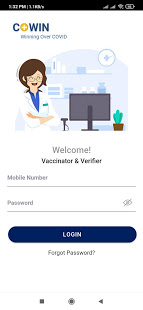
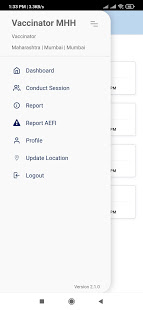
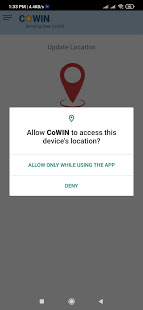
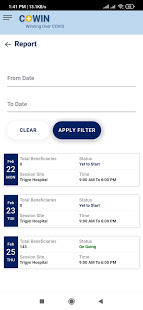
This Mobile Application is currently meant for CoWIN Facility level users to perform following tasks as Vaccinator , Supervisors and Surveyors.
1) Beneficiary Registration: Based on identified priority group by Government of India, Beneficiary can be registered on the Application.
2) Beneficiary Verification: Beneficiary's relevant details can be captured in encrypted form which can be utilised to ensure that vaccine is administered to relevant Beneficiary. This is applicable at the time of registration as well as vaccination.
3) Aadhaar Authentication: To ensure de-duplication , Beneficiary's Aadhaar authentication can be done from the application in the form of OTP and Demographic Authentication. This is applicable at the time of registration or at the time of validation.
4) Vaccination Status: Based on dose schedule, vaccination status of Beneficiary can be updated from not vaccinated to partially vaccinated and partially vaccinated to vaccination completion.
5) Reporting of Adverse Event following Immunization:
AEFI - Adverse Event following Immunization can be reported from the application.
और दिखाएं

1. MEmu इंस्टॉलर को डाउनलोड करें और इंस्टॉलेशन को पूरा करें

2. MEmu शुरू करें फिर होमपेज पर Google Play खोलें

3. Google Play में Co-WIN Vaccinator App खोजें
Install
4. Co-WIN Vaccinator App डाउनलोड कर इंस्टॉल करें
5. इंस्टॉल पूरा होने पर आइकन दबाएं

6. MEmu का उपयोग करके अपने कंप्यूटर पर Co-WIN Vaccinator App का अनुभव करें
MEmu Play सबसे बेहतरीन मुफ़्त Android एमुलेटर है और 5 करोड़ लोग पहले ही इसके शानदार Android ऐप अनुभव का आनंद ले चुके हैं। MEmu 9 वर्चुअलाइज़ेशन तकनीक आपको अपने PC पर हज़ारों Android ऐप्स, यहाँ तक कि सबसे ज़्यादा ग्राफ़िक्स वाले ऐप्स भी, आसानी से चलाने की सुविधा देती है।
असीमित बैटरी या मोबाइल डेटा के साथ बेहतर ग्राफिक्स के साथ बड़ी स्क्रीन; लंबी अवधि।
कीबोर्ड और माउस या गेमपैड के उत्तम नियंत्रण के लिए संपूर्ण कीमैपिंग का समर्थन करता हैं।
एक ही पीसी पर मल्टी-इंस्टेंस मैनेजर के साथ एक समय में कई गेम खाते या कार्य कर सकते हैं।
Use Co-WIN Vaccinator App on PC by following steps: