YouTube Music
अपडेट किया गया
वर्तमान वर्शन
1734118709
संसाधन

YouTube Music पर अपनी मोबाइल डेटा सीमा पार करने को अलविदा कहें और छोटी स्क्रीन की सीमाओं से मुक्त होकर बड़े डिस्प्ले के लाभों का अनुभव करें। अब, आप अपने कीबोर्ड और माउस का उपयोग करके फुल-स्क्रीन मोड में टॉपर्स क्लैन की शक्ति का अनुभव कर सकते हैं। MEmu Play में वे सभी बेहतरीन सुविधाएँ हैं जिनकी आप अपेक्षा करते हैं: त्वरित इंस्टॉलेशन और आसान सेटअप, सहज नियंत्रण, बैटरी की आवश्यकता नहीं, और कोई डेटा या कॉल समय सीमा नहीं। नया MEmu 9 आपके कंप्यूटर पर YouTube Music का उपयोग करने के लिए सबसे अच्छा विकल्प है। हमारा मालिकाना मल्टी-इंस्टेंस मैनेजर एक साथ दो या अधिक खातों को चलाने का समर्थन करता है। इससे भी महत्वपूर्ण बात यह है कि हमारा अनूठा इम्यूलेशन इंजन आपके कंप्यूटर के प्रदर्शन का पूरा उपयोग करता है, जिससे एक सहज और निर्बाध अनुभव मिलता है।
और दिखाएं
डाउनलोड करें YouTube Music पीसी पर MEmu एंड्रॉयड एमुलेटर के साथ बड़े पर्दे पर खेलने का आनंद लें। Connecting you to the world of music:.
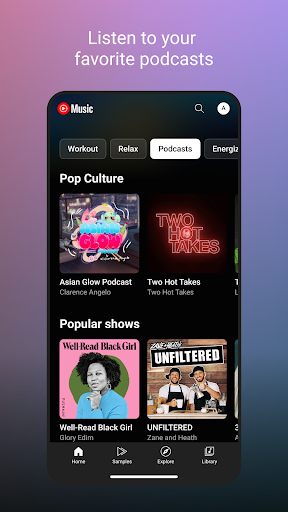
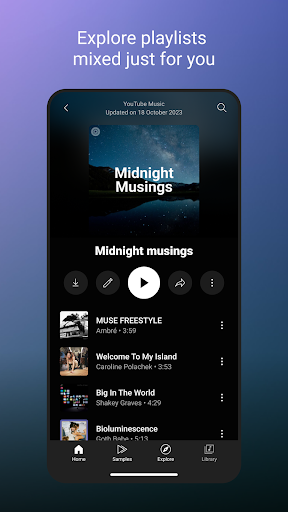
Connecting you to the world of music:
● Music content including live performances, covers, remixes and music content you can’t find elsewhere
● Thousands of curated playlist across many genres and activities
Get personalized music, perfect for every moment:
● Personalized playlists and Mixes made just for you, built around your favorite types of music
● Personalized activity mixes for your Workout, Relax, and Focus sessions
● Create playlists with song suggestions or collaborate with other music fans to create the perfect playlist
● Personalized Library to see all of your liked and added songs, playlists, artists, and albums
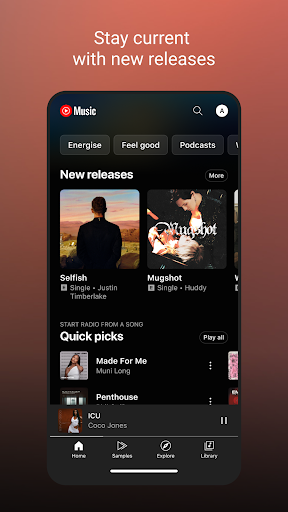
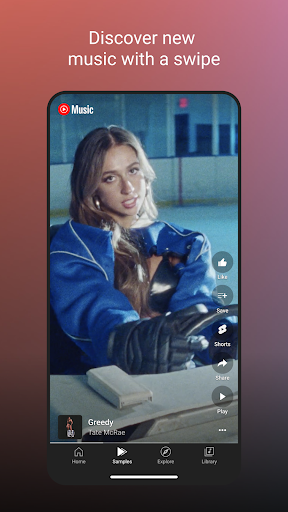
Stay on top of the trend and discover new music:
● Check out curated for you mixes such Discover Mix and New Release Mix
● Discover music based genres (Hip Hop, Pop, Country, Dance & Electronic, Blues, Indie & Alternative, Jazz, Kpop, Latin, Rock, and more)
● Discover music based mood (Chill, Feel Good, Energy Booster, Sleep, Focus, Romance, Workout, Commute, Party)
● Explore top charts from all over the world
Enhanced your listening experience with unique features:
● Song lyrics so you can sing along to your favorites
● Switch seamlessly between audio and video
● Listen on your phone, desktop, smart speaker, smart TV, car, smart watch and within your favorite apps.
● Add a Tile on your Wear OS watch to quickly access your music.
● Compatible with Google Maps, Waze, Google Assistant, and more.
Upgrade to Music Premium (available in select countries) to enjoy:
● Listen to music ad-free
● Play music in the background
● Access your music downloads, including smart downloads
● Switch seamlessly between song audio and music videos, only with YouTube Music
----------
Only first-time YouTube Red, Music Premium, YouTube Premium and Google Play Music subscribers are eligible for free trials, introductory offers or promotional pricing.
और दिखाएं

1. MEmu इंस्टॉलर को डाउनलोड करें और इंस्टॉलेशन को पूरा करें

2. MEmu शुरू करें फिर होमपेज पर Google Play खोलें

3. Google Play में YouTube Music खोजें
Install
4. YouTube Music डाउनलोड कर इंस्टॉल करें
5. इंस्टॉल पूरा होने पर आइकन दबाएं

6. MEmu का उपयोग करके अपने कंप्यूटर पर YouTube Music का अनुभव करें
MEmu Play सबसे बेहतरीन मुफ़्त Android एमुलेटर है और 5 करोड़ लोग पहले ही इसके शानदार Android ऐप अनुभव का आनंद ले चुके हैं। MEmu 9 वर्चुअलाइज़ेशन तकनीक आपको अपने PC पर हज़ारों Android ऐप्स, यहाँ तक कि सबसे ज़्यादा ग्राफ़िक्स वाले ऐप्स भी, आसानी से चलाने की सुविधा देती है।
असीमित बैटरी या मोबाइल डेटा के साथ बेहतर ग्राफिक्स के साथ बड़ी स्क्रीन; लंबी अवधि।
कीबोर्ड और माउस या गेमपैड के उत्तम नियंत्रण के लिए संपूर्ण कीमैपिंग का समर्थन करता हैं।
एक ही पीसी पर मल्टी-इंस्टेंस मैनेजर के साथ एक समय में कई गेम खाते या कार्य कर सकते हैं।
Use YouTube Music on PC by following steps: