
Victers Live Streaming
अपडेट किया गया
वर्तमान वर्शन
7.0
संसाधन

Victers Live Streaming पर अपनी मोबाइल डेटा सीमा पार करने को अलविदा कहें और छोटी स्क्रीन की सीमाओं से मुक्त होकर बड़े डिस्प्ले के लाभों का अनुभव करें। अब, आप अपने कीबोर्ड और माउस का उपयोग करके फुल-स्क्रीन मोड में टॉपर्स क्लैन की शक्ति का अनुभव कर सकते हैं। MEmu Play में वे सभी बेहतरीन सुविधाएँ हैं जिनकी आप अपेक्षा करते हैं: त्वरित इंस्टॉलेशन और आसान सेटअप, सहज नियंत्रण, बैटरी की आवश्यकता नहीं, और कोई डेटा या कॉल समय सीमा नहीं। नया MEmu 9 आपके कंप्यूटर पर Victers Live Streaming का उपयोग करने के लिए सबसे अच्छा विकल्प है। हमारा मालिकाना मल्टी-इंस्टेंस मैनेजर एक साथ दो या अधिक खातों को चलाने का समर्थन करता है। इससे भी महत्वपूर्ण बात यह है कि हमारा अनूठा इम्यूलेशन इंजन आपके कंप्यूटर के प्रदर्शन का पूरा उपयोग करता है, जिससे एक सहज और निर्बाध अनुभव मिलता है।
और दिखाएं
डाउनलोड करें Victers Live Streaming पीसी पर MEmu एंड्रॉयड एमुलेटर के साथ बड़े पर्दे पर खेलने का आनंद लें। VICTERS India's epoch making first broadband network on EDUSAT for schools VICTERS (Versatile ICT Enabled Resource for Students) - inaugurated by H.
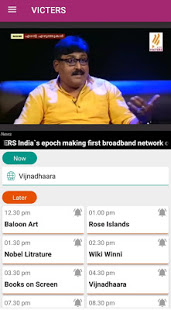
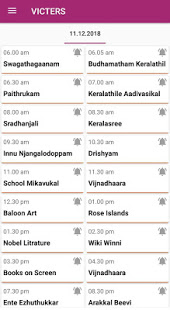

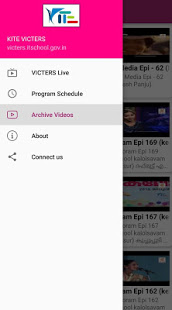
VICTERS India's epoch making first broadband network on EDUSAT for schools VICTERS (Versatile ICT Enabled Resource for Students) - inaugurated by H.E. A P J Abdul Kalam the President of India on 28th July, 2005 in Thiruvananthapuram has revolutionized classrooms through interactive IP based technology. Kerala has since demonstrated how EDUSAT could be used to successfully empower teachers. The scheme which is being executed by IT@School Project of Government of Kerala, is mainly intended to meet the demand for an Interactive Satellite based Distance Education system for the country. It strongly reflects India's commitment to use space technology for national development, especially for the development of the population in remote and rural locations. VICTERS offers interactive virtual classrooms that enable the school students as well as the teachers to directly communicate with the subject experts and educationists. It also ensures the dissemination of high quality education to the students and teachers from the original source.
और दिखाएं

1. MEmu इंस्टॉलर को डाउनलोड करें और इंस्टॉलेशन को पूरा करें

2. MEmu शुरू करें फिर होमपेज पर Google Play खोलें

3. Google Play में Victers Live Streaming खोजें
Install
4. Victers Live Streaming डाउनलोड कर इंस्टॉल करें
5. इंस्टॉल पूरा होने पर आइकन दबाएं

6. MEmu का उपयोग करके अपने कंप्यूटर पर Victers Live Streaming का अनुभव करें
MEmu Play सबसे बेहतरीन मुफ़्त Android एमुलेटर है और 5 करोड़ लोग पहले ही इसके शानदार Android ऐप अनुभव का आनंद ले चुके हैं। MEmu 9 वर्चुअलाइज़ेशन तकनीक आपको अपने PC पर हज़ारों Android ऐप्स, यहाँ तक कि सबसे ज़्यादा ग्राफ़िक्स वाले ऐप्स भी, आसानी से चलाने की सुविधा देती है।
असीमित बैटरी या मोबाइल डेटा के साथ बेहतर ग्राफिक्स के साथ बड़ी स्क्रीन; लंबी अवधि।
कीबोर्ड और माउस या गेमपैड के उत्तम नियंत्रण के लिए संपूर्ण कीमैपिंग का समर्थन करता हैं।
एक ही पीसी पर मल्टी-इंस्टेंस मैनेजर के साथ एक समय में कई गेम खाते या कार्य कर सकते हैं।
Use Victers Live Streaming on PC by following steps: