Control Phone Voice
अपडेट किया गया
वर्तमान वर्शन
24.0
संसाधन

Control Phone Voice पर अपनी मोबाइल डेटा सीमा पार करने को अलविदा कहें और छोटी स्क्रीन की सीमाओं से मुक्त होकर बड़े डिस्प्ले के लाभों का अनुभव करें। अब, आप अपने कीबोर्ड और माउस का उपयोग करके फुल-स्क्रीन मोड में टॉपर्स क्लैन की शक्ति का अनुभव कर सकते हैं। MEmu Play में वे सभी बेहतरीन सुविधाएँ हैं जिनकी आप अपेक्षा करते हैं: त्वरित इंस्टॉलेशन और आसान सेटअप, सहज नियंत्रण, बैटरी की आवश्यकता नहीं, और कोई डेटा या कॉल समय सीमा नहीं। नया MEmu 9 आपके कंप्यूटर पर Control Phone Voice का उपयोग करने के लिए सबसे अच्छा विकल्प है। हमारा मालिकाना मल्टी-इंस्टेंस मैनेजर एक साथ दो या अधिक खातों को चलाने का समर्थन करता है। इससे भी महत्वपूर्ण बात यह है कि हमारा अनूठा इम्यूलेशन इंजन आपके कंप्यूटर के प्रदर्शन का पूरा उपयोग करता है, जिससे एक सहज और निर्बाध अनुभव मिलता है।
और दिखाएं
डाउनलोड करें Control Phone Voice पीसी पर MEmu एंड्रॉयड एमुलेटर के साथ बड़े पर्दे पर खेलने का आनंद लें। Asteroid Voice Commands Voice commands Smart voice recognition .
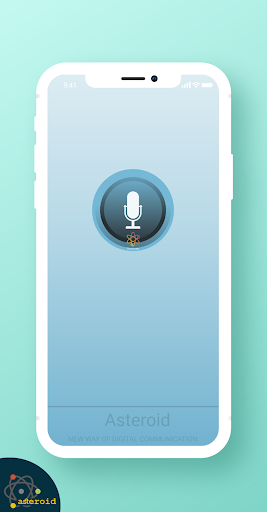
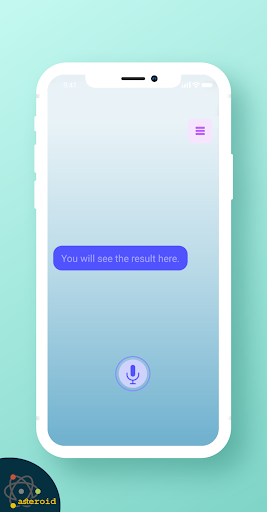
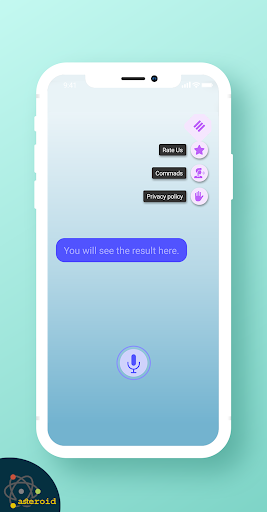
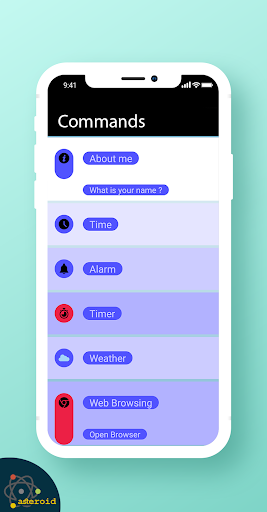
Asteroid Voice Commands Voice commands Smart voice recognition
Asteroid Voice Is a simple - Asteroid Voice app command recognition that allows you to open your favorite apps and control your digital telephone.
Is simple to use only say a voice command and open your app, it is like a voice recognition or voice search to app shortcut in this smart voice app
Asteroid Voice app uses offline voice recognition or speech recognition, it can detect different kind of voices.
When you open voice commands app your digital telephone mic is activated, then your voice is recorded and finally an special algorithm, understand what you try to do, then execute your voice command.
Asteroid Voice Commands is nice free application for voice commands and voice recognition it's work like
an alternative work Assistant which can.
How it work:
list commands:
Browse [name of website]
Go to [name of website]
What is the definition of [say the word].
Synonyms for [say the word].
Define [say the word].",
Call [say the name of the contact] on speakerphone.
Call [say the name of the contact].
Send an email to [say the contact name] [say what you want to write in the email].
Text [name of contact] [say the message].",
Show me my messages.
Set an alarm for [say time].
Set an alarm in [say how many minutes, or hours]
Set a repeating alarm for [say the label].
Set a repeating alarm for [say the label] at [say the time].",
Set a repeating alarm at [say the time] for [say the label] every/on [say the days of the week, or say every day].
Show me my alarms.
When is my next alarm?
Wake me up at [say the time] then [the day, or say ‘everyday’].
Create/Add/Schedule a meeting.
Create a calendar event.
Schedule an event [say the title of the event] then [say the day and time].
What’s my next appointment?
Show me the appointments for [say the day].
What does my [say schedule or calendar] look like on [say the day]?
Add a reminder.
Remind me to [say what you want to be reminded of] at [say the time].
और दिखाएं

1. MEmu इंस्टॉलर को डाउनलोड करें और इंस्टॉलेशन को पूरा करें

2. MEmu शुरू करें फिर होमपेज पर Google Play खोलें

3. Google Play में Control Phone Voice खोजें
Install
4. Control Phone Voice डाउनलोड कर इंस्टॉल करें
5. इंस्टॉल पूरा होने पर आइकन दबाएं

6. MEmu का उपयोग करके अपने कंप्यूटर पर Control Phone Voice का अनुभव करें
MEmu Play सबसे बेहतरीन मुफ़्त Android एमुलेटर है और 5 करोड़ लोग पहले ही इसके शानदार Android ऐप अनुभव का आनंद ले चुके हैं। MEmu 9 वर्चुअलाइज़ेशन तकनीक आपको अपने PC पर हज़ारों Android ऐप्स, यहाँ तक कि सबसे ज़्यादा ग्राफ़िक्स वाले ऐप्स भी, आसानी से चलाने की सुविधा देती है।
असीमित बैटरी या मोबाइल डेटा के साथ बेहतर ग्राफिक्स के साथ बड़ी स्क्रीन; लंबी अवधि।
कीबोर्ड और माउस या गेमपैड के उत्तम नियंत्रण के लिए संपूर्ण कीमैपिंग का समर्थन करता हैं।
एक ही पीसी पर मल्टी-इंस्टेंस मैनेजर के साथ एक समय में कई गेम खाते या कार्य कर सकते हैं।
Use Control Phone Voice on PC by following steps: