DiaMcalc Diamonds Invest Tool
अपडेट किया गया
वर्तमान वर्शन
1.0.10
संसाधन

DiaMcalc Diamonds Invest Tool पर अपनी मोबाइल डेटा सीमा पार करने को अलविदा कहें और छोटी स्क्रीन की सीमाओं से मुक्त होकर बड़े डिस्प्ले के लाभों का अनुभव करें। अब, आप अपने कीबोर्ड और माउस का उपयोग करके फुल-स्क्रीन मोड में टॉपर्स क्लैन की शक्ति का अनुभव कर सकते हैं। MEmu Play में वे सभी बेहतरीन सुविधाएँ हैं जिनकी आप अपेक्षा करते हैं: त्वरित इंस्टॉलेशन और आसान सेटअप, सहज नियंत्रण, बैटरी की आवश्यकता नहीं, और कोई डेटा या कॉल समय सीमा नहीं। नया MEmu 9 आपके कंप्यूटर पर DiaMcalc Diamonds Invest Tool का उपयोग करने के लिए सबसे अच्छा विकल्प है। हमारा मालिकाना मल्टी-इंस्टेंस मैनेजर एक साथ दो या अधिक खातों को चलाने का समर्थन करता है। इससे भी महत्वपूर्ण बात यह है कि हमारा अनूठा इम्यूलेशन इंजन आपके कंप्यूटर के प्रदर्शन का पूरा उपयोग करता है, जिससे एक सहज और निर्बाध अनुभव मिलता है।
और दिखाएं
डाउनलोड करें DiaMcalc Diamonds Invest Tool पीसी पर MEmu एंड्रॉयड एमुलेटर के साथ बड़े पर्दे पर खेलने का आनंद लें। Blue diamonds are the most important resource to become a master.
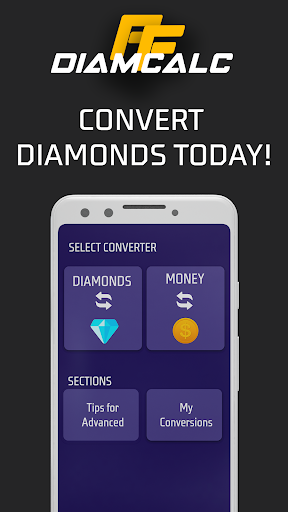


Blue diamonds are the most important resource to become a master. If you want to become an advanced investor, our DiaMcalc and the free diamond calculator tool will help you with your calculations and conversions to make smarter investments.
By making better investments, you will get more diamonds at a lower price. The more diamonds you have, the more you can spend on items that will help you become an advanced master such as skins, clothes and much more.
-Start using the converters
DiaMcalc is a very easy to use tool. You will find different sections with interesting utilities.
Start by using the diamond converter. You can make two types of conversions:
-Convert diamond to money
-Convert money to diamond
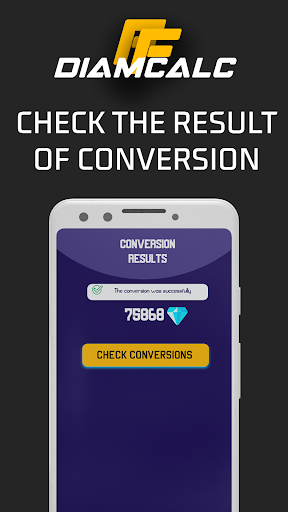
To carry out these conversions, you must select a pack of diamonds to know the purchase price and you must also indicate the conversion currency. In a few seconds, you will reach the result of the conversion.
You can have different volumes of diamonds:
X100
X310
X520
X1060
X2180
X5600
-Use the tips guide to learn how to invest in diamonds
We have put together a short guide so you know some ways to get more diamonds free. For example, there are events in which you can participate, influencers who can help you and different sources that you should know.
-Check your conversion history
The conversion history is very practical. Since it helps you remember conversions made and you should not do them again. But you will have them accessible quickly.
Without a doubt, DiaMcalc is a free diamond calculator that helps you to perform fast conversions and invest like an expert to become an advanced master. This diamond counter will be your best everyday tool as a investor.
और दिखाएं

1. MEmu इंस्टॉलर को डाउनलोड करें और इंस्टॉलेशन को पूरा करें

2. MEmu शुरू करें फिर होमपेज पर Google Play खोलें

3. Google Play में DiaMcalc Diamonds Invest Tool खोजें
Install
4. DiaMcalc Diamonds Invest Tool डाउनलोड कर इंस्टॉल करें
5. इंस्टॉल पूरा होने पर आइकन दबाएं

6. MEmu का उपयोग करके अपने कंप्यूटर पर DiaMcalc Diamonds Invest Tool का अनुभव करें
MEmu Play सबसे बेहतरीन मुफ़्त Android एमुलेटर है और 5 करोड़ लोग पहले ही इसके शानदार Android ऐप अनुभव का आनंद ले चुके हैं। MEmu 9 वर्चुअलाइज़ेशन तकनीक आपको अपने PC पर हज़ारों Android ऐप्स, यहाँ तक कि सबसे ज़्यादा ग्राफ़िक्स वाले ऐप्स भी, आसानी से चलाने की सुविधा देती है।
असीमित बैटरी या मोबाइल डेटा के साथ बेहतर ग्राफिक्स के साथ बड़ी स्क्रीन; लंबी अवधि।
कीबोर्ड और माउस या गेमपैड के उत्तम नियंत्रण के लिए संपूर्ण कीमैपिंग का समर्थन करता हैं।
एक ही पीसी पर मल्टी-इंस्टेंस मैनेजर के साथ एक समय में कई गेम खाते या कार्य कर सकते हैं।
Use DiaMcalc Diamonds Invest Tool on PC by following steps: