Hypic - Photo Editor & AI Art
अपडेट किया गया
वर्तमान वर्शन
8.4.0
संसाधन

Hypic - Photo Editor & AI Art पर अपनी मोबाइल डेटा सीमा पार करने को अलविदा कहें और छोटी स्क्रीन की सीमाओं से मुक्त होकर बड़े डिस्प्ले के लाभों का अनुभव करें। अब, आप अपने कीबोर्ड और माउस का उपयोग करके फुल-स्क्रीन मोड में टॉपर्स क्लैन की शक्ति का अनुभव कर सकते हैं। MEmu Play में वे सभी बेहतरीन सुविधाएँ हैं जिनकी आप अपेक्षा करते हैं: त्वरित इंस्टॉलेशन और आसान सेटअप, सहज नियंत्रण, बैटरी की आवश्यकता नहीं, और कोई डेटा या कॉल समय सीमा नहीं। नया MEmu 9 आपके कंप्यूटर पर Hypic - Photo Editor & AI Art का उपयोग करने के लिए सबसे अच्छा विकल्प है। हमारा मालिकाना मल्टी-इंस्टेंस मैनेजर एक साथ दो या अधिक खातों को चलाने का समर्थन करता है। इससे भी महत्वपूर्ण बात यह है कि हमारा अनूठा इम्यूलेशन इंजन आपके कंप्यूटर के प्रदर्शन का पूरा उपयोग करता है, जिससे एक सहज और निर्बाध अनुभव मिलता है।
और दिखाएं
डाउनलोड करें Hypic - Photo Editor & AI Art पीसी पर MEmu एंड्रॉयड एमुलेटर के साथ बड़े पर्दे पर खेलने का आनंद लें। Transform Your Photos with the Power of AI – Say Hello to Hypic!
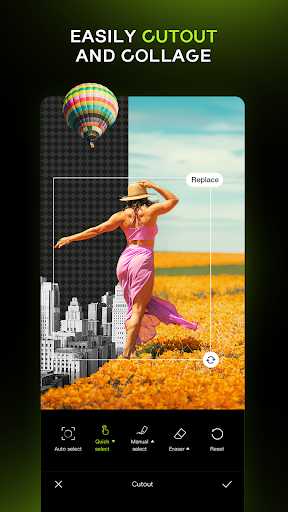
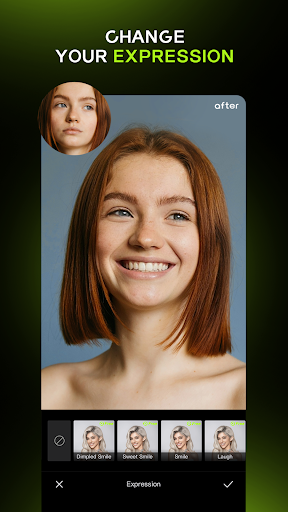
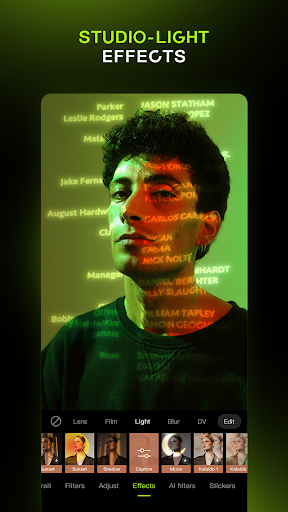
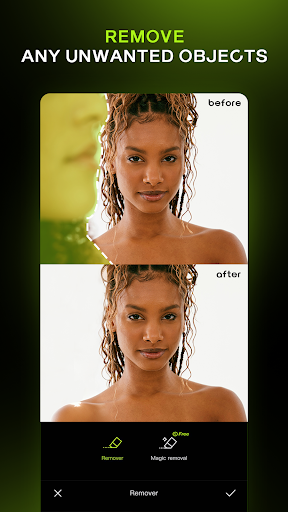
Transform Your Photos with the Power of AI – Say Hello to Hypic!
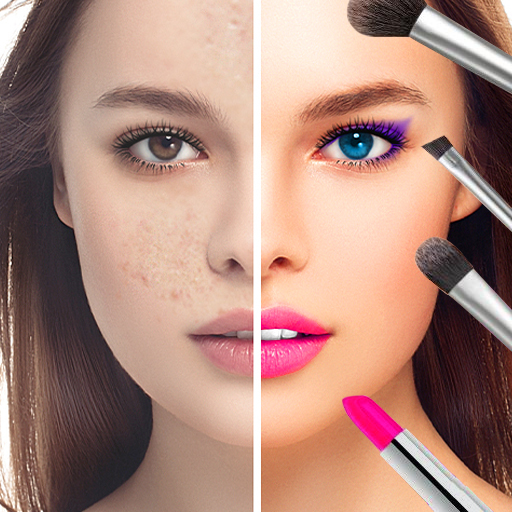
Ready to turn everyday selfies into stunning masterpieces? Hypic is your all-in-one photo editor designed to elevate your pictures with the magic of AI. Whether you're going for artsy, aesthetic, or just ultra-polished, Hypic has everything you need.
Why You’ll Love Hypic:
AI Magic in a Tap
Turn photos into artwork instantly. Remove backgrounds, generate avatars, cartoon yourself, or enhance image quality — all powered by cutting-edge AI.
Stylish Filters & Effects
Explore trending aesthetic styles, including retro film, clean girl presets, and soft glow filters. One tap is all it takes to match your mood or feed vibe.
Smart Retouching Tools
Customize your look naturally with precision tools for smoothing, reshaping, and enhancing. Adjust facial features with subtlety and ease.
Aesthetic Templates
Create stunning visuals in seconds using professionally designed templates. Whether it's for a photo dump, a story, or a daily vlog, Hypic’s templates make your content look effortlessly curated.
Whether you're a casual editor, digital creator, or aesthetic lover — Hypic makes editing fun, fast, and easy. No experience needed.
Batch edit, make collages, and generate AI art — all in one place.
Perfect for Instagram, TikTok, Pinterest, and MORE.
Download Hypic today and bring your vision to life — beautifully, effortlessly, and instantly.
Any questions about Hypic, please contact us at retouchpics.support@bytedance.com.
For more new feature tutorials and advanced picture editing tips, please follow @hypic on Instagram https://www.instagram.com/hypic_app/ or TikTok https://www.tiktok.com/@hypic_global.
Terms of Service
https://m.hypic.com/clause/hypic-terms-of-service
Privacy Policy
https://m.hypic.com/clause/hypic-privacy-policy
और दिखाएं

1. MEmu इंस्टॉलर को डाउनलोड करें और इंस्टॉलेशन को पूरा करें

2. MEmu शुरू करें फिर होमपेज पर Google Play खोलें

3. Google Play में Hypic - Photo Editor & AI Art खोजें
Install
4. Hypic - Photo Editor & AI Art डाउनलोड कर इंस्टॉल करें
5. इंस्टॉल पूरा होने पर आइकन दबाएं

6. MEmu का उपयोग करके अपने कंप्यूटर पर Hypic - Photo Editor & AI Art का अनुभव करें
MEmu Play सबसे बेहतरीन मुफ़्त Android एमुलेटर है और 5 करोड़ लोग पहले ही इसके शानदार Android ऐप अनुभव का आनंद ले चुके हैं। MEmu 9 वर्चुअलाइज़ेशन तकनीक आपको अपने PC पर हज़ारों Android ऐप्स, यहाँ तक कि सबसे ज़्यादा ग्राफ़िक्स वाले ऐप्स भी, आसानी से चलाने की सुविधा देती है।
असीमित बैटरी या मोबाइल डेटा के साथ बेहतर ग्राफिक्स के साथ बड़ी स्क्रीन; लंबी अवधि।
कीबोर्ड और माउस या गेमपैड के उत्तम नियंत्रण के लिए संपूर्ण कीमैपिंग का समर्थन करता हैं।
एक ही पीसी पर मल्टी-इंस्टेंस मैनेजर के साथ एक समय में कई गेम खाते या कार्य कर सकते हैं।
Use Hypic - Photo Editor & AI Art on PC by following steps: