Leonardo.Ai - Image Generator
अपडेट किया गया
वर्तमान वर्शन
1.0.13
संसाधन

Leonardo.Ai - Image Generator पर अपनी मोबाइल डेटा सीमा पार करने को अलविदा कहें और छोटी स्क्रीन की सीमाओं से मुक्त होकर बड़े डिस्प्ले के लाभों का अनुभव करें। अब, आप अपने कीबोर्ड और माउस का उपयोग करके फुल-स्क्रीन मोड में टॉपर्स क्लैन की शक्ति का अनुभव कर सकते हैं। MEmu Play में वे सभी बेहतरीन सुविधाएँ हैं जिनकी आप अपेक्षा करते हैं: त्वरित इंस्टॉलेशन और आसान सेटअप, सहज नियंत्रण, बैटरी की आवश्यकता नहीं, और कोई डेटा या कॉल समय सीमा नहीं। नया MEmu 9 आपके कंप्यूटर पर Leonardo.Ai - Image Generator का उपयोग करने के लिए सबसे अच्छा विकल्प है। हमारा मालिकाना मल्टी-इंस्टेंस मैनेजर एक साथ दो या अधिक खातों को चलाने का समर्थन करता है। इससे भी महत्वपूर्ण बात यह है कि हमारा अनूठा इम्यूलेशन इंजन आपके कंप्यूटर के प्रदर्शन का पूरा उपयोग करता है, जिससे एक सहज और निर्बाध अनुभव मिलता है।
और दिखाएं
डाउनलोड करें Leonardo.Ai - Image Generator पीसी पर MEmu एंड्रॉयड एमुलेटर के साथ बड़े पर्दे पर खेलने का आनंद लें। Welcome to Leonardo.
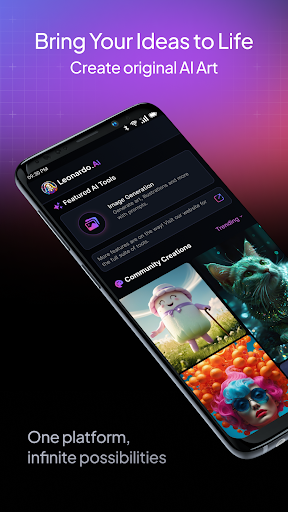
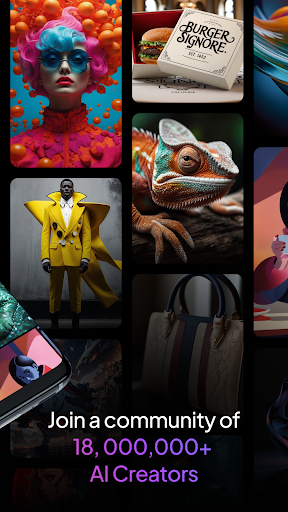
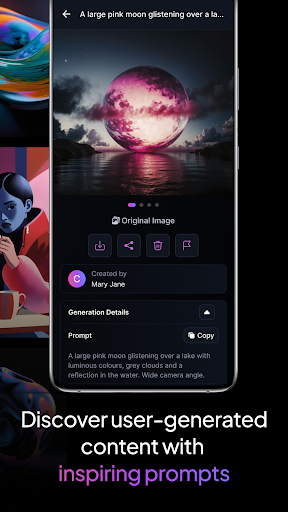
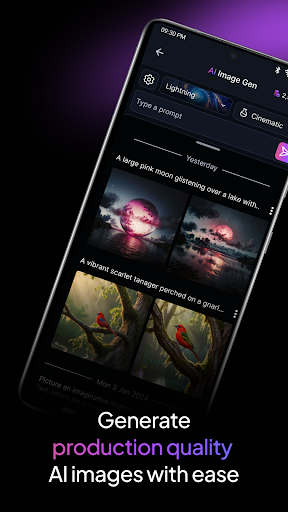
Welcome to Leonardo.Ai , the ultimate AI art image generator, now available on Android!
Harness the power of Leonardo.Ai on your Android phone or tablet and unlock a world of creative possibilities.
Take charge of your creative process with precise control over every aspect of your digital art generation. Use prompts, negative prompts, tiling, and more to fine-tune your results
Utilize our general-purpose or finetuned presets to generate production-ready art and design assets effortlessly. Our models can produce a wide range of high-quality AI art and design assets.
Maximise your creativity with Leonardo Phoenix, our foundational model gives next-level prompt adherence, coherent and flexible text in image, and rapid ideation with iterative prompting.
Unleash your imagination and create a universe of infinite possibilities in just minutes. Rapidly iterate concepts and explore various styles while ensuring consistency.
Join a community of over 21 million creative minds and access more than 1.7 billion images already generated using Leonardo.Ai . Start creating breathtaking art today!
Please note: By using this app, you agree to our Privacy Policy (https://leonardo.ai/legal-notice/ ) and Terms of Service (https://leonardo.ai/terms-of-service/ ).
और दिखाएं

1. MEmu इंस्टॉलर को डाउनलोड करें और इंस्टॉलेशन को पूरा करें

2. MEmu शुरू करें फिर होमपेज पर Google Play खोलें

3. Google Play में Leonardo.Ai - Image Generator खोजें
Install
4. Leonardo.Ai - Image Generator डाउनलोड कर इंस्टॉल करें
5. इंस्टॉल पूरा होने पर आइकन दबाएं

6. MEmu का उपयोग करके अपने कंप्यूटर पर Leonardo.Ai - Image Generator का अनुभव करें
MEmu Play सबसे बेहतरीन मुफ़्त Android एमुलेटर है और 5 करोड़ लोग पहले ही इसके शानदार Android ऐप अनुभव का आनंद ले चुके हैं। MEmu 9 वर्चुअलाइज़ेशन तकनीक आपको अपने PC पर हज़ारों Android ऐप्स, यहाँ तक कि सबसे ज़्यादा ग्राफ़िक्स वाले ऐप्स भी, आसानी से चलाने की सुविधा देती है।
असीमित बैटरी या मोबाइल डेटा के साथ बेहतर ग्राफिक्स के साथ बड़ी स्क्रीन; लंबी अवधि।
कीबोर्ड और माउस या गेमपैड के उत्तम नियंत्रण के लिए संपूर्ण कीमैपिंग का समर्थन करता हैं।
एक ही पीसी पर मल्टी-इंस्टेंस मैनेजर के साथ एक समय में कई गेम खाते या कार्य कर सकते हैं।
Use Leonardo.Ai - Image Generator on PC by following steps: