Samskrit Tutorial
अपडेट किया गया
वर्तमान वर्शन
1.1
संसाधन

Samskrit Tutorial पर अपनी मोबाइल डेटा सीमा पार करने को अलविदा कहें और छोटी स्क्रीन की सीमाओं से मुक्त होकर बड़े डिस्प्ले के लाभों का अनुभव करें। अब, आप अपने कीबोर्ड और माउस का उपयोग करके फुल-स्क्रीन मोड में टॉपर्स क्लैन की शक्ति का अनुभव कर सकते हैं। MEmu Play में वे सभी बेहतरीन सुविधाएँ हैं जिनकी आप अपेक्षा करते हैं: त्वरित इंस्टॉलेशन और आसान सेटअप, सहज नियंत्रण, बैटरी की आवश्यकता नहीं, और कोई डेटा या कॉल समय सीमा नहीं। नया MEmu 9 आपके कंप्यूटर पर Samskrit Tutorial का उपयोग करने के लिए सबसे अच्छा विकल्प है। हमारा मालिकाना मल्टी-इंस्टेंस मैनेजर एक साथ दो या अधिक खातों को चलाने का समर्थन करता है। इससे भी महत्वपूर्ण बात यह है कि हमारा अनूठा इम्यूलेशन इंजन आपके कंप्यूटर के प्रदर्शन का पूरा उपयोग करता है, जिससे एक सहज और निर्बाध अनुभव मिलता है।
और दिखाएं
डाउनलोड करें Samskrit Tutorial पीसी पर MEmu एंड्रॉयड एमुलेटर के साथ बड़े पर्दे पर खेलने का आनंद लें। Samskrit Tutorial” is the ultimate App (https://samskrittutorial.
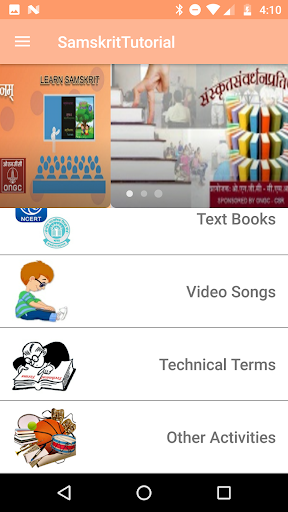
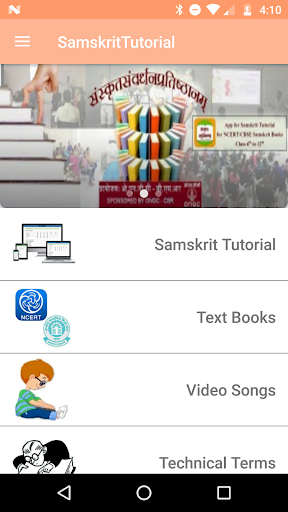
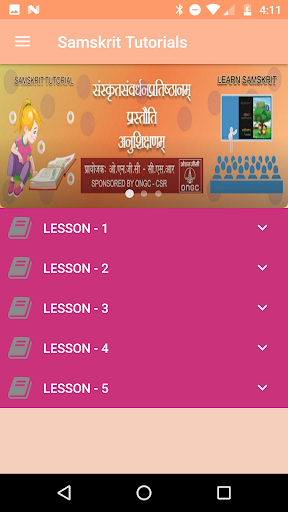
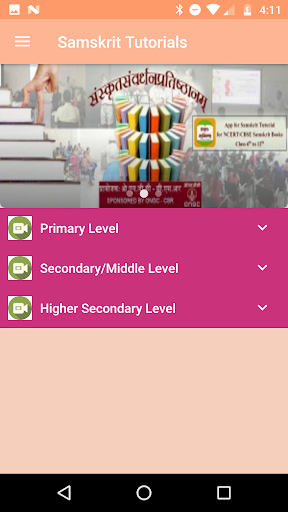
Samskrit Tutorial” is the ultimate App (https://samskrittutorial.in) to learn/practice Samskrit
CBSE/NCERT books like Ruchira (6 th to 8 th standard) & Shemushi / Manika (9 th and 10 th standard), Ritika (11 th & 12 th standard) are already available for free.
For Whom?
Students from 6 th to 12 th can view these tutorials repeatedly and acquire the language.
Very useful for teachers for use at smart classes. Teach Samskrit through Samskrit (not through other languages)
Parents can help their children in learning Samskrit with the help of these videos.
Benefits…
Listen to Audios to improve “Listening skills”
Improve “Spoken skills” with the help of Scripts &Video.
Practice correct pronunciation with the help of Audio
Something More…
Songs are of special attraction. Play them to your children of any age and see them enjoying.
‘Samskrit Medium Text Books’ from Class 6 to 8 for Mathematics, Science and Civics can be downloaded for free. Please refer to the technical terms list in case of doubt.
और दिखाएं

1. MEmu इंस्टॉलर को डाउनलोड करें और इंस्टॉलेशन को पूरा करें

2. MEmu शुरू करें फिर होमपेज पर Google Play खोलें

3. Google Play में Samskrit Tutorial खोजें
Install
4. Samskrit Tutorial डाउनलोड कर इंस्टॉल करें
5. इंस्टॉल पूरा होने पर आइकन दबाएं

6. MEmu का उपयोग करके अपने कंप्यूटर पर Samskrit Tutorial का अनुभव करें
MEmu Play सबसे बेहतरीन मुफ़्त Android एमुलेटर है और 5 करोड़ लोग पहले ही इसके शानदार Android ऐप अनुभव का आनंद ले चुके हैं। MEmu 9 वर्चुअलाइज़ेशन तकनीक आपको अपने PC पर हज़ारों Android ऐप्स, यहाँ तक कि सबसे ज़्यादा ग्राफ़िक्स वाले ऐप्स भी, आसानी से चलाने की सुविधा देती है।
असीमित बैटरी या मोबाइल डेटा के साथ बेहतर ग्राफिक्स के साथ बड़ी स्क्रीन; लंबी अवधि।
कीबोर्ड और माउस या गेमपैड के उत्तम नियंत्रण के लिए संपूर्ण कीमैपिंग का समर्थन करता हैं।
एक ही पीसी पर मल्टी-इंस्टेंस मैनेजर के साथ एक समय में कई गेम खाते या कार्य कर सकते हैं।
Use Samskrit Tutorial on PC by following steps: