WalletPasses | Passbook Wallet
अपडेट किया गया
वर्तमान वर्शन
1.3.2
संसाधन

WalletPasses | Passbook Wallet पर अपनी मोबाइल डेटा सीमा पार करने को अलविदा कहें और छोटी स्क्रीन की सीमाओं से मुक्त होकर बड़े डिस्प्ले के लाभों का अनुभव करें। अब, आप अपने कीबोर्ड और माउस का उपयोग करके फुल-स्क्रीन मोड में टॉपर्स क्लैन की शक्ति का अनुभव कर सकते हैं। MEmu Play में वे सभी बेहतरीन सुविधाएँ हैं जिनकी आप अपेक्षा करते हैं: त्वरित इंस्टॉलेशन और आसान सेटअप, सहज नियंत्रण, बैटरी की आवश्यकता नहीं, और कोई डेटा या कॉल समय सीमा नहीं। नया MEmu 9 आपके कंप्यूटर पर WalletPasses | Passbook Wallet का उपयोग करने के लिए सबसे अच्छा विकल्प है। हमारा मालिकाना मल्टी-इंस्टेंस मैनेजर एक साथ दो या अधिक खातों को चलाने का समर्थन करता है। इससे भी महत्वपूर्ण बात यह है कि हमारा अनूठा इम्यूलेशन इंजन आपके कंप्यूटर के प्रदर्शन का पूरा उपयोग करता है, जिससे एक सहज और निर्बाध अनुभव मिलता है।
और दिखाएं
डाउनलोड करें WalletPasses | Passbook Wallet पीसी पर MEmu एंड्रॉयड एमुलेटर के साथ बड़े पर्दे पर खेलने का आनंद लें। With WalletPasses, you can use passes on your Android phone to check in for flights, get and redeem rewards, get in to movies, or redeem coupons.
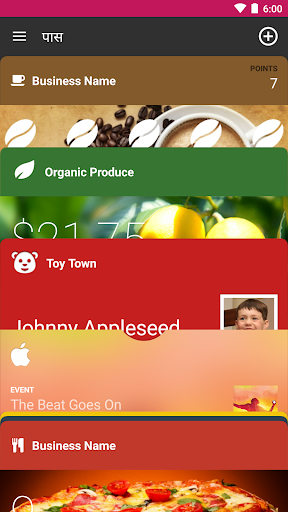
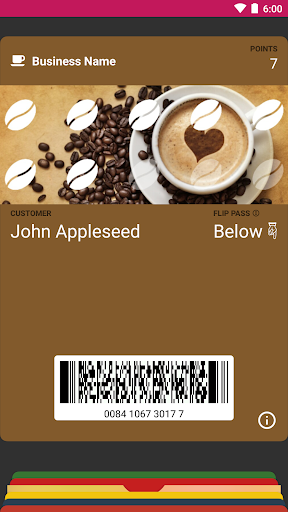
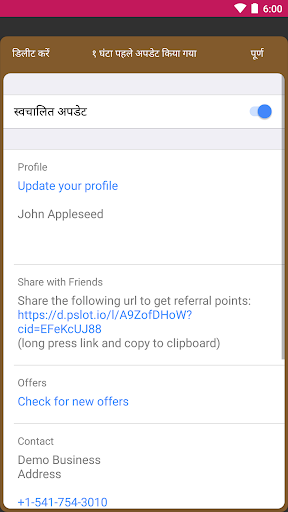
With WalletPasses, you can use passes on your Android phone to check in for flights, get and redeem rewards, get in to movies, or redeem coupons. Passes can include useful information like the balance on your coffee card, your coupon’s expiration date, your seat number for a concert, and more.
WalletPasses Saves Your Battery
The app only consumes battery when you use it, no power consuming operations are performed in background.
WalletPasses Respects your Privacy
The app requires only minimal permissions to work and you keep full control of the data shared with pass issuers.
WalletPasses is fully Passbook compatible
The app supports all great features of Wallet / Passbook passes:
* Automatic Pass Updates & Change Notifications
* Relevance based Display of Passes (Time, Location, iBeacon)
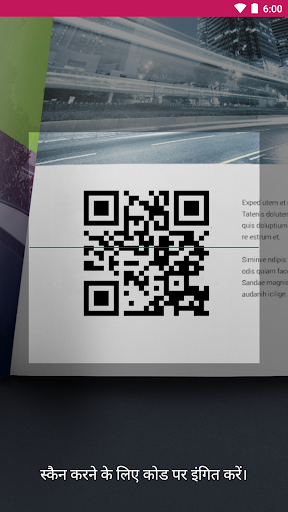
* Embedded Scanner
WalletPasses is backed by the Wallet Passes Alliance, a consortium of firms that develop and promote an open platform for the mobile wallet
और दिखाएं

1. MEmu इंस्टॉलर को डाउनलोड करें और इंस्टॉलेशन को पूरा करें

2. MEmu शुरू करें फिर होमपेज पर Google Play खोलें

3. Google Play में WalletPasses | Passbook Wallet खोजें
Install
4. WalletPasses | Passbook Wallet डाउनलोड कर इंस्टॉल करें
5. इंस्टॉल पूरा होने पर आइकन दबाएं

6. MEmu का उपयोग करके अपने कंप्यूटर पर WalletPasses | Passbook Wallet का अनुभव करें
MEmu Play सबसे बेहतरीन मुफ़्त Android एमुलेटर है और 5 करोड़ लोग पहले ही इसके शानदार Android ऐप अनुभव का आनंद ले चुके हैं। MEmu 9 वर्चुअलाइज़ेशन तकनीक आपको अपने PC पर हज़ारों Android ऐप्स, यहाँ तक कि सबसे ज़्यादा ग्राफ़िक्स वाले ऐप्स भी, आसानी से चलाने की सुविधा देती है।
असीमित बैटरी या मोबाइल डेटा के साथ बेहतर ग्राफिक्स के साथ बड़ी स्क्रीन; लंबी अवधि।
कीबोर्ड और माउस या गेमपैड के उत्तम नियंत्रण के लिए संपूर्ण कीमैपिंग का समर्थन करता हैं।
एक ही पीसी पर मल्टी-इंस्टेंस मैनेजर के साथ एक समय में कई गेम खाते या कार्य कर सकते हैं।
Use WalletPasses | Passbook Wallet on PC by following steps: