DC UNCHAINED
Updated
Current Version
1.2.9
Offered By

With your passion for DC UNCHAINED, you shouldn’t have to limit yourself to the small screen of a phone. Play like a pro and take full control of the game using a keyboard and mouse. MEmu gives you everything you’re looking for. Download and play DC UNCHAINED on PC. Play as long as you want — no more worries about battery life, mobile data, or unexpected calls. The all-new MEmu 9 is the best way to play DC UNCHAINED on PC. With our expertly designed keymapping system, DC UNCHAINED feels just like a real PC game. The MEmu multi-instance manager lets you run two or more accounts on the same device at the same time. Most importantly, our exclusive emulation engine unlocks your PC’s full potential, delivering smooth and seamless performance.
Show more
Download DC UNCHAINED on PC with MEmu Android Emulator. Enjoy playing on big screen. Batman, Superman, Wonder Woman, The Joker, Harley Quinn.
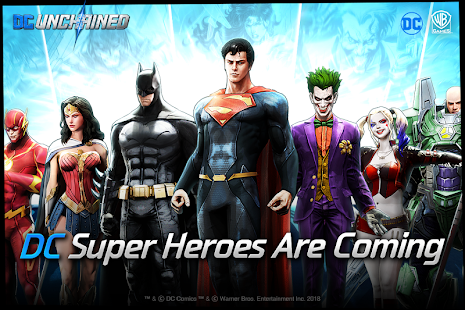
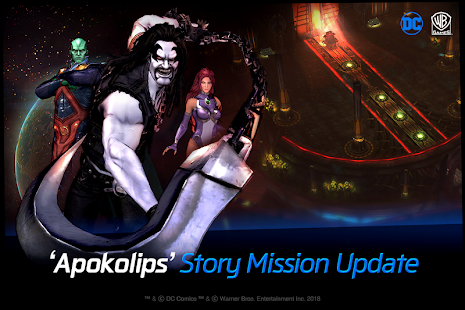
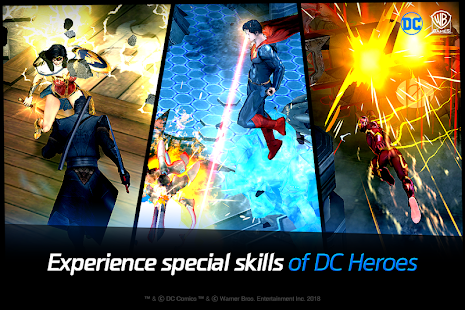
Batman, Superman, Wonder Woman, The Joker, Harley Quinn.
Meet your favorite DC Super Heroes & Super-Villains on your mobile.
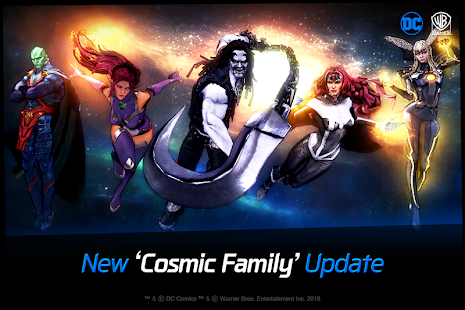
[ Introducing 9 New Authentic DC Comics Skins ]
- Artemis, Ocean Master, Harley Quinn, Mera, Cyborg,
Star Sapphire, Lex Luthor, Captain Cold, Larfleeze
[ New Features: 'Daily Boss' and 'Rank War' ]
- Daily Boss
Defeat dungeon every day to acquire and upgrade your Skin!
- Rank War
Compete against other users in combat to win rewards!
[ Various Updates ]
- New Skin System, Character Balance Patch, Competitive Battle Patch,
Urgent Evasion Patch, Bug Fixes, and etc.
※Check our official community for more details.
☞ About DC UNCHAINED ☜
■ Play as your favorite DC Super Heroes & Super-Villains!
35 characters with unique action and skills.
■ Art by DC Comics Artist!
Enjoy the art of DC throughout the game.
■ Live PVP with your own Super Hero & Super-Villain Team!
Build your own Super Hero & Super-Villain Team to become the best in the DC Universe.
■ Exciting Features!
Explore an original story of DC Super Heroes & Super-Villains through [Story Mode]
Enjoy individual stories of DC Characters through [Vision Quest]
Work together with your friends in [Unchained Mode]
Complete missions to test your limits in [Simulation Combat]
☞ DC: UNCHAINED Official Community☜
▶ Official Community Page : https://www.plug.game/Dcunchained
▶ YouTube Channel : https://www.youtube.com/dcunchained
▶ Official Facebook : https://www.facebook.com/DCUnchainedOfficial
Show more

1. Download MEmu installer and finish the setup

2. Start MEmu then open Google Play on the desktop

3. Search DC UNCHAINED in Google Play
Install
4. Download and Install DC UNCHAINED
5. On install completion click the icon to start

6. Enjoy playing DC UNCHAINED on PC with MEmu
MEmu Play is the best Android emulator and 100 million people already enjoy its superb Android gaming experience. The MEmu virtualization technology empowers you to play thousands of Android games smoothly on your PC, even the most graphic-intensive ones.
Bigger screen with better graphics; Long duration, without limitation of battery or mobile data.
Full Keymapping support for precise control of keyboard and mouse or gamepad.
Multiple game accounts or tasks on single PC at one time with Multi-Instance manager.
Play DC UNCHAINED on PC by following steps: