Afun: Cassino Slots e Esportes
Updated
Current Version
4.1.0
Offered By

With your passion for Afun: Cassino Slots e Esportes, you shouldn’t have to limit yourself to the small screen of a phone. Play like a pro and take full control of the game using a keyboard and mouse. MEmu gives you everything you’re looking for. Download and play Afun: Cassino Slots e Esportes on PC. Play as long as you want — no more worries about battery life, mobile data, or unexpected calls. The all-new MEmu 9 is the best way to play Afun: Cassino Slots e Esportes on PC. With our expertly designed keymapping system, Afun: Cassino Slots e Esportes feels just like a real PC game. The MEmu multi-instance manager lets you run two or more accounts on the same device at the same time. Most importantly, our exclusive emulation engine unlocks your PC’s full potential, delivering smooth and seamless performance.
Show more
Download Afun: Cassino Slots e Esportes on PC with MEmu Android Emulator. Enjoy playing on big screen. Afun.

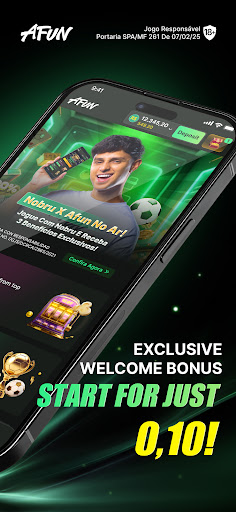
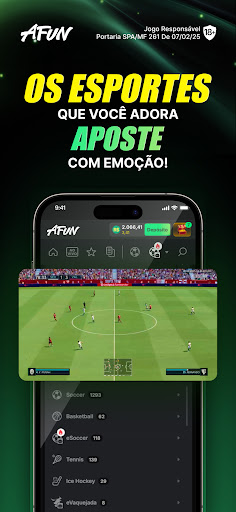
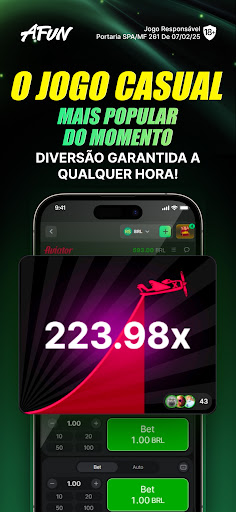
Afun.bet.br is a 100% licensed and regulated platform in Brazil, operated by Brilliant Gaming Ltda. under Ordinance SPA/MF No. 261 (07/02/2025), duly authorized to operate in Brazil the fixed-odds lottery, sports-themed, and online gaming modality. We offer premium entertainment for those over 18, with fixed-odds sports betting and over 2,000 casino games from the market's leading providers.
Main Features:
- Sports betting on national and international championships
- Online casino: slots, roulette, blackjack, poker, and more
- Key partners: Pragmatic Play, Evolution, Skywind, Hacksaw Gaming
- Secure platform with age verification (18+) and fraud prevention
- Responsible gaming tools: deposit limits, self-exclusion, pauses, and session notifications
License and Compliance:
- Regulated by the Prizes and Betting Secretariat of the Ministry of Finance (Ordinance No. 261/2025)
- Full compliance with Law No. 14,790/2023 and complementary regulations
- AML/FT (Prevention of Money Laundering and Terrorism Financing) protocols
Support and Responsibility:
- Mandatory age verification (18+)
- Monitoring of unusual transactions and behavior
This is a real-money betting app. Please play responsibly. Only bet within your personal limit. If you or someone you know needs help with gambling problems, contact Gamblers Anonymous Brazil at (11) 3229-1023 or visit www.gamblersanonymous.org.
and local helplines:
- Blumenau: (47) 9121-0079
- Florianópolis: (48) 8414-2208
- Rio de Janeiro: (21) 2516-4672
- Santos and São Vicente: (12) 3469-5248
Responsible Marketing:
- All promotional materials avoid attracting minors
- Full transparency about risks and gambling limits
- This is a real-money gambling app. Please play responsibly.
To learn more about responsible gaming, visit:
https://img.engames.com/afunbet/Responsabilidades_de_Jogos.pdf
Show more

1. Download MEmu installer and finish the setup

2. Start MEmu then open Google Play on the desktop

3. Search Afun: Cassino Slots e Esportes in Google Play
Install
4. Download and Install Afun: Cassino Slots e Esportes
5. On install completion click the icon to start

6. Enjoy playing Afun: Cassino Slots e Esportes on PC with MEmu
MEmu Play is the best Android emulator and 100 million people already enjoy its superb Android gaming experience. The MEmu virtualization technology empowers you to play thousands of Android games smoothly on your PC, even the most graphic-intensive ones.
Bigger screen with better graphics; Long duration, without limitation of battery or mobile data.
Full Keymapping support for precise control of keyboard and mouse or gamepad.
Multiple game accounts or tasks on single PC at one time with Multi-Instance manager.
Play Afun: Cassino Slots e Esportes on PC by following steps: