Age of Rivals
Updated
Current Version
3.29
Offered By

With your passion for Age of Rivals, you shouldn’t have to limit yourself to the small screen of a phone. Play like a pro and take full control of the game using a keyboard and mouse. MEmu gives you everything you’re looking for. Download and play Age of Rivals on PC. Play as long as you want — no more worries about battery life, mobile data, or unexpected calls. The all-new MEmu 9 is the best way to play Age of Rivals on PC. With our expertly designed keymapping system, Age of Rivals feels just like a real PC game. The MEmu multi-instance manager lets you run two or more accounts on the same device at the same time. Most importantly, our exclusive emulation engine unlocks your PC’s full potential, delivering smooth and seamless performance.
Show more
Download Age of Rivals on PC with MEmu Android Emulator. Enjoy playing on big screen. There are many paths to victory in this competitive strategy boardgame featuring hundreds of cards ranging from great pyramids and war elephants to sneaky spies and crafty merchants.
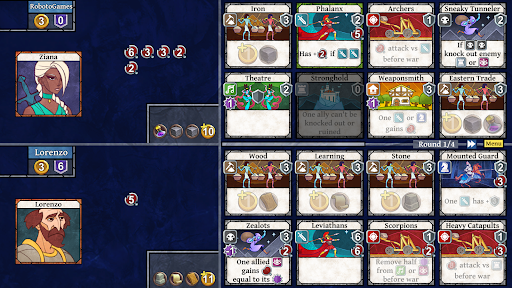
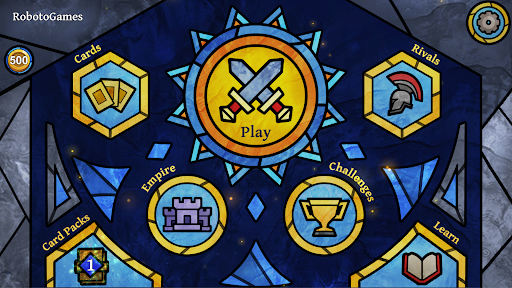
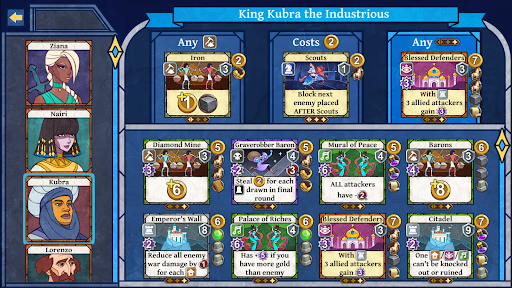
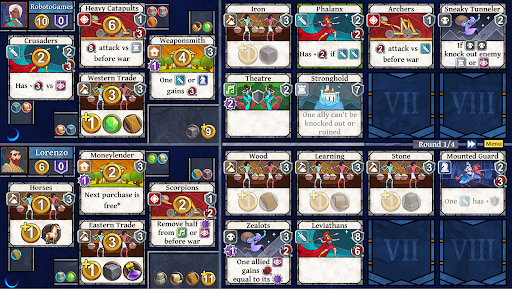
There are many paths to victory in this competitive strategy boardgame featuring hundreds of cards ranging from great pyramids and war elephants to sneaky spies and crafty merchants. Perfectly balance your city’s culture, military, defense and economy to outwit your opponent and win!
"Age of Rivals feels like a breath of fresh air in an App Store drowning in more traditional collectible card games" - 148Apps.com - 5/5 stars
"...there's a depth here that other games of the same length can't emulate" - Pocket Gamer - Silver Award Winner
"Gameplay is fast, very fun, and requires both an overall strategy and turn-by-turn tactics to prevail." - Pocket Tactics
Age of Rivals was inspired by strategy boardgames and designed to be ideal for 1 or 2 players to play in 10 minutes with plenty of depth and replayability. It's the "anti-deckbuilding" CCG, where having only minimal control over your deck encourages endless variety in each game and puts the focus on in-the-moment tactical decision-making.
There are no in-app purchases. All game content unlocks at a constant pace just by playing the game.
FEATURES
- Play offline or online
- Play as 12 unique characters
- Earn over 200 cards with unique special abilities
- Single player vs a smart AI
- Missions
- Single player challenge levels
- Local multiplayer (Pass and Play)
- Networked multiplayer (requires creating free online account)
- Ranked public matchmaking (requires creating free online account)
- Private friend matches (requires creating free online account)
- Alliances with other players (requires creating free online account)
- Monthly tournaments (requires creating free online account)
Show more

1. Download MEmu installer and finish the setup

2. Start MEmu then open Google Play on the desktop

3. Search Age of Rivals in Google Play
Install
4. Download and Install Age of Rivals
5. On install completion click the icon to start

6. Enjoy playing Age of Rivals on PC with MEmu
MEmu Play is the best Android emulator and 100 million people already enjoy its superb Android gaming experience. The MEmu virtualization technology empowers you to play thousands of Android games smoothly on your PC, even the most graphic-intensive ones.
Bigger screen with better graphics; Long duration, without limitation of battery or mobile data.
Full Keymapping support for precise control of keyboard and mouse or gamepad.
Multiple game accounts or tasks on single PC at one time with Multi-Instance manager.
Play Age of Rivals on PC by following steps: