Alphablocks: Letter Fun!
Updated
Current Version
1.7.4
Offered By

With your passion for Alphablocks: Letter Fun!, you shouldn’t have to limit yourself to the small screen of a phone. Play like a pro and take full control of the game using a keyboard and mouse. MEmu gives you everything you’re looking for. Download and play Alphablocks: Letter Fun! on PC. Play as long as you want — no more worries about battery life, mobile data, or unexpected calls. The all-new MEmu 9 is the best way to play Alphablocks: Letter Fun! on PC. With our expertly designed keymapping system, Alphablocks: Letter Fun! feels just like a real PC game. The MEmu multi-instance manager lets you run two or more accounts on the same device at the same time. Most importantly, our exclusive emulation engine unlocks your PC’s full potential, delivering smooth and seamless performance.
Show more
Download Alphablocks: Letter Fun! on PC with MEmu Android Emulator. Enjoy playing on big screen. From the BAFTA nominated pre-school learning TV shows Alphablocks and Numberblocks, we bring you Alphablocks Letter Fun!
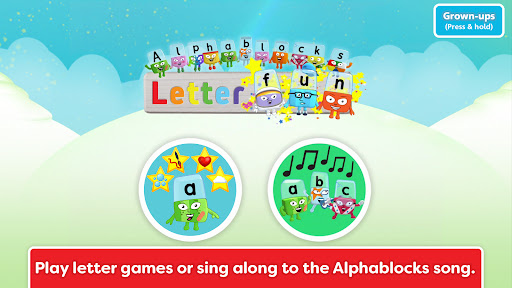
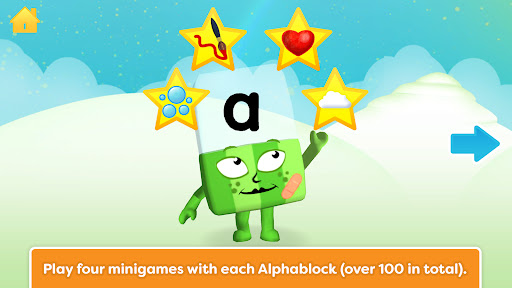
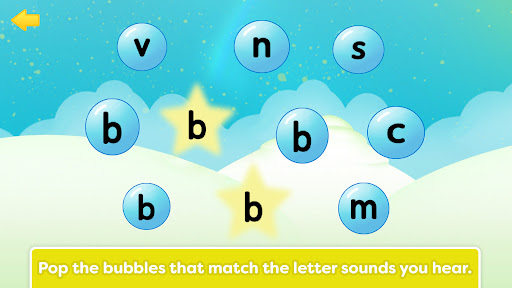
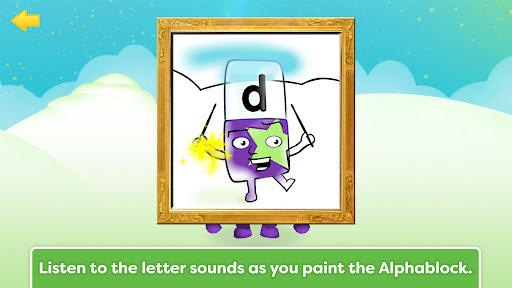
From the BAFTA nominated pre-school learning TV shows Alphablocks and Numberblocks, we bring you Alphablocks Letter Fun!
Your little ones are going to LOVE interacting with the Alphablocks in this amazing App. It’s hugely entertaining to play and makes a real difference to their reading through fun, multisensory learning.
Alphablocks has been on TV for nearly a decade, helping millions of children learn to read the fun way. Now your little ones can meet all the Alphablocks from A to Z, learning letters and sounds with four great phonics mini-games and a fantastic singalong song.
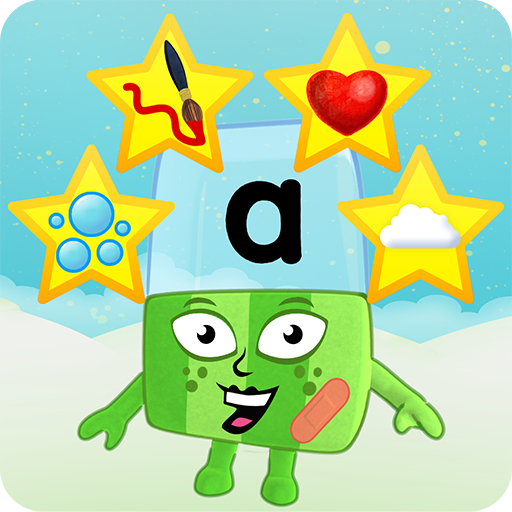
"Alphablock A says a! when an apple lands on her head! "
Every Alphablock is designed to make their letter and sound easy to learn, encouraging kids to interact with the characters and really get to know the alphabet. They’ll have great fun getting hands-on with letters and sounds.
* No in-app purchases *
▸ MINIGAMES
There are four minigames per Alphablock — that’s over 100 great activities for kids to enjoy!
◆ Bubble pop! — match letters to sounds by popping the bubbles that match the sounds you hear.
◆ Paint me — listen to letter sounds as you paint each Alphablock with your finger.
◆ Favourite things — listen out for words that begin with each letter sound and add them to the Alphablock’s collection of favourite things.
◆ Hide and seek — listen carefully to tell letter sounds apart, and see if you can spot where the Alphablock is hiding.
▸ ALPHABLOCKS LETTER SONG
Sing along with the Alphablocks as they all get together to sing their letter sounds in a mnemonic song that kids will love and remember!
▸ LETTER SOUNDS AND NAMES
When your child has mastered their letters and sounds, change to Letter Name mode and have fun learning all the letter names too.
▸ EARN STARS
Every minigame earns a star. Collect all four stars to watch the Alphablock sing their line from the Alphablocks letter song. Can you light up all the stars for all your Alphablocks? (The app keeps your progress between visits. You can reset it if you want to start again or to let a friend or sibling play.)
▸ FULL OF FABULOUS PHONICS
Alphablocks is made by teachers and reading experts. It’s built around systematic synthetic phonics, as taught in UK schools. Alphablocks is a step-by-step reading system with episodes, books and more that has helped over a million children learn to read the fun way.
Alphablocks Letter Fun was created by Blue Zoo Animation, the multi-award winning studio who are passionate about creating fantastic content for kids tv and games. Blue Zoo has produced many hit pre-school shows including Go Jetters, Digby Dragon, Miffy, Tree Fu Tom, Mac & Izzy, and more.
www.blue-zoo.co.uk
Privacy Policy: https://www.learningblocks.tv/apps/privacy-policy
Terms of Service: https://www.learningblocks.tv/apps/terms-of-service
Show more

1. Download MEmu installer and finish the setup

2. Start MEmu then open Google Play on the desktop

3. Search Alphablocks: Letter Fun! in Google Play
Install
4. Download and Install Alphablocks: Letter Fun!
5. On install completion click the icon to start

6. Enjoy playing Alphablocks: Letter Fun! on PC with MEmu
MEmu Play is the best Android emulator and 100 million people already enjoy its superb Android gaming experience. The MEmu virtualization technology empowers you to play thousands of Android games smoothly on your PC, even the most graphic-intensive ones.
Bigger screen with better graphics; Long duration, without limitation of battery or mobile data.
Full Keymapping support for precise control of keyboard and mouse or gamepad.
Multiple game accounts or tasks on single PC at one time with Multi-Instance manager.
Play Alphablocks: Letter Fun! on PC by following steps: