Numberblocks & Friends Stories
Updated
Current Version
2.2.1
Offered By

With your passion for Numberblocks & Friends Stories, you shouldn’t have to limit yourself to the small screen of a phone. Play like a pro and take full control of the game using a keyboard and mouse. MEmu gives you everything you’re looking for. Download and play Numberblocks & Friends Stories on PC. Play as long as you want — no more worries about battery life, mobile data, or unexpected calls. The all-new MEmu 9 is the best way to play Numberblocks & Friends Stories on PC. With our expertly designed keymapping system, Numberblocks & Friends Stories feels just like a real PC game. The MEmu multi-instance manager lets you run two or more accounts on the same device at the same time. Most importantly, our exclusive emulation engine unlocks your PC’s full potential, delivering smooth and seamless performance.
Show more
Download Numberblocks & Friends Stories on PC with MEmu Android Emulator. Enjoy playing on big screen. Make Numberblocks & Friends Stories part of your child's daily routine with SEVEN original audio tales designed to help your child drift off to sleep and FIVE interactive stories, providing your child a hands-on opportunity to help their favourite characters stories' unfold:.
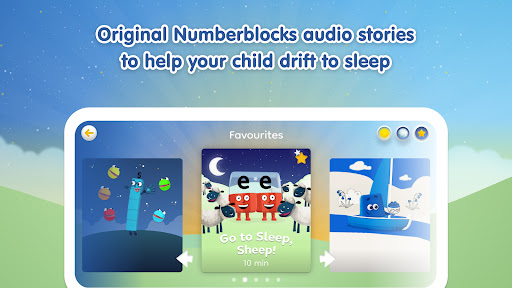
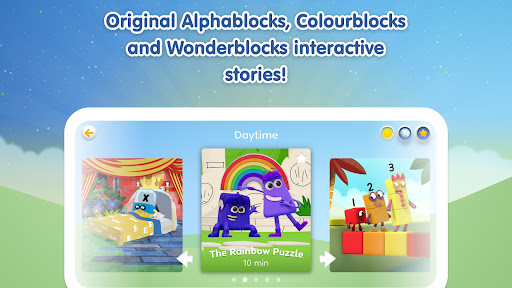
Make Numberblocks & Friends Stories part of your child's daily routine with SEVEN original audio tales designed to help your child drift off to sleep and FIVE interactive stories, providing your child a hands-on opportunity to help their favourite characters stories' unfold:
1. One's Big Band
2. See-Saw
3. Numberblock Three and the Kittens
4. Four Goes on a Square Hunt
5. Where are the Numberblobs?
6. Go to Sleep, Sheep
7. Blue's Big Blue Picnic
8. One Great Mystery
9. The No Nap Spell
10. A Walk in the Woods
11. Pattern Palace
12. The Rainbow Puzzle
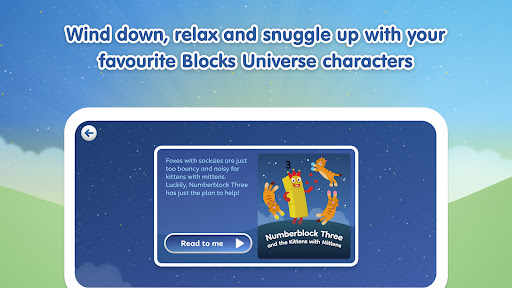
Whether it's a calming moment in the day, or time to go to sleep, wind down, snuggle up and relax whilst listening to calming stories featuring your favourite Numberblocks, Alphablocks & Colourblocks. The audio-only stories feature relaxing music, soothing narration and ambient sounds and do not require screens; perfect for bedtime and nap time. The interactive stories allow an opportunity for your child to help the narrative unfold alongside their favourite Blocks characters - what fun!
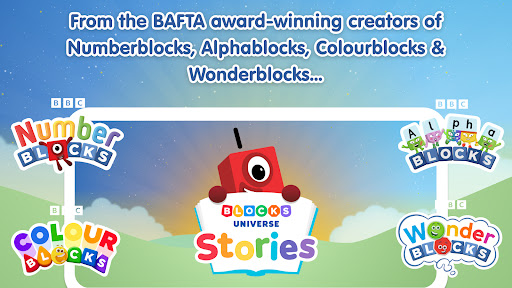
Developed in consultation with child development and child psychology experts, Numberblocks & Friends Stories is brought to you by the multi-award-winning team behind BAFTA-nominated pre-school learning favorites, Alphablocks, Numberblocks & Colourblocks.
"The gentle narration of Numberblocks & Friends Stories and relaxing music combine to help children relax, wind down after a busy day and prepare for sleep." Dr. Barbie Clarke, child and adolescent psychotherapist
This app does not contain any in-app purchases or involuntary adverts.
What's included in Numberblocks & Friends Stories?
1. SEVEN original audio stories to help your child drift off to sleep.
2. FIVE original interactive stories to allow your child a hands-on opportunity to help the story unfold.
3. Wind down, relax and snuggle up with your favorite Blocks characters.
4. Calming stories, relaxing music, perfect for bedtime and nap time.
5. Make Numberblocks & Friends Stories part of your child's daytime and bedtime routine.
6. This app is entertaining and safe, being COPPA and GDPR-K compliant and 100% ad-free.
Privacy & Safety:
At Blue Zoo, your child’s privacy and safety is the first priority for us. There are no ads in the app and we will never share personal information with any 3rd parties or sell this on.
You can find out more in our Privacy Policy and Terms of Service:
Privacy Policy: https://www.learningblocks.tv/apps/privacy-policy
Terms of Service: https://www.learningblocks.tv/apps/terms-of-service
Show more

1. Download MEmu installer and finish the setup

2. Start MEmu then open Google Play on the desktop

3. Search Numberblocks & Friends Stories in Google Play
Install
4. Download and Install Numberblocks & Friends Stories
5. On install completion click the icon to start

6. Enjoy playing Numberblocks & Friends Stories on PC with MEmu
MEmu Play is the best Android emulator and 100 million people already enjoy its superb Android gaming experience. The MEmu virtualization technology empowers you to play thousands of Android games smoothly on your PC, even the most graphic-intensive ones.
Bigger screen with better graphics; Long duration, without limitation of battery or mobile data.
Full Keymapping support for precise control of keyboard and mouse or gamepad.
Multiple game accounts or tasks on single PC at one time with Multi-Instance manager.
Play Numberblocks & Friends Stories on PC by following steps: