
ARIDA: Backland's Awakening
Updated
Current Version
1.41.0.1
Offered By

With your passion for ARIDA: Backland's Awakening, you shouldn’t have to limit yourself to the small screen of a phone. Play like a pro and take full control of the game using a keyboard and mouse. MEmu gives you everything you’re looking for. Download and play ARIDA: Backland's Awakening on PC. Play as long as you want — no more worries about battery life, mobile data, or unexpected calls. The all-new MEmu 9 is the best way to play ARIDA: Backland's Awakening on PC. With our expertly designed keymapping system, ARIDA: Backland's Awakening feels just like a real PC game. The MEmu multi-instance manager lets you run two or more accounts on the same device at the same time. Most importantly, our exclusive emulation engine unlocks your PC’s full potential, delivering smooth and seamless performance.
Show more
Download ARIDA: Backland's Awakening on PC with MEmu Android Emulator. Enjoy playing on big screen. A historical single player game with elements of adventure and survival.
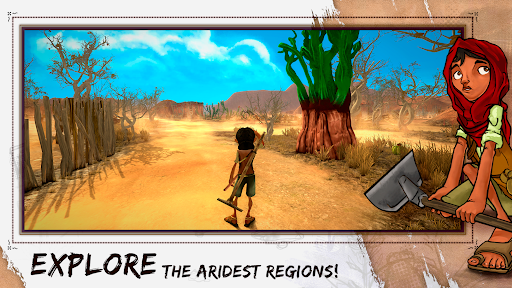
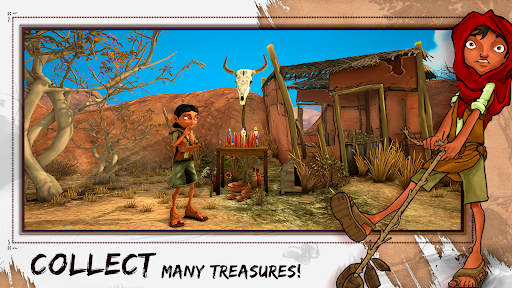
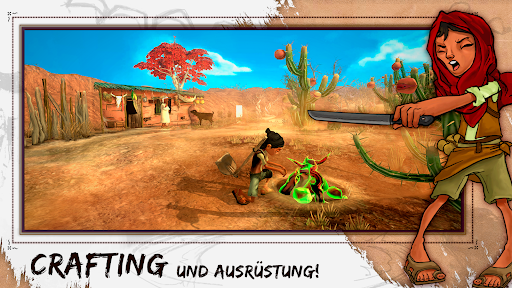
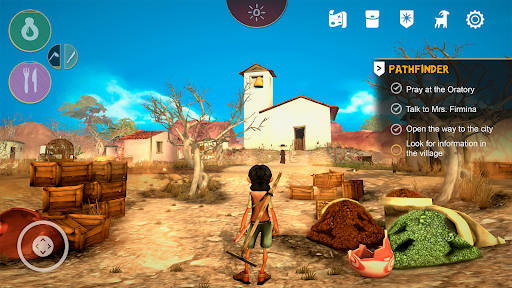
A historical single player game with elements of adventure and survival.
Explore the aridest regions, collect resources and discover clues about the destiny of the young Cícera, a girl that faces the drought to explore the 19th-century Brazilian backlands to find her parents again.
FEATURE LIST:
Equipped to venture out
To survive in ÁRIDA you will need some equipment. Use the machete and hoe for essential actions such as getting water, opening paths, or cutting a corn crop. But do not forget to have a handful of grindstones because blunt equipment is of no use!
Get ready with recipes
To live in the backlands you need to be wise. The fauna and flora are unusual, so try to learn the recipes available for crafting with the typical items of the region. Maybe one day you need to cross the backlands ...
Interact to survive
Hunger and thirst can be very cruel in the backlands during the drought. Ask for help for the elders of your village and solve their quests to get some water and food.
Explore to know
Explore the aridest regions to learn more about the backlands and find the resources you need to stay on your way. A full inventory is always a good idea!
Stories to learn
The Brazilian backlands is a special place, with many stories that would only happen there. Venture out to search for the collectible lost objects and find out more about the legends of the backlands.
System requirements - minimum
- OS: Android 7.1
- Memory: 4GB
- Processor: Octa-core 1.8Ghz
- GPU: Adreno 610 or higher
Show more

1. Download MEmu installer and finish the setup

2. Start MEmu then open Google Play on the desktop

3. Search ARIDA: Backland's Awakening in Google Play
Install
4. Download and Install ARIDA: Backland's Awakening
5. On install completion click the icon to start

6. Enjoy playing ARIDA: Backland's Awakening on PC with MEmu
MEmu Play is the best Android emulator and 100 million people already enjoy its superb Android gaming experience. The MEmu virtualization technology empowers you to play thousands of Android games smoothly on your PC, even the most graphic-intensive ones.
Bigger screen with better graphics; Long duration, without limitation of battery or mobile data.
Full Keymapping support for precise control of keyboard and mouse or gamepad.
Multiple game accounts or tasks on single PC at one time with Multi-Instance manager.
Play ARIDA: Backland's Awakening on PC by following steps: