
Avalon: Legacy Edition RPG
Updated
Current Version
Offered By

With your passion for Avalon: Legacy Edition RPG, you shouldn’t have to limit yourself to the small screen of a phone. Play like a pro and take full control of the game using a keyboard and mouse. MEmu gives you everything you’re looking for. Download and play Avalon: Legacy Edition RPG on PC. Play as long as you want — no more worries about battery life, mobile data, or unexpected calls. The all-new MEmu 9 is the best way to play Avalon: Legacy Edition RPG on PC. With our expertly designed keymapping system, Avalon: Legacy Edition RPG feels just like a real PC game. The MEmu multi-instance manager lets you run two or more accounts on the same device at the same time. Most importantly, our exclusive emulation engine unlocks your PC’s full potential, delivering smooth and seamless performance.
Show more
Download Avalon: Legacy Edition RPG on PC with MEmu Android Emulator. Enjoy playing on big screen. Step back into the golden era of role-playing.
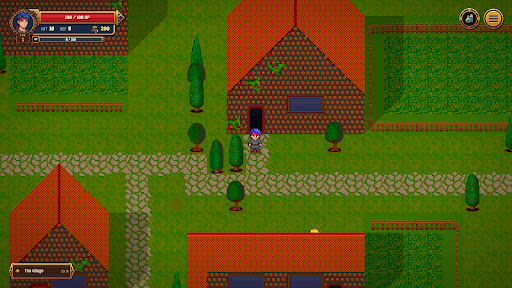
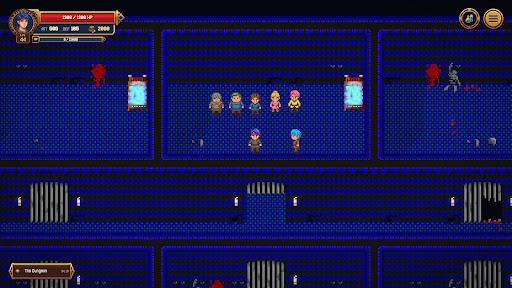
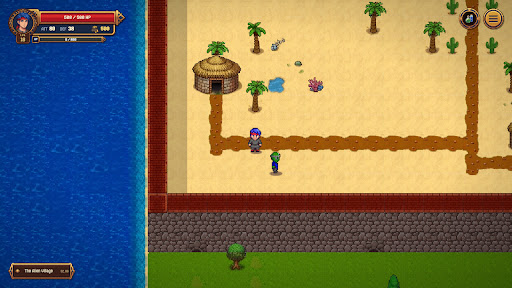
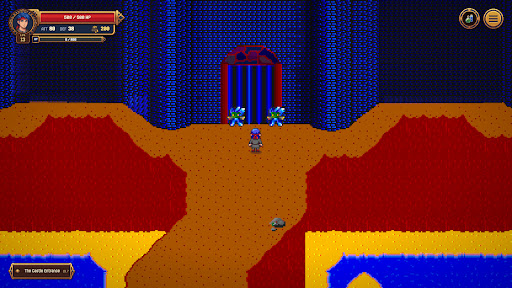
Step back into the golden era of role-playing. Avalon: Legacy Edition brings the cult-classic 1998 DOS RPG back to life, carefully polished for modern systems while preserving the undeniable charm, atmosphere, and unapologetic challenge of the original.
Remember when games didn't require a 40-page manual or a two-hour tutorial? Avalon remembers. This is a pure, pick-up-and-play experience. There are no convoluted skill trees or bloated mechanics to learn—just launch the game, grab your gear, and start your adventure immediately. It captures the exact feeling of '90s gaming: straightforward, intuitive, and built entirely around the joy of discovery and play.
The Story
Humanity has fled a ruined Earth, seeking refuge on the distant, uncharted planet of Avalon. The survivors have established a fragile village, believing they have finally found safety. But appearances can be deceiving.
Take on the role of Mace, a reluctant hero thrust into the wilderness beyond the village walls. Face dangerous creatures, confront emerging threats, and uncover the dark truth lurking beneath Avalon’s surface. Explore a vibrant world, meet its eccentric inhabitants, complete quests, and grow stronger as you prepare for the trials ahead.
Key Features
- Pure '90s Simplicity: No hand-holding or endless tutorials. Just jump straight into the action and figure things out for yourself.
- A Respectful Runtime: Experience a tightly crafted, highly satisfying adventure with 10 to 15 hours of playing time.
- Faithful to the Original: Recreated by the original developers, maintaining the authentic 1998 feel with careful refinements to run seamlessly on modern PCs.
- Classic 2D Exploration & Combat: Nostalgic tile-based movement and old-school battles that reward exploration, experimentation, and courage.
- Secrets & Nods: A world packed with hidden quests, secrets, and charming references to classic games, movies, and books of the era.
- Game-in-a-Game: The complete, untouched original 1998 DOS version of Avalon is hidden somewhere within the Legacy Edition. Can you find it?
Avalon awaits once more. Do you have the courage and skill to face what is coming?
Show more

1. Download MEmu installer and finish the setup

2. Start MEmu then open Google Play on the desktop

3. Search Avalon: Legacy Edition RPG in Google Play
Install
4. Download and Install Avalon: Legacy Edition RPG
5. On install completion click the icon to start

6. Enjoy playing Avalon: Legacy Edition RPG on PC with MEmu
MEmu Play is the best Android emulator and 100 million people already enjoy its superb Android gaming experience. The MEmu virtualization technology empowers you to play thousands of Android games smoothly on your PC, even the most graphic-intensive ones.
Bigger screen with better graphics; Long duration, without limitation of battery or mobile data.
Full Keymapping support for precise control of keyboard and mouse or gamepad.
Multiple game accounts or tasks on single PC at one time with Multi-Instance manager.
Play Avalon: Legacy Edition RPG on PC by following steps:















































