aX360e
Updated
Current Version
1.18
Offered By

With your passion for aX360e, you shouldn’t have to limit yourself to the small screen of a phone. Play like a pro and take full control of the game using a keyboard and mouse. MEmu gives you everything you’re looking for. Download and play aX360e on PC. Play as long as you want — no more worries about battery life, mobile data, or unexpected calls. The all-new MEmu 9 is the best way to play aX360e on PC. With our expertly designed keymapping system, aX360e feels just like a real PC game. The MEmu multi-instance manager lets you run two or more accounts on the same device at the same time. Most importantly, our exclusive emulation engine unlocks your PC’s full potential, delivering smooth and seamless performance.
Show more
Download aX360e on PC with MEmu Android Emulator. Enjoy playing on big screen. aX360e is an Xbox 360 emulator designed for the Android platform, with support currently limited to a selection of games.
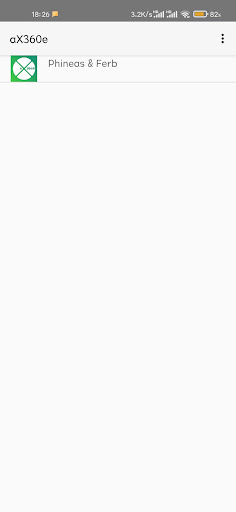

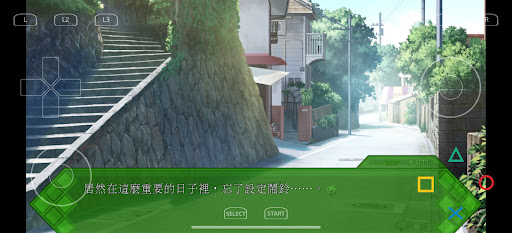
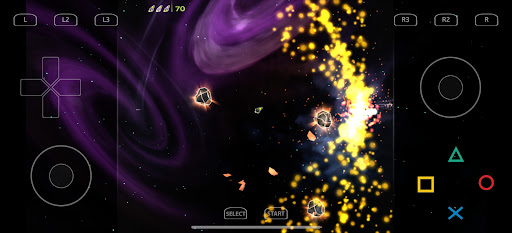
aX360e is an Xbox 360 emulator designed for the Android platform, with support currently limited to a selection of games. Actual game performance is dependent on your device's hardware capabilities, and most titles may not run at full speed.
aX360e is ported based on the arm64-backend branch of Xenia, the well-known Xbox 360 emulator. It also incorporates most of the code from the xenia-canary project (versions 0.6 and later), with dedicated optimizations tailored for the Android platform.
An open-source plan is in place for this application. You can check the progress of the open-source initiative via the link: https://aenu.cc/ax360e/
Note This application is still under active development and may not be compatible with all your favorite games.
This is paid version of aX360e. purchase it to support the ongoing development of the emulator.
Important Notice: This installation package does not contain any game resources. Please export content from your physical Xbox 360 game discs, convert them to GOD/ISO format files for use, or directly load files in the supported formats.
Key Features:
-Supports GOD/ISO game formats (more formats will be added in future updates)
-Vulkan graphics acceleration support
-Talkback accessibility feature compatibility
-Customizable virtual button layout
-Ad-free experience
Minimum Hardware Requirements
-Android 9 or higher
-Vulkan graphics API support
-arm64 processor architecture
For More Information & User Guides
-Official Website: https://aenu.cc/aX360e/
-GitHub Repository: https://github.com/aenu1/ax360e
-Reddit Community: https://www.reddit.com/r/aX360e/
-Discord Server: https://discord.gg/TZmJjjWZWH
*Xbox 360 is a trademark of Microsoft Corporation. aX360e is not affiliated with Microsoft in any way. This product is not authorized, endorsed, or licensed by Microsoft or its affiliates and subsidiaries, and has no affiliation or cooperative relationship with the aforementioned entities.
Show more

1. Download MEmu installer and finish the setup

2. Start MEmu then open Google Play on the desktop

3. Search aX360e in Google Play
Install
4. Download and Install aX360e
5. On install completion click the icon to start

6. Enjoy playing aX360e on PC with MEmu
MEmu Play is the best Android emulator and 100 million people already enjoy its superb Android gaming experience. The MEmu virtualization technology empowers you to play thousands of Android games smoothly on your PC, even the most graphic-intensive ones.
Bigger screen with better graphics; Long duration, without limitation of battery or mobile data.
Full Keymapping support for precise control of keyboard and mouse or gamepad.
Multiple game accounts or tasks on single PC at one time with Multi-Instance manager.
Play aX360e on PC by following steps: