Backgammon NJ for Android
Updated
Current Version
4.8
Offered By

With your passion for Backgammon NJ for Android, you shouldn’t have to limit yourself to the small screen of a phone. Play like a pro and take full control of the game using a keyboard and mouse. MEmu gives you everything you’re looking for. Download and play Backgammon NJ for Android on PC. Play as long as you want — no more worries about battery life, mobile data, or unexpected calls. The all-new MEmu 9 is the best way to play Backgammon NJ for Android on PC. With our expertly designed keymapping system, Backgammon NJ for Android feels just like a real PC game. The MEmu multi-instance manager lets you run two or more accounts on the same device at the same time. Most importantly, our exclusive emulation engine unlocks your PC’s full potential, delivering smooth and seamless performance.
Show more
Download Backgammon NJ for Android on PC with MEmu Android Emulator. Enjoy playing on big screen. ● Versatile -- Play offline vs.
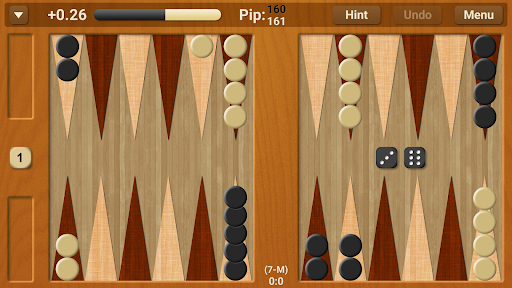
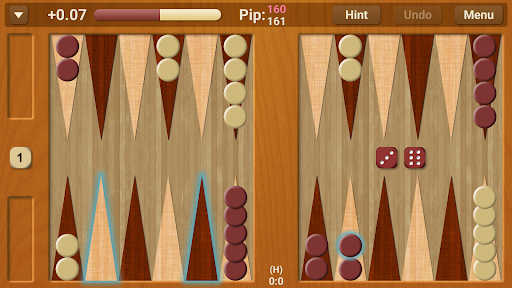
● Versatile -- Play offline vs. computer or against a friend in 2-player mode
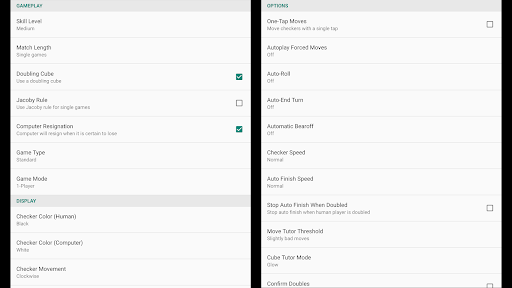
● Customizable -- More options than any other backgammon app
Play & learn backgammon at skill levels ranging from beginner to world-class! This app is designed for both Android phones & tablets.
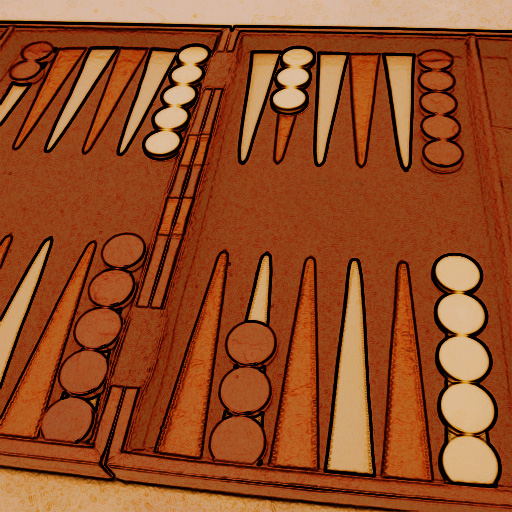
Backgammon NJ for Android is a full-featured game which uses an advanced, neural network-based, artificial intelligence. Play against a computer AI or against another person in 2-player mode on one device. Using Tutor Mode & Hints, Backgammon NJ for Android can show you how to improve your game!
Discriminating players will appreciate how well the AI plays. It uses a neural network trained on millions of positions, a bearoff database, & a match equity table to achieve strong gameplay that will challenge even expert players.
IS THIS GAME RIGHT FOR YOU?
This game is best for people:
• Who recognize the strength of neural network backgammon bots
• Who want to improve their game by playing against a world-class level AI
• Who are willing to use in-depth, technical features included in the game to prove that it is honest (https://www.njsoftware.com/note.html)
• Who won't expect to win consistently on the higher skill levels
FEATURES
• Neural network-based AI
• 2 game types: Standard or Nackgammon
• 4 skill levels: Easy, Medium, Hard, Expert
• Mersenne Twister algorithm for random number generation
• Doubling cube
• Single games or match play up to 25 pts
• Crawford rule for match play
• 1-player mode vs. computer
• 2-player mode on one device
• User-friendly, tap-to-move interface
• Highlighted checker movement options
• Hint & Undo
• Learn with Status Meter & Tutor Mode
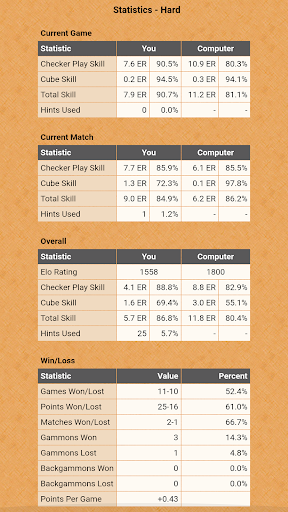
• Game & dice stats, including Elo rating & ER
• Match info: GnuBG ID, win chances, equity, top 10 moves, & cube decisions
• Email match files
• Practice mode with unlimited undo (1-player vs. computer)
• Manual match recording mode with unlimited undo & speed mode option
• Options to reverse board direction, resign, use one-tap moves, auto bearoff, auto finish, use Jacoby rule, & much more
• Match analysis (in-app purchase): Analyze past match files, view moves & errors for match, step through match, jump to position, play from position, save match files permanently
IMPORTANT
If you're having issues:
• Make sure a task killer isn't killing BGNJ processes.
• Run BGNJ from main memory, not from memory card.
• We can't respond to crash reports submitted through Android OS. Contact us directly: https://contact.njsoftware.com
Show more

1. Download MEmu installer and finish the setup

2. Start MEmu then open Google Play on the desktop

3. Search Backgammon NJ for Android in Google Play
Install
4. Download and Install Backgammon NJ for Android
5. On install completion click the icon to start

6. Enjoy playing Backgammon NJ for Android on PC with MEmu
MEmu Play is the best Android emulator and 100 million people already enjoy its superb Android gaming experience. The MEmu virtualization technology empowers you to play thousands of Android games smoothly on your PC, even the most graphic-intensive ones.
Bigger screen with better graphics; Long duration, without limitation of battery or mobile data.
Full Keymapping support for precise control of keyboard and mouse or gamepad.
Multiple game accounts or tasks on single PC at one time with Multi-Instance manager.
Play Backgammon NJ for Android on PC by following steps: