Block Strike
Updated
Current Version
7.45.2
Offered By

With your passion for Block Strike, you shouldn’t have to limit yourself to the small screen of a phone. Play like a pro and take full control of the game using a keyboard and mouse. MEmu gives you everything you’re looking for. Download and play Block Strike on PC. Play as long as you want — no more worries about battery life, mobile data, or unexpected calls. The all-new MEmu 9 is the best way to play Block Strike on PC. With our expertly designed keymapping system, Block Strike feels just like a real PC game. The MEmu multi-instance manager lets you run two or more accounts on the same device at the same time. Most importantly, our exclusive emulation engine unlocks your PC’s full potential, delivering smooth and seamless performance.
Show more
Download Block Strike on PC with MEmu Android Emulator. Enjoy playing on big screen. Block Strike (BS) is an online multiplayer 3D shooter with block and pixel graphics and fun competitive gameplay PvP and PvE.
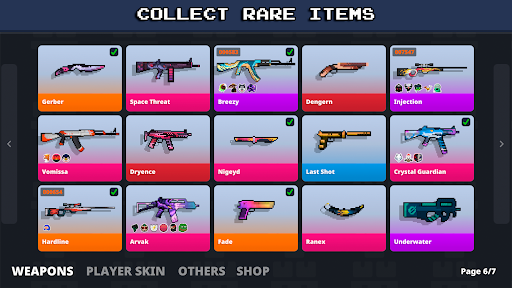
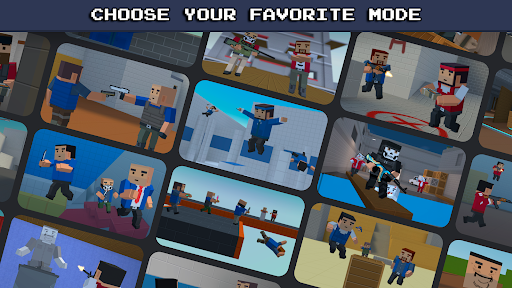
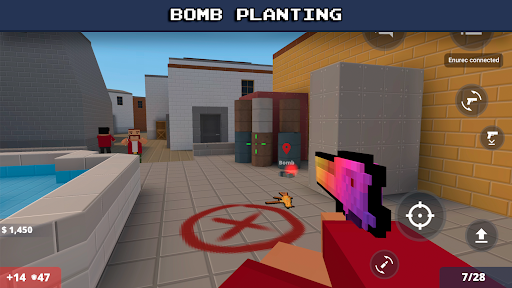
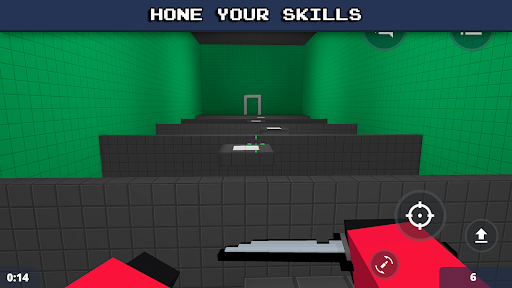
Block Strike (BS) is an online multiplayer 3D shooter with block and pixel graphics and fun competitive gameplay PvP and PvE.
Get ready for action multiplayer battles in a pixel-style 3D FPS! Customize your weapons, and have amazing battle with players worldwide. Are you ready to strike on the battle field?
Why Block Strike is so cool:
20+ intense game modes: From Team Deathmatch to Zombie Survival!
50+ unique maps: Tactical, fast-paced, and action-packed.
Huge arsenal of weapon: Rifles, shotguns, pistols, melee weapons & more!
Customization: Unlock skins for your weapons & character!
Play with friends: Join clans, chat, and dominate together!
Our Popular Game Modes:
Team Deathmatch – Work as a team and eliminate enemies! And we have AIM and wallhack version.
Gun Game – Upgrade your weapon with every kill!
Zombie Survival – Can you survive endless waves of the undead?
Bomb Mode – Plant or defuse the bomb in a high-stakes showdown!
Death Run – Resolve logical tasks and survive deadly obstacles!
Tower Battle – Mine, craft, and fight your way to victory!
Nexbot – Defeat endless waves of deadly bots!
Bunny Hop (BHop) – Jump, jump, and jump to master parkour moves!
Surf – Glide and surf smoothly across ramps and slopes!
Hunger Games – Battle royale-style last-man-standing mode!
Hide and Seek – Hunt or hide in this thrilling prop hunt mode!
AWP Mode – Only the best snipers will survive!
Knife Mode – Show your close-combat skills with only melee weapons!
Compete & Climb the Ranks!
Challenge yourself in ranked matches, improve your skills, and become a Block Strike legend!
Install that cubic free fire and game today's PvP fight in this one of the Online action games!
The BS is a mobile game that is in the vein of everyone's favorite block shooter with a PvP team battle but with cubes and block graphics and amazing 3D pixel guns!
Follow Block Strike for updates & new modes!
YouTube: https://www.youtube.com/c/RexetStudio
Discord: https://discord.gg/blockstrike
Show more

1. Download MEmu installer and finish the setup

2. Start MEmu then open Google Play on the desktop

3. Search Block Strike in Google Play
Install
4. Download and Install Block Strike
5. On install completion click the icon to start

6. Enjoy playing Block Strike on PC with MEmu
MEmu Play is the best Android emulator and 100 million people already enjoy its superb Android gaming experience. The MEmu virtualization technology empowers you to play thousands of Android games smoothly on your PC, even the most graphic-intensive ones.
Bigger screen with better graphics; Long duration, without limitation of battery or mobile data.
Full Keymapping support for precise control of keyboard and mouse or gamepad.
Multiple game accounts or tasks on single PC at one time with Multi-Instance manager.
Play Block Strike on PC by following steps:












































