Bomba Patch
Updated
Current Version
0.16.5-play
Offered By

With your passion for Bomba Patch, you shouldn’t have to limit yourself to the small screen of a phone. Play like a pro and take full control of the game using a keyboard and mouse. MEmu gives you everything you’re looking for. Download and play Bomba Patch on PC. Play as long as you want — no more worries about battery life, mobile data, or unexpected calls. The all-new MEmu 9 is the best way to play Bomba Patch on PC. With our expertly designed keymapping system, Bomba Patch feels just like a real PC game. The MEmu multi-instance manager lets you run two or more accounts on the same device at the same time. Most importantly, our exclusive emulation engine unlocks your PC’s full potential, delivering smooth and seamless performance.
Show more
Download Bomba Patch on PC with MEmu Android Emulator. Enjoy playing on big screen. Entre em campo com o Bomba Patch no Android!

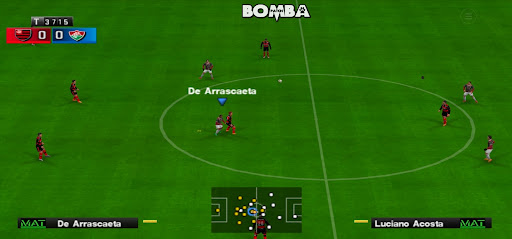
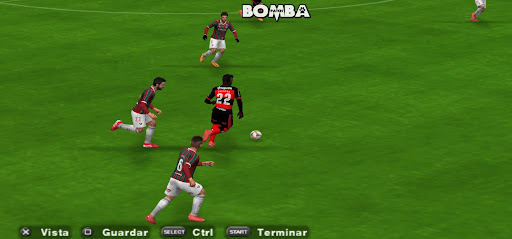
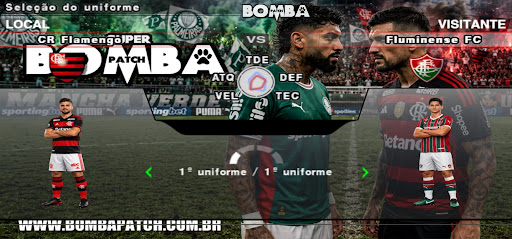
Entre em campo com o Bomba Patch no Android! Escolha seu time, dispute partidas, Brasileirão, Libertadores, Mundial, Champions League, Copa do Mundo, Master Liga, Rumo ao Estrelato e diversos outros campeonatos
JOGUE DIRETAMENTE NO APP
Inicie o jogo pelo menu do Bomba Patch, sem precisar instalar outro aplicativo.
CONTROLES PERSONALIZÁVEIS
Ajuste a posição e o tamanho dos botões na tela para encontrar uma configuração confortável.
PREPARAÇÃO AUTOMÁTICA
Na primeira utilização, o aplicativo baixa e prepara os arquivos atualizados necessários para jogar. Acompanhe o progresso na tela e pause o download quando precisar.
PARTIDAS OFFLINE
Após concluir o download e a preparação inicial, você pode jogar sem conexão com a internet.
ANTES DE COMEÇAR
• É necessária uma conexão com a internet para o download inicial de aproximadamente 1,1 GB.
• Recomendamos usar Wi-Fi e reservar aproximadamente 3 GB de espaço livre para baixar e preparar os arquivos.
• Requer Android 8.0 ou superior.
Show more

1. Download MEmu installer and finish the setup

2. Start MEmu then open Google Play on the desktop

3. Search Bomba Patch in Google Play
4. Download and Install Bomba Patch
5. On install completion click the icon to start

6. Enjoy playing Bomba Patch on PC with MEmu
MEmu Play is the best Android emulator and 100 million people already enjoy its superb Android gaming experience. The MEmu virtualization technology empowers you to play thousands of Android games smoothly on your PC, even the most graphic-intensive ones.
Bigger screen with better graphics; Long duration, without limitation of battery or mobile data.
Full Keymapping support for precise control of keyboard and mouse or gamepad.
Multiple game accounts or tasks on single PC at one time with Multi-Instance manager.
Play Bomba Patch on PC by following steps: