BOOM BOOM TD
Updated
Current Version
Offered By

With your passion for BOOM BOOM TD, you shouldn’t have to limit yourself to the small screen of a phone. Play like a pro and take full control of the game using a keyboard and mouse. MEmu gives you everything you’re looking for. Download and play BOOM BOOM TD on PC. Play as long as you want — no more worries about battery life, mobile data, or unexpected calls. The all-new MEmu 9 is the best way to play BOOM BOOM TD on PC. With our expertly designed keymapping system, BOOM BOOM TD feels just like a real PC game. The MEmu multi-instance manager lets you run two or more accounts on the same device at the same time. Most importantly, our exclusive emulation engine unlocks your PC’s full potential, delivering smooth and seamless performance.
Show more
Download BOOM BOOM TD on PC with MEmu Android Emulator. Enjoy playing on big screen. Think Outside the Box.
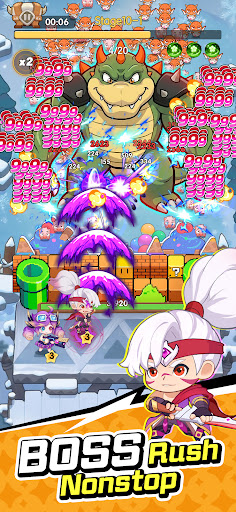
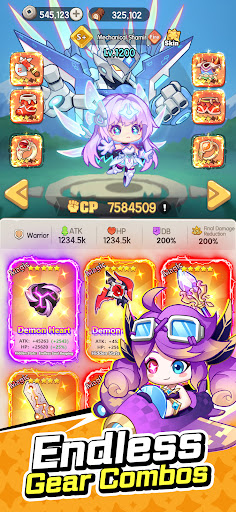
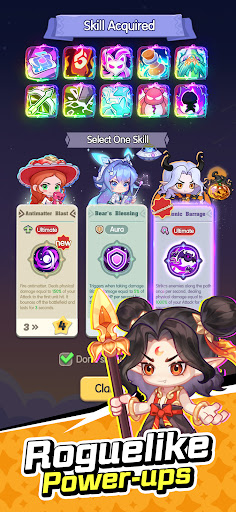
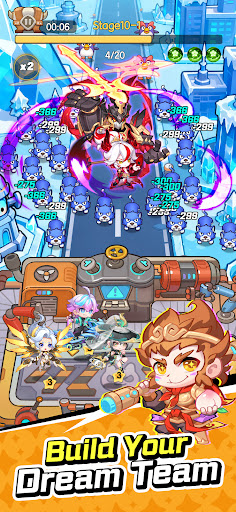
Think Outside the Box. Have Endless Fun!
Say goodbye to boring tower defense games!
Enjoy auto battles, effortless idle gameplay, and easy victories—even when you're taking it easy!
Specially designed for Southeast Asian players. Pure fun, nonstop action!
Exclusive Southeast Asian Heroes
Muay Boxing King – No matter how powerful the enemy is, one punch is all it takes!
Motorbike Captain – Rev up the engine and charge through waves of Piggy Monsters!
Thai Ninja – Strike from the shadows and eliminate enemies before they even notice!
...and many more unique local heroes waiting for you!
【Claim Your Exclusive Boxing King at the Start!】
Clear stages to earn 1,000 FREE Summons!
【Play Your Way】
Whether you prefer playing solo at your own pace or competing against other players in seasonal events, there's always something fun to enjoy.
【More Than Just Tower Defense】
Packed with tons of fun mini-games and exciting gameplay modes, there's always something new waiting for you beyond traditional tower defense.
【Customize Your Style】
A great fortress deserves an awesome wall!
Unlock exclusive wall skins that not only change your appearance but also boost your stats.
Switch between multiple map themes anytime for a fresh experience.
Dress your heroes in a wide variety of skins—from exotic regional outfits to limited-time festival costumes—and build a squad that's uniquely yours!
Show more

1. Download MEmu installer and finish the setup

2. Start MEmu then open Google Play on the desktop

3. Search BOOM BOOM TD in Google Play
Install
4. Download and Install BOOM BOOM TD
5. On install completion click the icon to start

6. Enjoy playing BOOM BOOM TD on PC with MEmu
MEmu Play is the best Android emulator and 100 million people already enjoy its superb Android gaming experience. The MEmu virtualization technology empowers you to play thousands of Android games smoothly on your PC, even the most graphic-intensive ones.
Bigger screen with better graphics; Long duration, without limitation of battery or mobile data.
Full Keymapping support for precise control of keyboard and mouse or gamepad.
Multiple game accounts or tasks on single PC at one time with Multi-Instance manager.
Play BOOM BOOM TD on PC by following steps: