侏羅紀:重啟
Updated
Current Version
1.1.9
Offered By

With your passion for 侏羅紀:重啟, you shouldn’t have to limit yourself to the small screen of a phone. Play like a pro and take full control of the game using a keyboard and mouse. MEmu gives you everything you’re looking for. Download and play 侏羅紀:重啟 on PC. Play as long as you want — no more worries about battery life, mobile data, or unexpected calls. The all-new MEmu 9 is the best way to play 侏羅紀:重啟 on PC. With our expertly designed keymapping system, 侏羅紀:重啟 feels just like a real PC game. The MEmu multi-instance manager lets you run two or more accounts on the same device at the same time. Most importantly, our exclusive emulation engine unlocks your PC’s full potential, delivering smooth and seamless performance.
Show more
Download 侏羅紀:重啟 on PC with MEmu Android Emulator. Enjoy playing on big screen. When the roars of Jurassic dinosaurs intertwine with the cold glint of technology, on this island of giant teeth, the art of strategy and intrigue will determine who can rebuild civilization and who will be devoured.
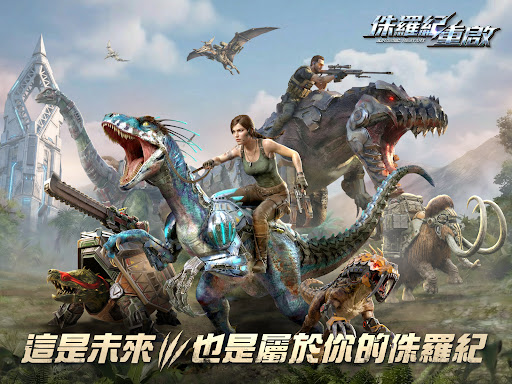
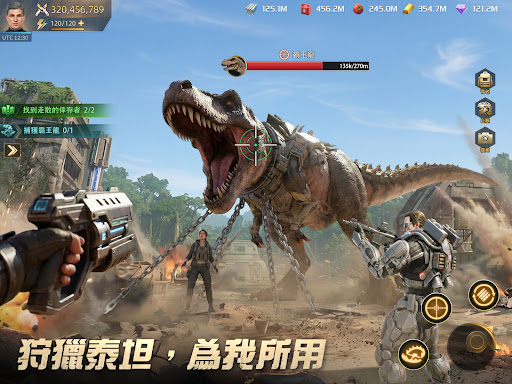
When the roars of Jurassic dinosaurs intertwine with the cold glint of technology, on this island of giant teeth, the art of strategy and intrigue will determine who can rebuild civilization and who will be devoured.
==========Game Benefits=========== Pre-registration Benefits: Pre-register in the shop to receive the [Limited Behemoth: Mammoth], the limited marching skin: Blazing Diamond Armor, limited set decorations [Title, Avatar Frame, Title], and many other great benefits. Get a full stack of start-game buffs! Head to the [Jurassic: Reboot] Facebook fan page to participate and claim your free rewards!
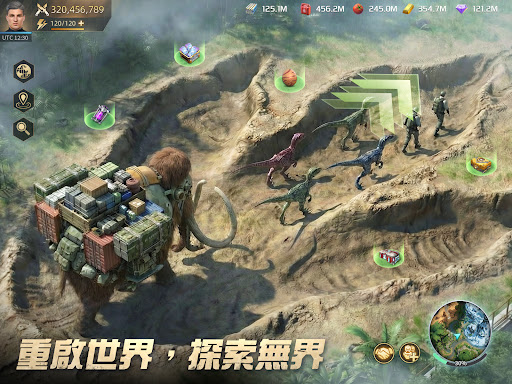
【Reboot the World, Explore Without Boundaries】 The evil force "Black Ant Legion," led by Zaka, controls behemoth modification technology and plots to dominate the world. You will act as the commander, heading to Giant Tooth Island to investigate and thwart Zaka's conspiracy; starting from a single city, scout the terrain, seize passes, and expand your territory. The vast, unknown world of Giant Tooth Island awaits your exploration and challenge;
【Seek Stability Amidst Risk, Develop Strategically】 Build your base in the beast-infested wilderness, gather resources, upgrade facilities, and establish your strategic center; employ ultimate management strategies to steadily expand your military fortress!
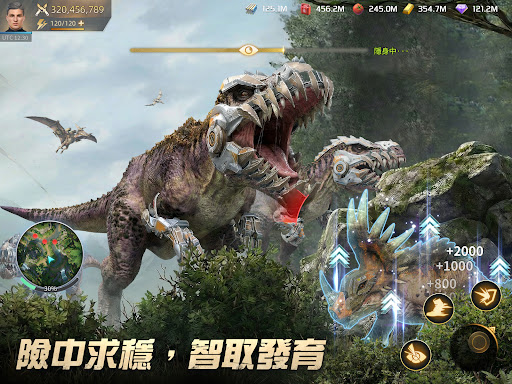
【Hunt Titans, Submit Them】 Experience unprecedented thrills of "capture"! Randomly encounter prehistoric top-tier Titan beasts on the large map, gather tactical firepower for powerful hunts. Tame the ferocious ancient overlords, incorporate them into your exclusive legion, and turn former wilderness leaders into your strongest trump cards for conquering territories!
【Genetic Mechs, Dual-Line Evolution】 Refine the island's rich mineral resources to build various mech equipment for your beasts; witness the primitive beasts evolve under technological modification into fully armed, unstoppable ultimate war machines, unleashing their combat power instantly. Combined with diverse beast nurturing systems, experience a unique way of raising "pets".
【Build Your City with Technology, Expand Your Territory】 In this wild and untamed land, create your own high-tech command center. Break through technological bottlenecks through the research system, unlocking core infrastructure enhancements and combat skills; every technological evolution is a key point in your control of the battlefield. Use technology to revolutionize the primitive and help commanders expand their territories.
【Command the Beasts, Dominate the Alliance War】 Lead an unparalleled behemoth formation into epic thousand-player battles. Establish legions, forge strategic alliances, and in the pinnacle of strategy sandbox combat, ascend to the highest glory across the server as a commander.
【Rating Information】
※ This game is classified as: Supplementary Rating 12 according to the Game Software Rating Management Regulations.
※ The game contains [violence].
※ Please experience the game according to your personal interests and abilities. Please be mindful of your gaming time and avoid addiction.
※ Hongyin Digital Entertainment Co., Ltd. is the authorized distributor in Taiwan.
※ Membership Service Terms: https://jszcgt.com/200079_protocol.html
※ Privacy Policy: https://jszcgt.com/200079_privacy.html
Show more

1. Download MEmu installer and finish the setup

2. Start MEmu then open Google Play on the desktop

3. Search 侏羅紀:重啟 in Google Play
Install
4. Download and Install 侏羅紀:重啟
5. On install completion click the icon to start

6. Enjoy playing 侏羅紀:重啟 on PC with MEmu
MEmu Play is the best Android emulator and 100 million people already enjoy its superb Android gaming experience. The MEmu virtualization technology empowers you to play thousands of Android games smoothly on your PC, even the most graphic-intensive ones.
Bigger screen with better graphics; Long duration, without limitation of battery or mobile data.
Full Keymapping support for precise control of keyboard and mouse or gamepad.
Multiple game accounts or tasks on single PC at one time with Multi-Instance manager.
Play 侏羅紀:重啟 on PC by following steps: