Cat Butler: Idle Shooter RPG
Updated
Current Version
1.5.1
Offered By

With your passion for Cat Butler: Idle Shooter RPG, you shouldn’t have to limit yourself to the small screen of a phone. Play like a pro and take full control of the game using a keyboard and mouse. MEmu gives you everything you’re looking for. Download and play Cat Butler: Idle Shooter RPG on PC. Play as long as you want — no more worries about battery life, mobile data, or unexpected calls. The all-new MEmu 9 is the best way to play Cat Butler: Idle Shooter RPG on PC. With our expertly designed keymapping system, Cat Butler: Idle Shooter RPG feels just like a real PC game. The MEmu multi-instance manager lets you run two or more accounts on the same device at the same time. Most importantly, our exclusive emulation engine unlocks your PC’s full potential, delivering smooth and seamless performance.
Show more
Download Cat Butler: Idle Shooter RPG on PC with MEmu Android Emulator. Enjoy playing on big screen. "How dare you kidnap my snack-giving human.

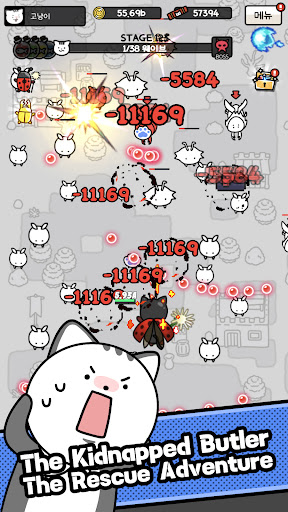
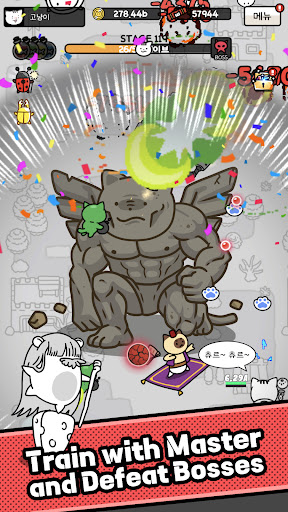
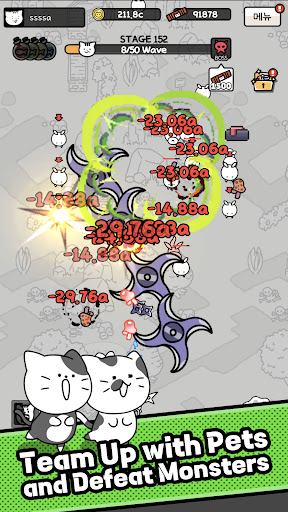
"How dare you kidnap my snack-giving human...!"
Peaceful kitty life was perfect—until alien spider forces kidnapped your precious butler! Join forces with the clever 'Master Rat' to rescue humanity and reclaim your 'Daily Churu Guarantee.'
Experience a unique hybrid RPG combining thrilling bullet-hell action with relaxing idle gameplay!
▶ 5-Second Easy Play
No complex controls needed! Move freely with a single joystick to defeat swarming alien monsters. Enjoy the perfect balance of effortless auto-battle and engaging manual control.
▶ Thrilling Boss Battles
Face giant chapter bosses that fill the screen with flashy bullet patterns. Dodge the bullet hell and unleash deadly magic in a true tactical shooting adventure!
▶ Customize Your Magic Deck
Unlock powerful special skills like 'Robot Cat' and 'Cannon Cat.' Equip unique projectile parts to design your own attack trajectories, and upgrade your staffs and cloaks to boost your power instantly!
▶ Infinite Growth & Collection
Tons of ways to grow with no time to get bored! Power up with gold from stages, unlock special traits via 'Growth Power,' and collect 'Magic Cards' and 'Monster Encyclopedia' for permanent buffs.
▶ Pet Companions & Special Dungeons
You are not alone! Collect cute flying pets to boost your firepower. Then, challenge unique dungeons like 'Bounty Hunt,' 'Golden Wing Tournament,' and 'Frenzy Battle' for massive rewards.
Become the ultimate butler for your kitty magician and rescue humanity today! May Churu and peace be with you!
Customer Service: help@lunosoft.com
Show more

1. Download MEmu installer and finish the setup

2. Start MEmu then open Google Play on the desktop

3. Search Cat Butler: Idle Shooter RPG in Google Play
Install
4. Download and Install Cat Butler: Idle Shooter RPG
5. On install completion click the icon to start

6. Enjoy playing Cat Butler: Idle Shooter RPG on PC with MEmu
MEmu Play is the best Android emulator and 100 million people already enjoy its superb Android gaming experience. The MEmu virtualization technology empowers you to play thousands of Android games smoothly on your PC, even the most graphic-intensive ones.
Bigger screen with better graphics; Long duration, without limitation of battery or mobile data.
Full Keymapping support for precise control of keyboard and mouse or gamepad.
Multiple game accounts or tasks on single PC at one time with Multi-Instance manager.
Play Cat Butler: Idle Shooter RPG on PC by following steps: