Cat Butler: Idle Shooter RPG
Aktualisiert
Aktuelle Version
1.5.1
Angeboten von

Bei all Ihrer Leidenschaft für das Spielen von Cat Butler: Idle Shooter RPG sollten Ihre Hände nicht auf einen winzigen Bildschirm Ihres Telefons beschränkt sein. Spielen Sie wie ein Profi und übernehmen Sie die volle Kontrolle über Ihr Spiel mit Tastatur und Maus. MEmu bietet Ihnen all die Dinge, die Sie erwarten. Laden Sie Cat Butler: Idle Shooter RPG herunter und spielen Sie es auf dem PC. Spielen Sie so lange, wie Sie wollen, ohne Grenzwerte für Akku, mobile Daten und störende Anrufe. Das brandneue MEmu 9 ist die beste Wahl, um Cat Butler: Idle Shooter RPG auf dem PC zu spielen. Das exquisite voreingestellte Tastaturbelegungssystem, das mit unserem Fachwissen vorbereitet wurde, macht Cat Butler: Idle Shooter RPG zu einem echten PC-Spiel. Der MEmu Multi-Instanz-Manager ermöglicht das Spielen von 2 oder mehr Konten auf demselben Gerät. Und das Wichtigste: Unsere exklusive Emulations-Engine kann das volle Potenzial Ihres PCs freisetzen und für reibungslose Abläufe sorgen.
Mehr anzeigen
Laden Sie Play Cat Butler: Idle Shooter RPG auf dem PC mit MEmu Android Emulator. Viel Spaß beim Spielen auf großmundieren. „Wie könnt ihr es wagen, meinen Snack-liefernden Menschen zu entführen…!

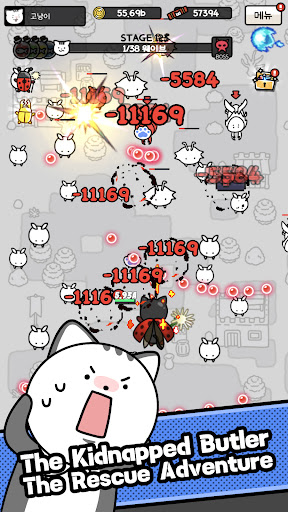
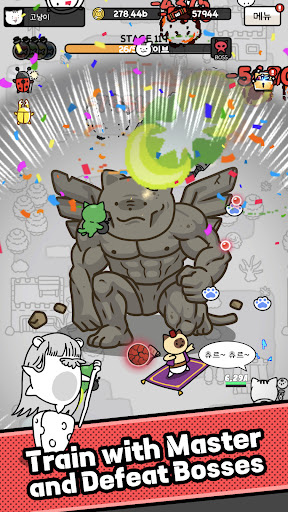
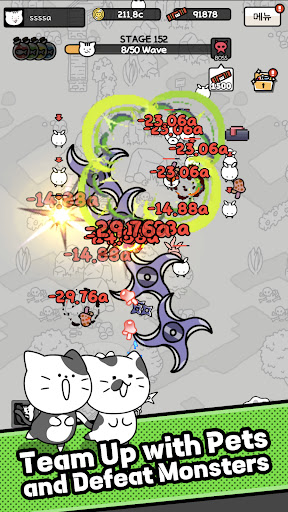
„Wie könnt ihr es wagen, meinen Snack-liefernden Menschen zu entführen…!“
Das friedliche Katzenleben war perfekt – bis außerirdische Spinnen euren geliebten Butler entführten! Verbündet euch mit der cleveren „Meisterratte“, um die Menschheit zu retten und eure „Tägliche Churu-Garantie“ zurückzuerlangen.
Erlebt ein einzigartiges Hybrid-RPG, das packende Bullet-Hell-Action mit entspannendem Idle-Gameplay kombiniert!
▶ In nur 5 Sekunden loslegen
Keine komplizierte Steuerung nötig! Bewegt euch frei mit einem einzigen Joystick, um die Horden außerirdischer Monster zu besiegen. Genießt die perfekte Balance zwischen mühelosem Auto-Kampf und fesselnder manueller Steuerung.
▶ Spannende Bosskämpfe
Stellt euch gigantischen Kapitelbossen, die den Bildschirm mit spektakulären Geschossmustern füllen. Weicht dem Kugelhagel aus und entfesselt tödliche Magie in einem echten taktischen Shooter-Abenteuer!
▶ Passt euer Magie-Deck an
Schaltet mächtige Spezialfähigkeiten wie „Roboterkatze“ und „Kanonenkatze“ frei. Rüste deine Projektilteile mit einzigartigen Elementen aus, um deine eigenen Angriffsflugbahnen zu gestalten, und verbessere deine Stäbe und Umhänge, um deine Kraft sofort zu steigern!
▶ Unendliches Wachstum & Sammeln
Unzählige Möglichkeiten zum Wachsen – Langeweile ausgeschlossen! Verdiene Gold aus den Levels, schalte besondere Eigenschaften mit der „Wachstumskraft“ frei und sammle „Zauberkarten“ und die „Monster-Enzyklopädie“ für dauerhafte Boni.
▶ Tierbegleiter & Spezialdungeons
Du bist nicht allein! Sammle niedliche Flugtiere, um deine Feuerkraft zu erhöhen. Stelle dich dann einzigartigen Dungeons wie „Kopfgeldjagd“, „Goldenes Flügelturnier“ und „Raserei-Kampf“ und sichere dir gewaltige Belohnungen.
Werde der ultimative Butler für deinen Katzenmagier und rette noch heute die Menschheit! Möge Churu und der Frieden mit dir sein!
Kundenservice: help@lunosoft.com
Mehr anzeigen

1. Laden das MEmu-Installationsprogramm herunter und beenden die Installation

2. MEmu starten und Google Play auf der Homepage öffnen

3. Suchen Cat Butler: Idle Shooter RPG in Google Play
Install
4. Herunterladen und Installieren Cat Butler: Idle Shooter RPG
5. Klicken nach Abschluss der Installation auf das Symbol, um es zu starten

6. Viel Spaß beim Spielen von Cat Butler: Idle Shooter RPG auf dem PC mit MEmu
MEmu App Player ist der beste kostenlose Android-Emulator und 50 Millionen Menschen genießen bereits seine hervorragende Android-Gaming-Erfahrung. Mit der MEmu-Virtualisierungstechnologie können Sie Tausende von Android-Spielen problemlos auf Ihrem PC spielen, selbst bei grafikintensiven Spielen.
BGrößeres Bild mit besserer Grafik; Keine unterbrechungen, keine sorgen um Akku
Komplette Tastenbelegung unterstützt mit Maus und Tastatur oder Controller
Mit dem „Multi-Instance-Manager“ können Sie mehrere Spielkonten oder Spiele gleichzeitig auf einem PC ausführen.
Play Cat Butler: Idle Shooter RPG on PC by following steps: