Clone Drone in the Danger Zone
Updated
Current Version
Offered By

With your passion for Clone Drone in the Danger Zone, you shouldn’t have to limit yourself to the small screen of a phone. Play like a pro and take full control of the game using a keyboard and mouse. MEmu gives you everything you’re looking for. Download and play Clone Drone in the Danger Zone on PC. Play as long as you want — no more worries about battery life, mobile data, or unexpected calls. The all-new MEmu 9 is the best way to play Clone Drone in the Danger Zone on PC. With our expertly designed keymapping system, Clone Drone in the Danger Zone feels just like a real PC game. The MEmu multi-instance manager lets you run two or more accounts on the same device at the same time. Most importantly, our exclusive emulation engine unlocks your PC’s full potential, delivering smooth and seamless performance.
Show more
Download Clone Drone in the Danger Zone on PC with MEmu Android Emulator. Enjoy playing on big screen. Clone Drone in the Danger Zone is a robot voxel slice-em-up where any part of your body can be sliced off.
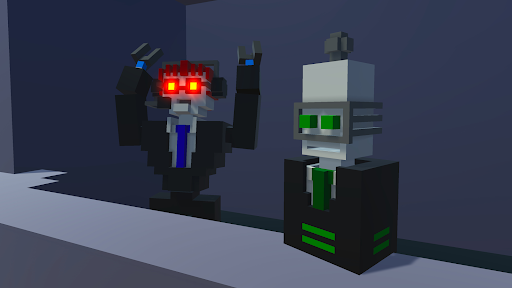
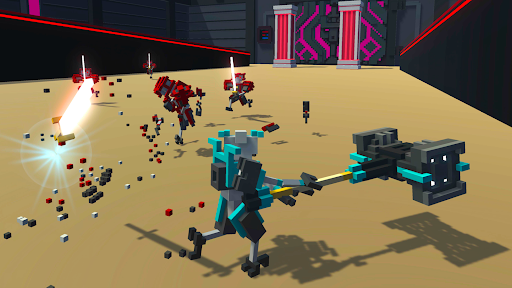
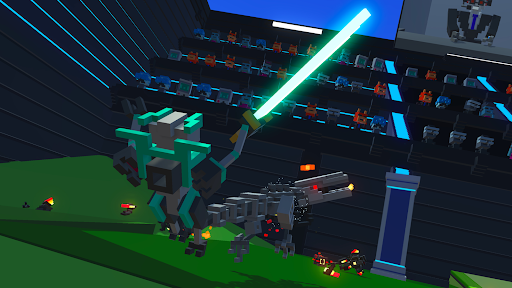
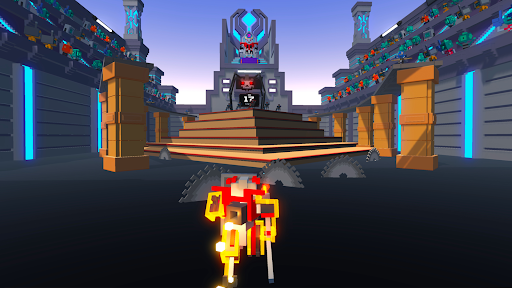
Clone Drone in the Danger Zone is a robot voxel slice-em-up where any part of your body can be sliced off. With your mind downloaded into a robot gladiator, you must survive the sinister trials of the arena. You can finally play the indie action hit on the go. It's Clone Drone on your mobile phone!
Single Player Game Modes
• Story Mode - One part epic tale of human defiance, another part laser swords.
• Endless Mode - Challenge yourself to fight through 86 level variants spread across 7 difficulty tiers. Can you make it to TITANIUM?
• Challenge Mode - Bow-only, hammer-only, can you still survive the arena?
Multiplayer Game Modes
• Last Bot Standing - A Battle-Royale-like game mode with short, 5-10 minute play sessions and up to 15 players. Survive, and shower in the remains of your fellow robot competitors.
• Private Duels - Challenge your friend to a 1v1 duel!
• Online Co-op! - Use the power of human friendship (and laser swords!) to survive in the arena!
Features:
• Epic Voxel Dismemberment: In addition to looking cool, the ability to cut off body parts is central to the gameplay. Jumping on one leg is a common occurrence. Large enemies need to be cut down to size before a fatal blow can be delivered.
• Sharp Sword Combat: Combat is fast and intense, putting great emphasis on movement, timing and positioning. You are never safe, as any blow can instantly kill or dismember.
• Intuitive Controls: On-screen buttons allow you to smoothly jump, dash, and destroy any robot adversary.
• Spin Attack: Perform a deadly 360 spin in this mobile exclusive attack!
• Entertaining Commentary: Commentatron and Analysis-Bot provide a play-by-play of your performance and react to your activities.
• Upgrade Your Robot: Jetpack, bow, kicking, deflection, clones, armor, FIRE BREATH.
• Terrifying Robotic Enemies: They actually get pretty hard! Sword robots, bow robots, Spidertron 5000, Spidertron 6000, gigantic hammer bots. So many things to dismember.
• Achievements! Unlock upgrades, emotes and multiplayer skins by achieving a rich variety of things!
• Emotes! Do the Funky Pillar Dance, mock your foes, or flap your arms delightfully!
Show more

1. Download MEmu installer and finish the setup

2. Start MEmu then open Google Play on the desktop

3. Search Clone Drone in the Danger Zone in Google Play
Install
4. Download and Install Clone Drone in the Danger Zone
5. On install completion click the icon to start

6. Enjoy playing Clone Drone in the Danger Zone on PC with MEmu
MEmu Play is the best Android emulator and 100 million people already enjoy its superb Android gaming experience. The MEmu virtualization technology empowers you to play thousands of Android games smoothly on your PC, even the most graphic-intensive ones.
Bigger screen with better graphics; Long duration, without limitation of battery or mobile data.
Full Keymapping support for precise control of keyboard and mouse or gamepad.
Multiple game accounts or tasks on single PC at one time with Multi-Instance manager.
Play Clone Drone in the Danger Zone on PC by following steps: