Clouds & Sheep 2 Premium
Updated
Current Version
1.4.8
Offered By

With your passion for Clouds & Sheep 2 Premium, you shouldn’t have to limit yourself to the small screen of a phone. Play like a pro and take full control of the game using a keyboard and mouse. MEmu gives you everything you’re looking for. Download and play Clouds & Sheep 2 Premium on PC. Play as long as you want — no more worries about battery life, mobile data, or unexpected calls. The all-new MEmu 9 is the best way to play Clouds & Sheep 2 Premium on PC. With our expertly designed keymapping system, Clouds & Sheep 2 Premium feels just like a real PC game. The MEmu multi-instance manager lets you run two or more accounts on the same device at the same time. Most importantly, our exclusive emulation engine unlocks your PC’s full potential, delivering smooth and seamless performance.
Show more
Download Clouds & Sheep 2 Premium on PC with MEmu Android Emulator. Enjoy playing on big screen. In this eagerly anticipated sequel of the game “Clouds & Sheep”, the cute sheep are finally on the loose again!
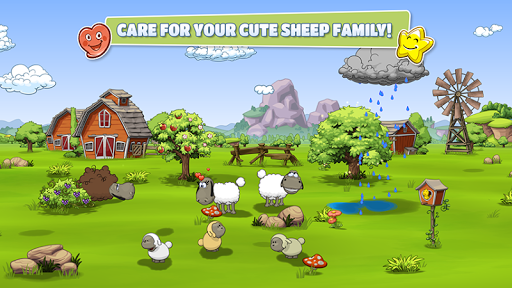
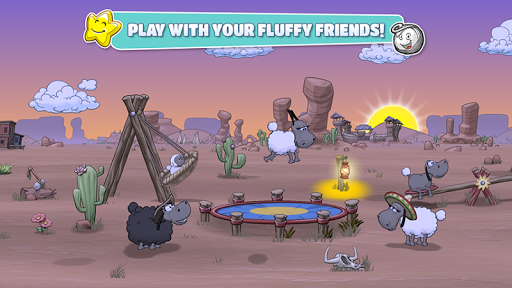
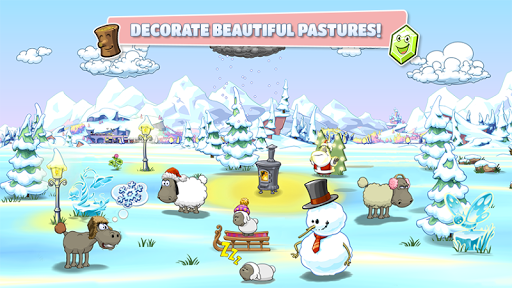
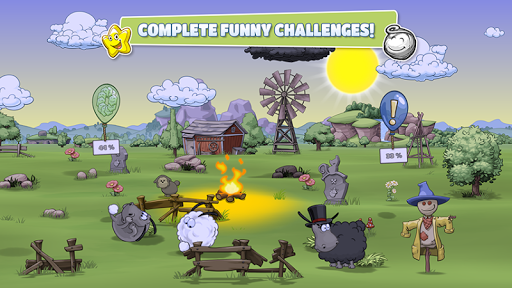
In this eagerly anticipated sequel of the game “Clouds & Sheep”, the cute sheep are finally on the loose again! Solve countless quests and fulfill your wooly friends’ needs. Plant grass, flowers, trees and shear your animals’ different-colored wool to stock up your resources! Collect happy stars, harvest wood and flower petals and use them to provide your flock with food, accessories, toys and more! Control the clouds and make it rain to ensure your sheep never run out of fresh water to drink. If your sheep feel happy and content, they’ll bring tiny lambs into the world!
Every single animal is asking for your attention! The fluffy balls of wool love to be entertained. Make your sheep jump and use different toys like the trampoline, the seesaw and the swing to actively play with them! Watch your pets interact with each other and observe their reactions to the objects you give to them! Customize your flock’s pasture with fun objects and choose between different settings like the Wild West or Pirate scenery. Watch your flock run around by day and sleep by the cozy campfire at night. Do everything you can to keep your sheep happy and healthy to prevent them from becoming big, cottony clouds in the sky.
Features:
PLAY WITHOUT ADS!
Awesome sequel of the top game “Clouds & Sheep”
Go on an epic adventure to find the legendary Fountain of Youth!
Simulation game with adorable sheep
Take care of your flock
Send great gifts to other players
Raise sweet little lambs
Actively play with your animals
Give them many different items and objects
Grow and harvest various resources
Shear your sheep
Customize their pasture
Control the weather
Day-night cycle
Open-ended game set in a 3D world
Suitable for kids, but also fun for the whole family
Full tablet support
Supports Google Play game services
Supported languages: EN, DU, FR, DE, IT, JA, KO, PT, RU, ZH-CN, ES, TH, ZH-TW, TR
Thank you for playing ‘Clouds & Sheep 2’!
© HandyGames 2019
Show more

1. Download MEmu installer and finish the setup

2. Start MEmu then open Google Play on the desktop

3. Search Clouds & Sheep 2 Premium in Google Play
Install
4. Download and Install Clouds & Sheep 2 Premium
5. On install completion click the icon to start

6. Enjoy playing Clouds & Sheep 2 Premium on PC with MEmu
MEmu Play is the best Android emulator and 100 million people already enjoy its superb Android gaming experience. The MEmu virtualization technology empowers you to play thousands of Android games smoothly on your PC, even the most graphic-intensive ones.
Bigger screen with better graphics; Long duration, without limitation of battery or mobile data.
Full Keymapping support for precise control of keyboard and mouse or gamepad.
Multiple game accounts or tasks on single PC at one time with Multi-Instance manager.
Play Clouds & Sheep 2 Premium on PC by following steps: