Coin Master - Board Adventure
Updated
Current Version
3.5.2711
Offered By

With your passion for Coin Master - Board Adventure, you shouldn’t have to limit yourself to the small screen of a phone. Play like a pro and take full control of the game using a keyboard and mouse. MEmu gives you everything you’re looking for. Download and play Coin Master - Board Adventure on PC. Play as long as you want — no more worries about battery life, mobile data, or unexpected calls. The all-new MEmu 9 is the best way to play Coin Master - Board Adventure on PC. With our expertly designed keymapping system, Coin Master - Board Adventure feels just like a real PC game. The MEmu multi-instance manager lets you run two or more accounts on the same device at the same time. Most importantly, our exclusive emulation engine unlocks your PC’s full potential, delivering smooth and seamless performance.
Show more
Download Coin Master - Board Adventure on PC with MEmu Android Emulator. Enjoy playing on big screen. Roll, raid, and rule the board!
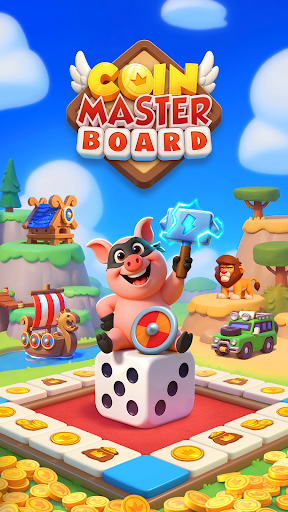
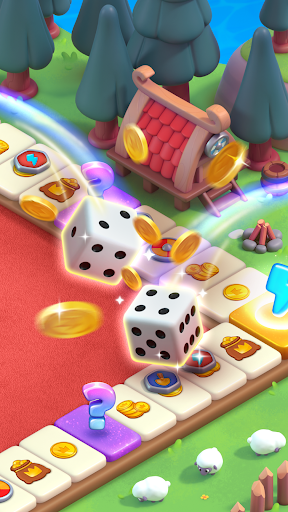
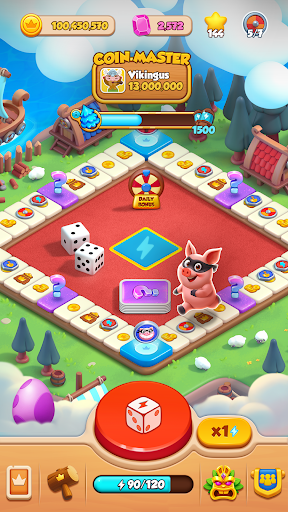
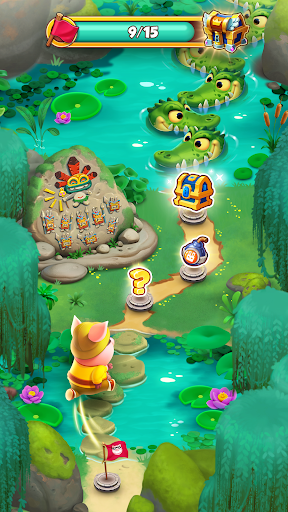
Roll, raid, and rule the board!
Welcome to Coin Master: Board Adventure, where every dice roll takes you closer to riches, revenge, and all-out fun! Collect coins, attack villages, build your empire, and explore wild new boards full of surprises. It’s not just a board game - it’s a bold adventure!
ROLL THE DICE, MAKE YOUR MOVE
Every roll brings a new opportunity. Land on coin tiles to stack your fortune, shields to protect your village, or raid tiles to steal from your Coin Master friends! Just like a real board game, your strategy—and a little luck—will decide your fate.
BUILD YOUR WAY TO THE TOP
Use your loot to upgrade buildings, complete themed villages, and grow your collection. From fantasy kingdoms to tropical getaways, every board you explore unlocks new worlds to conquer.
ROLL AND ATTACK
Landing on the attack tile? Time to strike! Attack villages across the map, break through defenses, and send your rivals back to square one. It's payback with a bonus.
COLLECT COINS, RAID FRIENDS
Raid your friends’ boards and dig up massive treasures. Want more? Steal coins, disrupt their progress, and climb the ranks. Being nice won’t win you this game!
COLLECT CARDS, COMPLETE SETS
Love collecting? Get hooked on rare card games! Gather themed cards as you play, complete sets, and earn powerful rewards. Trade with friends to finish your collection faster.
PLAY CASUAL, COMPETE HARD
Whether you're in for a quick spin or an all-day binge, Coin Master: Board Adventure delivers fun at your own pace. Play solo or team up with friends to swap cards, trade boosts, and dominate events together!
Why Players Love Coin Master: Board Adventure:
- Exciting roll and attack gameplay
- Strategic board movement
- Build epic villages and unlock new boards
- Collect coins and spend them wisely
- Battle friends
- Fun and competitive casual game style
- Exciting card collecting and trading
- Constant events, bonuses, and surprises
It’s your turn.
Are you ready to roll your way to glory, fortune, and board domination?
Download Coin Master: Board Adventure now and become the master of the board!
Terms of Service: https://static.moonactive.net/legal/terms.html?lang=en
Privacy Notice: https://static.moonactive.net/legal/privacy.html?lang=en
Show more

1. Download MEmu installer and finish the setup

2. Start MEmu then open Google Play on the desktop

3. Search Coin Master - Board Adventure in Google Play
Install
4. Download and Install Coin Master - Board Adventure
5. On install completion click the icon to start

6. Enjoy playing Coin Master - Board Adventure on PC with MEmu
MEmu Play is the best Android emulator and 100 million people already enjoy its superb Android gaming experience. The MEmu virtualization technology empowers you to play thousands of Android games smoothly on your PC, even the most graphic-intensive ones.
Bigger screen with better graphics; Long duration, without limitation of battery or mobile data.
Full Keymapping support for precise control of keyboard and mouse or gamepad.
Multiple game accounts or tasks on single PC at one time with Multi-Instance manager.
Play Coin Master - Board Adventure on PC by following steps: