Color Game: Lucky Kulay
Updated
Current Version
1.5.3
Offered By

With your passion for Color Game: Lucky Kulay, you shouldn’t have to limit yourself to the small screen of a phone. Play like a pro and take full control of the game using a keyboard and mouse. MEmu gives you everything you’re looking for. Download and play Color Game: Lucky Kulay on PC. Play as long as you want — no more worries about battery life, mobile data, or unexpected calls. The all-new MEmu 9 is the best way to play Color Game: Lucky Kulay on PC. With our expertly designed keymapping system, Color Game: Lucky Kulay feels just like a real PC game. The MEmu multi-instance manager lets you run two or more accounts on the same device at the same time. Most importantly, our exclusive emulation engine unlocks your PC’s full potential, delivering smooth and seamless performance.
Show more
Download Color Game: Lucky Kulay on PC with MEmu Android Emulator. Enjoy playing on big screen. Welcome To The Most Popular Color Game.
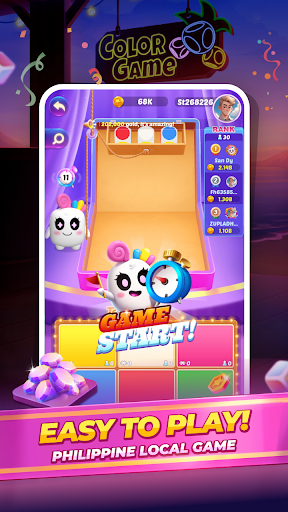
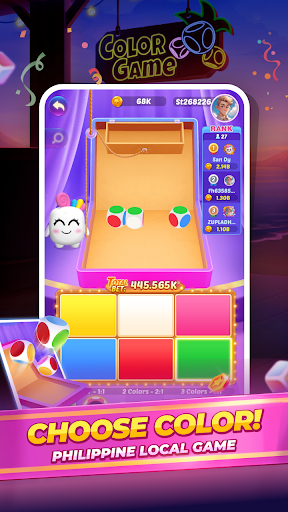
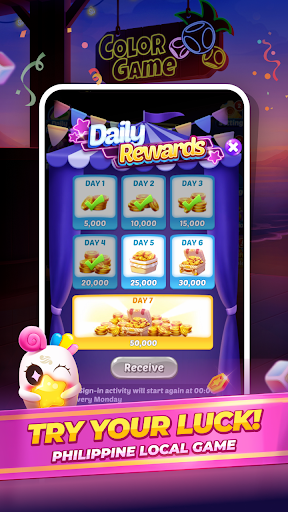
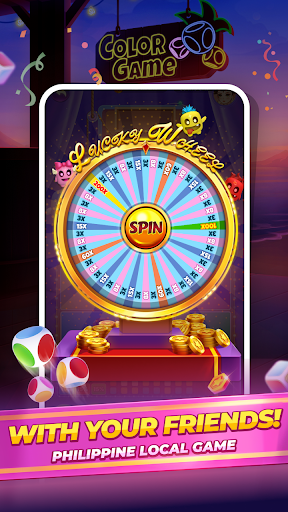
Welcome To The Most Popular Color Game.
Combine the colors as you like, choose them and win the game, if the dice color is the same as the color you choose, you win. Enjoy it! Super Color Game. Ace
Summer-themed art, 3D game scenes, and cute cartoon characters, this is a brand new colorgame you have never experienced before
There are also Super Win prizes, weekend challenges, lucky wheel events, etc. to participate in, all from Color Game: Lucky Kulay Go
FEATURES:
Easy and Fun Gameplay – Simple rules, play anytime, anywhere.
Colorful and Engaging Visuals – Enjoy a vibrant and immersive game experience.
Play on Mobile – No need to go anywhere, enjoy the game right from your phone.
More Game Modes Coming Soon – Stay tuned for exciting updates!
Interesting Content:
Experience the thrill of our brand-new Lucky Scratch.
Unlock the potential to win big with a colossal jackpot.
Multiply your excitement with astonishing multipliers reaching up to 200x.
Log in daily to claim free rewards – your chance to win starts now!
A variety of game activities, participate in it and win game rewards
Explore multiple betting levels tailored to meet your diverse needs.
We have daily reward system in which player is rewarded every 24 hours, we also have cool feature of spin system if you earn a spin in the game you can play spin and earn random reward from spin. So no need to worry about your coins just play and win.
There are also various game events: weekend challenge, daily lucky wheel, spuer ace, super win, JILI, Tongits event
ATTENTION
This game is purely for entertainment purposes. All coins are virtual and have no real-world value. The game does not involve any form of gambling or illegal activities.
CONTACT US
To report any issues or feedback, please contact us, we are willing to hear from every player.
E-mail: easywinzapp@gmail.com
-Privacy Agreement::https://doc-hosting.flycricket.io/night-market-kulay-go-privacy-policy/fb6ef3ed-f362-497a-a783-c65984bbbef5/privacy
-User Agreement:https://doc-hosting.flycricket.io/night-market-kulay-go-terms-conditions/fd09f8fd-67ff-4e44-8430-e2a5c2a565a1/terms
-Deleting an Agreement:https://sites.google.com/view/userdatadeletion-easywinz
Show more

1. Download MEmu installer and finish the setup

2. Start MEmu then open Google Play on the desktop

3. Search Color Game: Lucky Kulay in Google Play
Install
4. Download and Install Color Game: Lucky Kulay
5. On install completion click the icon to start

6. Enjoy playing Color Game: Lucky Kulay on PC with MEmu
MEmu Play is the best Android emulator and 100 million people already enjoy its superb Android gaming experience. The MEmu virtualization technology empowers you to play thousands of Android games smoothly on your PC, even the most graphic-intensive ones.
Bigger screen with better graphics; Long duration, without limitation of battery or mobile data.
Full Keymapping support for precise control of keyboard and mouse or gamepad.
Multiple game accounts or tasks on single PC at one time with Multi-Instance manager.
Play Color Game: Lucky Kulay on PC by following steps:







































![[3D Platformer] Super Bear Adventure PC](https://dl.memuplay.com/new_market/img/com.Earthkwak.Platformer.icon.2024-09-08-15-16-43.png)








