Hollow Knight
Updated
Current Version
1.0
Offered By

With your passion for Hollow Knight, you shouldn’t have to limit yourself to the small screen of a phone. Play like a pro and take full control of the game using a keyboard and mouse. MEmu gives you everything you’re looking for. Download and play Hollow Knight on PC. Play as long as you want — no more worries about battery life, mobile data, or unexpected calls. The all-new MEmu 9 is the best way to play Hollow Knight on PC. With our expertly designed keymapping system, Hollow Knight feels just like a real PC game. The MEmu multi-instance manager lets you run two or more accounts on the same device at the same time. Most importantly, our exclusive emulation engine unlocks your PC’s full potential, delivering smooth and seamless performance.
Show more
Download Hollow Knight on PC with MEmu Android Emulator. Enjoy playing on big screen. Hollow Knight follows the Knight through Hallownest, a ruined insect kingdom filled with branching paths and layered secrets.

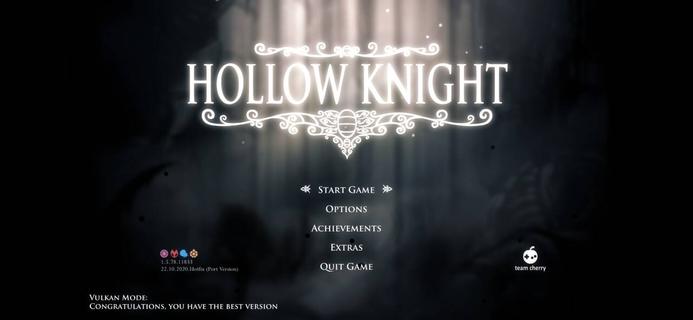
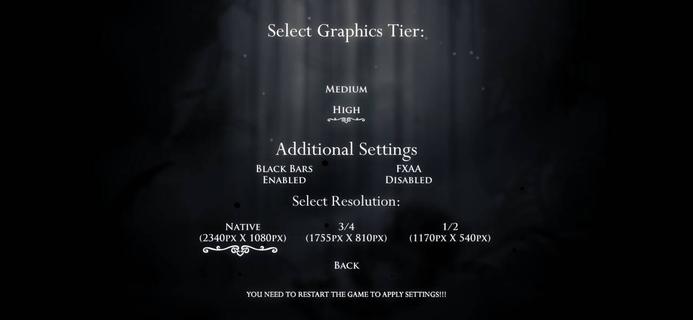
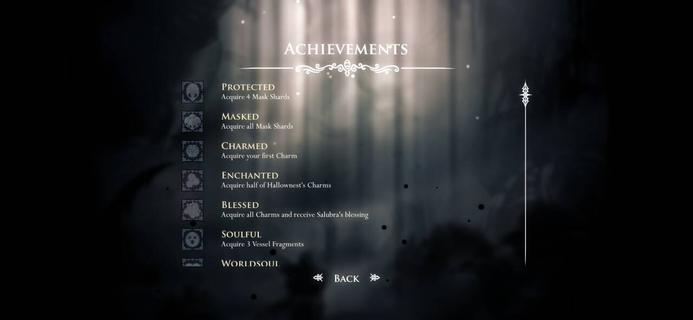
Hollow Knight follows the Knight through Hallownest, a ruined insect kingdom filled with branching paths and layered secrets. You move between interconnected regions, observe enemy patterns, and read the environment to progress. The world of Hollow Knight is hand-drawn and paired with an orchestral score that highlights atmosphere and timing. Story details appear through dialogue, items, and visual clues, so careful players uncover more context. The pace rewards map awareness and consistent practice, which gradually opens new routes and reveals hidden areas. Hollow Knight FeaturesVast, interconnected worldHollow Knight presents a large, nonlinear map with many routes and shortcuts. You discover hidden rooms and secret passages that connect distant areas. Moreover, exploration often loops back to earlier locations, which creates useful fast paths for future runs.Skill-based combat and movementCombat focuses on timing, spacing, and resource management. You learn to dodge, jump, and strike with precision as enemy patterns become familiar. In addition, new movement options gradually expand where you can go and how you approach encounters.Charms and flexible buildsHollow Knight lets you equip charms that adjust abilities, recovery, and attacks. You can prioritize survivability, mobility, or damage to suit a specific challenge. Also, swapping charms at benches encourages experimenting before bosses and longer routes.Memorable NPCs and optional questsYou meet characters who offer maps, upgrades, and side objectives. These interactions add context to Hallownest and provide alternate goals between major areas. Moreover, the optional quests of Hollow Knight guide you toward new locations and small story threads without forcing a single path.Boss battles and challenge gauntletsBosses test pattern recognition and execution in short, focused fights. You can retry quickly and refine positioning, movement, and charm choices. Next, extended gauntlets raise the difficulty for Hollow Knight players who want to push mastery even further.Hand-drawn art and orchestral scoreHollow Knight uses expressive, hand-drawn animation for both environments and enemies. The orchestral music by Christopher Larkin supports tension, quiet exploration, and boss pacing. Finally, visual clarity and sound cues help you read attacks, which improves learning and consistency. Hollow Knight mobile availabilityHollow Knight has no official mobile availability. The Metroidvania game by Team Cherry is released only on PC, Nintendo Switch, PS4, PS5, Xbox One, and Xbox Series X/S. To play the Hollow Knight game on Android, you can run it on a Windows emulator like GameHub How to play Hollow Knight efficientlyThis quick guide focuses on early progress and steady improvement of Hollow Knight. It covers routing, resource use, and checkpoints so you reduce backtracking and keep momentum.Start by resting at benches whenever you reach a new area. This sets your checkpoint and lets you adjust charms to match the enemies ahead.Learn the map by locating the cartographer and buying region maps as early as possible. After that, purchase the quill and markers so your map updates while you explore.Collect Geo from enemies and breakable deposits, then spend it on core items first. Then, prioritize survival upgrades and movement tools that unlock more paths.Practice boss patterns in short sessions and change charms to solve specific problems. So, if you struggle with damage intake, try charms that increase healing or spacing control.Revisit earlier regions with new abilities to open shortcuts and find hidden items. This approach keeps routes efficient and reduces the risk of losing currency on long runs. Follow Hollow Knight updates on APKPureHollow Knight focuses on clean combat, map knowledge, and careful resource use. You can track news, updates, and any future Hollow Knight APK latest version on APKPure. When a mobile release is available, you can download Hollow Knight safely from this page. FAQsIs there a Hollow Knight mobile?Hollow Knight does not have an official mobile release. Developed by Team Cherry, this Metroidvania title is available exclusively on PC, Nintendo Switch, PS4, PS5, Xbox One, and Xbox Series X/S. To play Hollow Knight on Android devices, you can run the game via a Windows emulator such as GameHub.Can a 13-year-old play Hollow Knight?Hollow Knight features high difficulty and dark themes that some younger players may find intense. Suitability depends on the player’s comfort with challenging combat, limited guidance, and moody visuals. Parents and guardians may wish to supervise early sessions and adjust playtime accordingly.
Show more

1. Download MEmu installer and finish the setup

2. Start MEmu then open Google Play on the desktop

3. Search Hollow Knight in Google Play
Install
4. Download and Install Hollow Knight
5. On install completion click the icon to start

6. Enjoy playing Hollow Knight on PC with MEmu
MEmu Play is the best Android emulator and 100 million people already enjoy its superb Android gaming experience. The MEmu virtualization technology empowers you to play thousands of Android games smoothly on your PC, even the most graphic-intensive ones.
Bigger screen with better graphics; Long duration, without limitation of battery or mobile data.
Full Keymapping support for precise control of keyboard and mouse or gamepad.
Multiple game accounts or tasks on single PC at one time with Multi-Instance manager.
Play Hollow Knight on PC by following steps: