ホロライブ麻雀 -ホロじゃん-
Updated
Current Version
Offered By

With your passion for ホロライブ麻雀 -ホロじゃん-, you shouldn’t have to limit yourself to the small screen of a phone. Play like a pro and take full control of the game using a keyboard and mouse. MEmu gives you everything you’re looking for. Download and play ホロライブ麻雀 -ホロじゃん- on PC. Play as long as you want — no more worries about battery life, mobile data, or unexpected calls. The all-new MEmu 9 is the best way to play ホロライブ麻雀 -ホロじゃん- on PC. With our expertly designed keymapping system, ホロライブ麻雀 -ホロじゃん- feels just like a real PC game. The MEmu multi-instance manager lets you run two or more accounts on the same device at the same time. Most importantly, our exclusive emulation engine unlocks your PC’s full potential, delivering smooth and seamless performance.
Show more
Download ホロライブ麻雀 -ホロじゃん- on PC with MEmu Android Emulator. Enjoy playing on big screen. 今度の推し活は、麻雀だ!
今度の推し活は、麻雀だ!
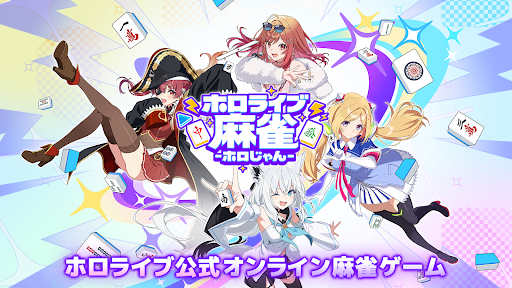
ホロライブ公式オンライン麻雀ゲームが登場!
好きなスタンプや麻雀牌をカスタマイズして、いろんなモードで対局できる!
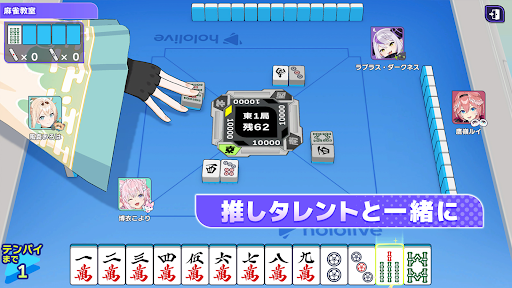
推しタレントを選んで一緒に麻雀を楽しもう!
▶最高の推し環境でプレイ!
設定したホロライブタレントの装飾で麻雀プレイができる!
打ち手、立直演出、立直棒、牌、雀卓、フレームなど1つずつ自由にカスタマイズ可能
自分だけの最高の推し麻雀環境を整えよう!
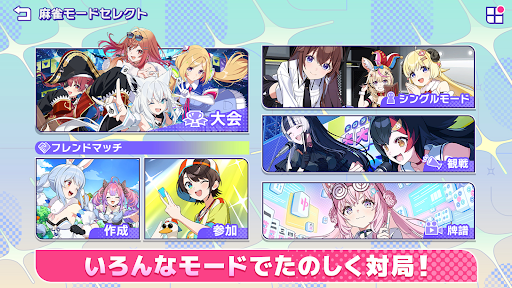
▷選べるモードは4種類
ホロじゃんは基本プレイ無料!
全国のプレイヤーとオンラインで対戦できる「ランクマッチ」や「大会」はもちろん、
自分のペースで対局できる「シングルモード」、友だちと遊べる「フレンドマッチ」から選べる!
好きなモードを選んで対局しよう
▶麻雀初心者でも安心
役候補やオススメの捨て牌を教えてくれるアシスト機能で麻雀体験をサポート!
対局終了後に牌譜機能を使って振り返ることもできる
▷ホロじゃんオリジナルストーリー多数
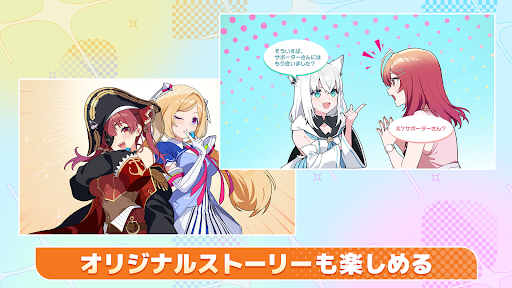
一緒に対局すると読めるシチュエーションシナリオや、好感度を上げると解放されるキャラクターストーリーが充実!
対局やプレゼント、トーク機能を使って推しタレントと絆を深めよう!
▶登場タレント一覧
ときのそら、ロボ子さん、AZKi、さくらみこ
アキ・ローゼンタール、赤井はあと、夏色まつり、白上フブキ
百鬼あやめ、癒月ちょこ、大空スバル、大神ミオ、猫又おかゆ
兎田ぺこら、不知火フレア、白銀ノエル、宝鐘マリン
角巻わため、常闇トワ、姫森ルーナ
雪花ラミィ、桃鈴ねね、獅白ぼたん、尾丸ポルカ
ラプラス・ダークネス、鷹嶺ルイ、博衣こより、風真いろは
音乃瀬奏、一条莉々華、儒烏風亭らでん、轟はじめ
響咲リオナ、虎金妃笑虎、水宮枢、輪堂千速、綺々羅々ヴィヴィ
【注意事項】
・本アプリはリアルマネーギャンブルおよび、現金や実世界で価値のある賞品を獲得する機会を提供するものではありません。
・本アプリには一部有料コンテンツが含まれます。
© COVER © Aiming Inc.
Show more

1. Download MEmu installer and finish the setup

2. Start MEmu then open Google Play on the desktop

3. Search ホロライブ麻雀 -ホロじゃん- in Google Play
Install
4. Download and Install ホロライブ麻雀 -ホロじゃん-
5. On install completion click the icon to start

6. Enjoy playing ホロライブ麻雀 -ホロじゃん- on PC with MEmu
MEmu Play is the best Android emulator and 100 million people already enjoy its superb Android gaming experience. The MEmu virtualization technology empowers you to play thousands of Android games smoothly on your PC, even the most graphic-intensive ones.
Bigger screen with better graphics; Long duration, without limitation of battery or mobile data.
Full Keymapping support for precise control of keyboard and mouse or gamepad.
Multiple game accounts or tasks on single PC at one time with Multi-Instance manager.
Play ホロライブ麻雀 -ホロじゃん- on PC by following steps: