Drift for Life
Updated
Current Version
1.4.15
Offered By

With your passion for Drift for Life, you shouldn’t have to limit yourself to the small screen of a phone. Play like a pro and take full control of the game using a keyboard and mouse. MEmu gives you everything you’re looking for. Download and play Drift for Life on PC. Play as long as you want — no more worries about battery life, mobile data, or unexpected calls. The all-new MEmu 9 is the best way to play Drift for Life on PC. With our expertly designed keymapping system, Drift for Life feels just like a real PC game. The MEmu multi-instance manager lets you run two or more accounts on the same device at the same time. Most importantly, our exclusive emulation engine unlocks your PC’s full potential, delivering smooth and seamless performance.
Show more
Download Drift for Life on PC with MEmu Android Emulator. Enjoy playing on big screen. Drift for Life.
Drift for Life
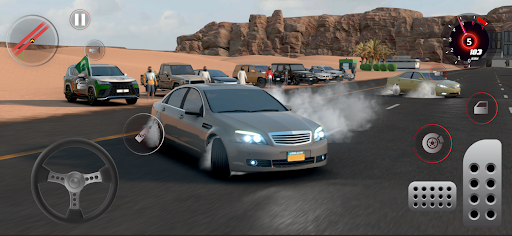
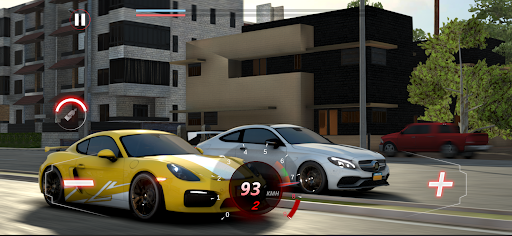
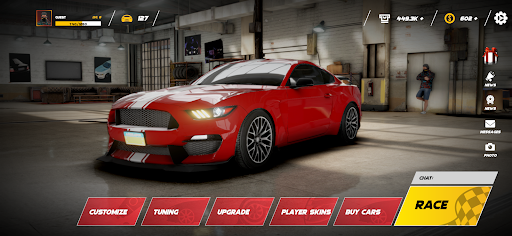
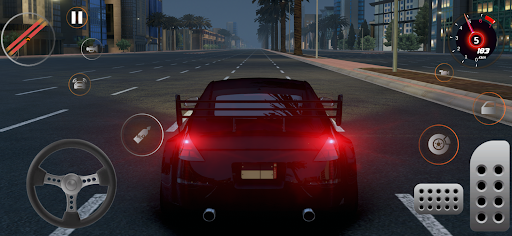
The best mobile racing game by setting new standards in car game graphics that has never been so real. Customize your cars, race fast against players from all over the world and conquer the city.
In the game, you will be able to drive real cars among more than 100 cars of worldwide brands, adjust and customize your cars to reach maximum speed, dominate the competition and unleash your passion.
No other car games can compete! Download Drift for Life for free, start building your car collection and go racing now.
The game includes the most beautiful and original cars. Racing games couldn't be more realistic than this.
Explore the amazing maps and live the drifting adventure in the Arabian desert in real dimensions.
And don't forget about the daily and seasonal rewards that give you free gold, silver, cars and clothes.
Configuration and customization
Customize your cars with a wide range of spoilers, rims, stickers, etc.
It offers the most realistic car dynamics ever seen, just like in real life. Choose from paint types, decals, and license plate customization to personalize your cars. Upgrade your car with powerful upgrades to take your racing ability to another level.
We make sure you can design the car in any way you want, which will set you apart from the rest: Adjust the car's performance on the road. Modify the engine to increase the maximum speed. Modify the nitro to improve the acceleration performance of the car. Brake adjustment to reinforce the car's strength Paint change. Upgrade the car by changing the size of the wheels to help you drift over the dunes. Put your logo and change the color and shading on the front and back windshields. Install lots of cool and beautiful stickers and many more appearance enhancements Create a unique photo of your car with this free car photo camera.
Choose your favorite car and modify the character to your liking with real control of the car and your character and play online with your friends or offline.
Online Street Racing
Play with your friends online, up to eight players, you can have fun together. Race and win bonus points.
Compete against players in online races from around the world with your custom cars and take on challenges. Show your skills, take the driver's seat and go at full speed in the Drift for Life free game! Download the game now.
Show more

1. Download MEmu installer and finish the setup

2. Start MEmu then open Google Play on the desktop

3. Search Drift for Life in Google Play
Install
4. Download and Install Drift for Life
5. On install completion click the icon to start

6. Enjoy playing Drift for Life on PC with MEmu
MEmu Play is the best Android emulator and 100 million people already enjoy its superb Android gaming experience. The MEmu virtualization technology empowers you to play thousands of Android games smoothly on your PC, even the most graphic-intensive ones.
Bigger screen with better graphics; Long duration, without limitation of battery or mobile data.
Full Keymapping support for precise control of keyboard and mouse or gamepad.
Multiple game accounts or tasks on single PC at one time with Multi-Instance manager.
Play Drift for Life on PC by following steps: