Voyage 4
Updated
Current Version
2.75
Offered By

With your passion for Voyage 4, you shouldn’t have to limit yourself to the small screen of a phone. Play like a pro and take full control of the game using a keyboard and mouse. MEmu gives you everything you’re looking for. Download and play Voyage 4 on PC. Play as long as you want — no more worries about battery life, mobile data, or unexpected calls. The all-new MEmu 9 is the best way to play Voyage 4 on PC. With our expertly designed keymapping system, Voyage 4 feels just like a real PC game. The MEmu multi-instance manager lets you run two or more accounts on the same device at the same time. Most importantly, our exclusive emulation engine unlocks your PC’s full potential, delivering smooth and seamless performance.
Show more
Download Voyage 4 on PC with MEmu Android Emulator. Enjoy playing on big screen. Travel on Russian roads with 12 Russian cars + 4 German cars, get to the ferry in the Crimea .
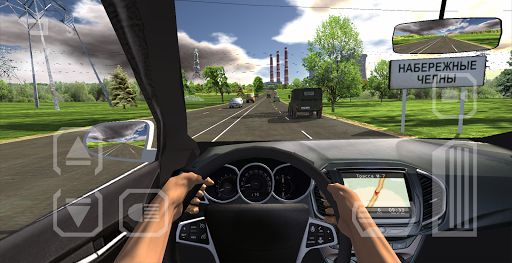
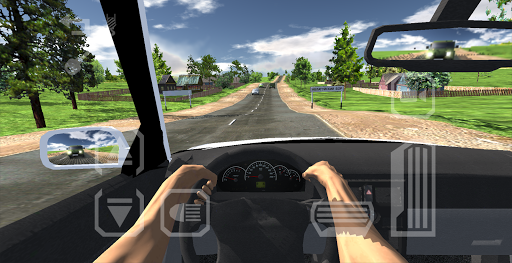
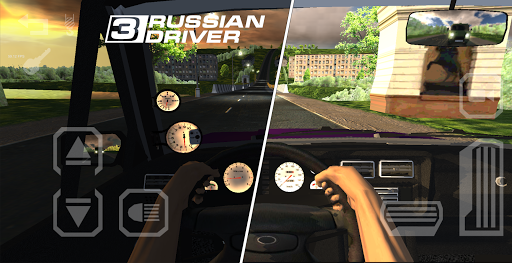
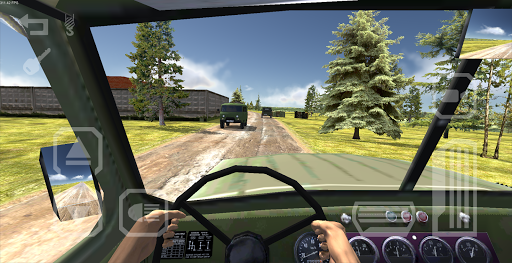
Travel on Russian roads with 12 Russian cars + 4 German cars, get to the ferry in the Crimea
Start your trip in Russia from Magadan to the Crimea.
- Hometown and signs based on real-world tracks: P504 "Kolyma" M7 "Volga" M5 "Ural" M51 "Baikal". Some historic memorials.
- Realistic physics and accurate specifications of all cars (including the torque graphs and the gear ratios). Working devices in each machine + 100% realistic lighting. Mirrors. Lights. Thoroughly researched the driver's hands. Only in this game driver controls steering wheel and instruments so realistic!
- More than 30 tuning parts for each machine (on foreign cars less) based on real-life parts. Now, not only the engine but also the wheels, xenon and other functional!
- Detailed cars sounds, and now the game has an visual tuning!
- 6 popular Russian car + 2 german cars. Later new cars will be added!
- Now the game has road turns, fork and hills.
- In comparison with Russian Driver 2: Baikal schedule has been greatly improved.
- Russian traffic area number of regions.
- Dynamic time, clouds, day and night, different weather (including rain).
- A lot of settings and a special console for precise optimization.
Compete with other players!
Show the best result of acceleration 0-100 kmh on the test range and compare it with other users online. Hit the top players with your tuned car!
Answers to frequently asked questions
Why play permissions to phone calls?
The game is permitted read-only information about the device. Permits reading of contacts, sending SMS, direct calls to the game does not used. Game use device ID to protect information from cheating.
No other action is taken. But it is recommended not to download the game from other places besides PlayStore or trusted sites.
I can not start from the parking lot / I bet on the invisible walls
This problem may be devices with 512 MB of RAM if a shortage of storage VBO data. Especially in combination with the single-core Mali-400 or PowerVR SGX531.
Textures of road/forest are blurred
GPU your driver is likely not support the resolution on the anisotropic filtering. the problem happens on devices with Mali-400, even today often. Depending on the firmware.
Can I play without internet or Google Play service?
Yes, you can play without a network. But you can not save you result and see other players results in google play.
The game has access to my Google Account?
No, the game only sends a link to your account on Google. Access to an account can not be granted.
The game can not be downloaded / installed
If not downloaded the possible way is close PlayStore application and cleaning of its data help.
Maybe device need more free memory.
sometimes lost connection with Google Play
You have to wait or restart the game.
Do I have to get off until the end of the polygon to show results?
No, it is enough to speed to 100 km/h, and the result will be automatically saved. To go further is not necessary.
Show more

1. Download MEmu installer and finish the setup

2. Start MEmu then open Google Play on the desktop

3. Search Voyage 4 in Google Play
Install
4. Download and Install Voyage 4
5. On install completion click the icon to start

6. Enjoy playing Voyage 4 on PC with MEmu
MEmu Play is the best Android emulator and 100 million people already enjoy its superb Android gaming experience. The MEmu virtualization technology empowers you to play thousands of Android games smoothly on your PC, even the most graphic-intensive ones.
Bigger screen with better graphics; Long duration, without limitation of battery or mobile data.
Full Keymapping support for precise control of keyboard and mouse or gamepad.
Multiple game accounts or tasks on single PC at one time with Multi-Instance manager.
Play Voyage 4 on PC by following steps: