Bouncing Rainbow: Calm Clicker
Updated
Current Version
1.4
Offered By

With your passion for Bouncing Rainbow: Calm Clicker, you shouldn’t have to limit yourself to the small screen of a phone. Play like a pro and take full control of the game using a keyboard and mouse. MEmu gives you everything you’re looking for. Download and play Bouncing Rainbow: Calm Clicker on PC. Play as long as you want — no more worries about battery life, mobile data, or unexpected calls. The all-new MEmu 9 is the best way to play Bouncing Rainbow: Calm Clicker on PC. With our expertly designed keymapping system, Bouncing Rainbow: Calm Clicker feels just like a real PC game. The MEmu multi-instance manager lets you run two or more accounts on the same device at the same time. Most importantly, our exclusive emulation engine unlocks your PC’s full potential, delivering smooth and seamless performance.
Show more
Download Bouncing Rainbow: Calm Clicker on PC with MEmu Android Emulator. Enjoy playing on big screen. Take your entrepreneurial spirit to new heights as you dive into the captivating world of business.
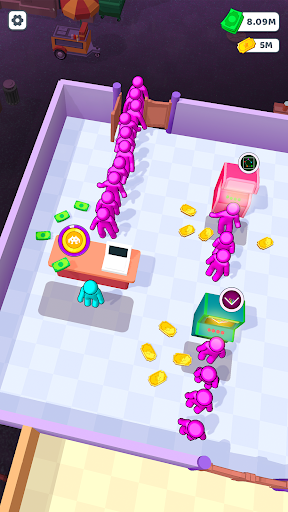
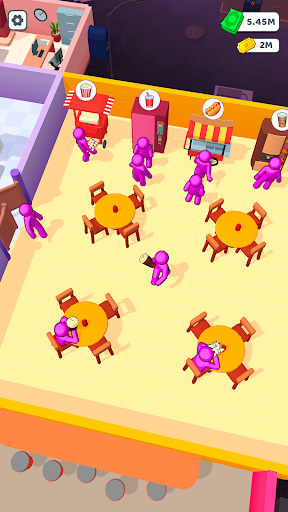
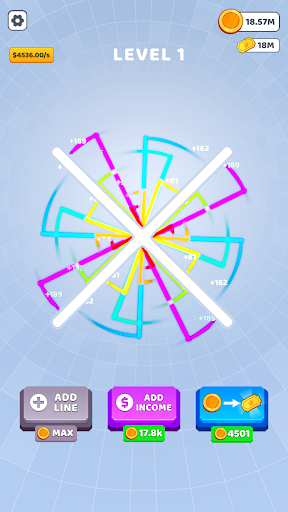
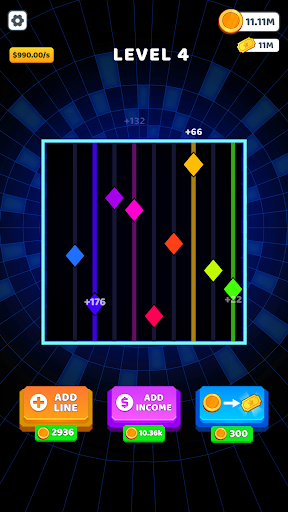
Take your entrepreneurial spirit to new heights as you dive into the captivating world of business. Welcome to the idle tycoon game Bouncing Rainbow!
Start small and witness your business empire grow in the clicker game. With each successful sale, you'll gain the resources to purchase and unlock a variety of tapping games.
But that's not all! Open a cozy recreation room, and set up stylish tables for guests to relax and socialize in the idle game. Need a party room for special occasions? We've got you covered with a retro-themed room that will transport your guests back in time while they enjoy the arcade games.
Get ready to be mesmerized by the minimalistic graphics with meditative gameplay of Bouncing Rainbow. Explore the peaceful world of the anti anxiety game and find relaxation in the tapping of colorful magic tiles. Let the calming music guide you as you click your way to relaxation and stress relief with the addictive games.
Relax and enjoy click games. Connect the dots, form intricate patterns, and experience the soothing relief of our beloved anti-stress games, all while winning big and unlocking exclusive rewards.
In Bouncing Rainbow tapping games, every clicking counts. Tap tap to earn valuable points in the anti stress game and to pass time. With each point earned, unlock a variety of exciting features. Expand the number of color lines, boost their income & energy, and progress through a flow of levels of antistress relaxing games.
Get lost in the mesmerizing symphony of sound and visuals of the anxiety relief games. With every interaction, a harmonious melody unfolds as each dancing line and dot produces a unique sound upon touching a block. Calm down and immerse yourself in the rhythmic ambiance created by the combination of distinct sounds from each item, enhancing your gameplay experience in the clicking games.
Accelerate the peaceful movement of the items, injecting an extra dose of excitement and challenge into the calm game. Enjoy the flexibility of offline play.
Activate the mute function to immerse yourself in your own personal soundtrack while diving into the vibrant world of Bouncing Rainbow calming game.
The calm games are suitable for players of all ages. Bouncing Rainbow offers a serene escape from the demands of daily life.
Expand your empire, challenge yourself by investing in exciting upgrades. Increase the number of game machines, boost their income potential, and unlock new levels as you progress through the ranks of successful entrepreneurs.
So, what are you waiting for? Prepare to be enchanted by this extraordinary experience of soothing, chill games. Join Bouncing Rainbow and embark on a journey to prosperity and endless entertainment. The game machine empire of your dreams awaits!
Show more

1. Download MEmu installer and finish the setup

2. Start MEmu then open Google Play on the desktop

3. Search Bouncing Rainbow: Calm Clicker in Google Play
Install
4. Download and Install Bouncing Rainbow: Calm Clicker
5. On install completion click the icon to start

6. Enjoy playing Bouncing Rainbow: Calm Clicker on PC with MEmu
MEmu Play is the best Android emulator and 100 million people already enjoy its superb Android gaming experience. The MEmu virtualization technology empowers you to play thousands of Android games smoothly on your PC, even the most graphic-intensive ones.
Bigger screen with better graphics; Long duration, without limitation of battery or mobile data.
Full Keymapping support for precise control of keyboard and mouse or gamepad.
Multiple game accounts or tasks on single PC at one time with Multi-Instance manager.
Play Bouncing Rainbow: Calm Clicker on PC by following steps: