Garena® Delta Force
Updated
Current Version
1.203.37117.6401
Offered By

With your passion for Garena® Delta Force, you shouldn’t have to limit yourself to the small screen of a phone. Play like a pro and take full control of the game using a keyboard and mouse. MEmu gives you everything you’re looking for. Download and play Garena® Delta Force on PC. Play as long as you want — no more worries about battery life, mobile data, or unexpected calls. The all-new MEmu 9 is the best way to play Garena® Delta Force on PC. With our expertly designed keymapping system, Garena® Delta Force feels just like a real PC game. The MEmu multi-instance manager lets you run two or more accounts on the same device at the same time. Most importantly, our exclusive emulation engine unlocks your PC’s full potential, delivering smooth and seamless performance.
Show more
Download Garena® Delta Force on PC with MEmu Android Emulator. Enjoy playing on big screen. The Ultimate Extraction & Warfare FPS — Delta Force New Season ECHO Is Live!
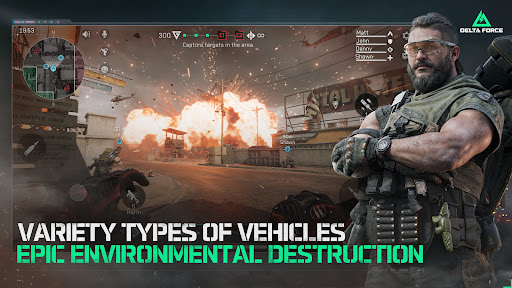
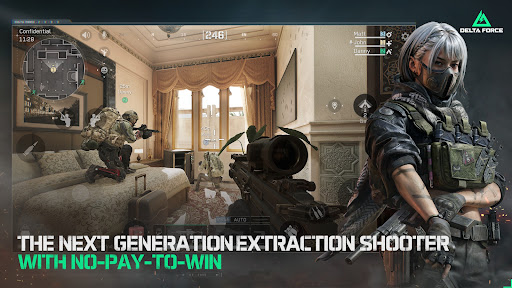
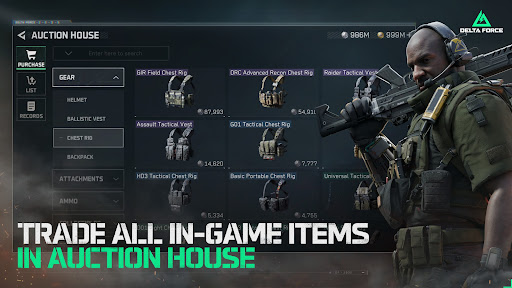
The Ultimate Extraction & Warfare FPS — Delta Force New Season ECHO Is Live!
OPERATOR-BASED EXTRACTION SHOOTER
Join G.T.I. and select from elite Operators, each equipped with unique tactical gadgets and traits. Whether you favor Detection Arrows, Magnetic Bombs, or Loitering Munitions, coordinate your squad's abilities to outmaneuver rivals in high-stakes missions.
OUTSMART BOSSES OUTGUN PLAYERS
Take on heavily armed mercenaries and ruthless bosses guarding high-value loot, but stay sharp — the deadliest threats come from rival Operator squads hunting the same prize. Fortune awaits those who can survive the crossfire and extract. No risk, no reward.
PEAK LOOTING EXPERIENCE
Experience the thrill of looting, collecting rare resources and getting rich. Explore dynamic maps to decipher secret codes, scale heights for Bird Nests, or dive deep for Clams. Every raid is a treasure hunt, where looting becomes an adrenaline-fueled adventure.
CHOOSE YOUR EXIT STRATEGY.
Extraction is an art form. Hop on rockets, jump with a wingsuit, or crawl through sewer pipes to slip away unseen. Adapt your escape plan to the chaos of battle and extract in style.
UPGRADE YOUR OPERATIONS CENTER
Use your battle loot to upgrade your Operations Center to enhance physical attributes, expand stash capacity, and unlock new gear. Every improvement opens more tactical possibilities, ensuring you return to the field stronger and better equipped.
DOMINATE LAND, SEA & AIR IN ALL-OUT WARFARE
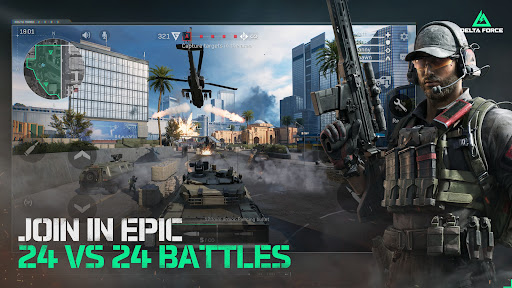
Dive into epic Warfare, where 48 players clash in massive battles. Command tanks, boats, helicopters and fighter jets to dominate urban streets, mountain peaks, and island groups. Experience seamless combat on maps designed for total destruction.
EXTENSIVE ARMORY, EXTREME CUSTOMIZATION
Guided by military advisors, customize real-world weapons to create and share unique builds. Go beyond firearms and modify land, sea, and air vehicles. Tailor your entire arsenal to dominate the battlefield on your terms.
Show more

1. Download MEmu installer and finish the setup

2. Start MEmu then open Google Play on the desktop

3. Search Garena® Delta Force in Google Play
Install
4. Download and Install Garena® Delta Force
5. On install completion click the icon to start

6. Enjoy playing Garena® Delta Force on PC with MEmu
MEmu Play is the best Android emulator and 100 million people already enjoy its superb Android gaming experience. The MEmu virtualization technology empowers you to play thousands of Android games smoothly on your PC, even the most graphic-intensive ones.
Bigger screen with better graphics; Long duration, without limitation of battery or mobile data.
Full Keymapping support for precise control of keyboard and mouse or gamepad.
Multiple game accounts or tasks on single PC at one time with Multi-Instance manager.
Play Garena® Delta Force on PC by following steps: