Frost Valley™: Merge & Story
Updated
Current Version
1.10.10
Offered By

With your passion for Frost Valley™: Merge & Story, you shouldn’t have to limit yourself to the small screen of a phone. Play like a pro and take full control of the game using a keyboard and mouse. MEmu gives you everything you’re looking for. Download and play Frost Valley™: Merge & Story on PC. Play as long as you want — no more worries about battery life, mobile data, or unexpected calls. The all-new MEmu 9 is the best way to play Frost Valley™: Merge & Story on PC. With our expertly designed keymapping system, Frost Valley™: Merge & Story feels just like a real PC game. The MEmu multi-instance manager lets you run two or more accounts on the same device at the same time. Most importantly, our exclusive emulation engine unlocks your PC’s full potential, delivering smooth and seamless performance.
Show more
Download Frost Valley™: Merge & Story on PC with MEmu Android Emulator. Enjoy playing on big screen. Welcome to Frost Valley: Merge & Story—a cozy place recovering from a long, chilly winter.

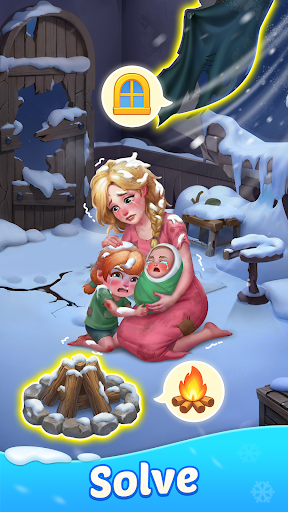
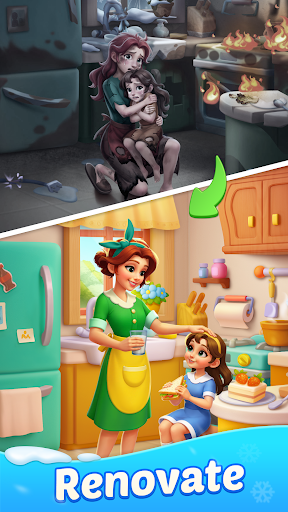
Welcome to Frost Valley: Merge & Story—a cozy place recovering from a long, chilly winter.
The frost may have slowed things down, but with a little help, warmth and color are ready to return.
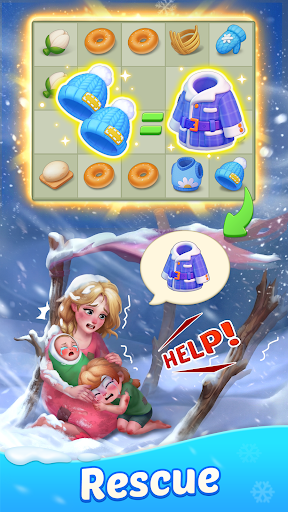
Merge items, follow story steps, and enjoy watching each frozen corner feel alive again.
Along the way, you’ll meet friends who are starting over and happy to have your help.
Merge to Discover
Tap, drag, and merge to uncover bigger, better, and more exciting items.
Collect merged items to advance chapters, unlock new scenes, and restore each space step by step.
Restore to Revive
Fix up frosty homes and make each space feel warm and welcoming again.
Each repair opens new rooms and scenes, gently showing the valley coming back to life.
Play to Reward
Join cozy in-game events with new characters, festive themes, and fun little stories.
Collect special rewards that add fun surprises and new moments to enjoy.
Start your journey today and help Frost Valley find its warmth again—one merge at a time.
Privacy Policy: https://www.liteorange.co/ps.html
Terms of Service: https://www.liteorange.co/terms.html
Show more

1. Download MEmu installer and finish the setup

2. Start MEmu then open Google Play on the desktop

3. Search Frost Valley™: Merge & Story in Google Play
Install
4. Download and Install Frost Valley™: Merge & Story
5. On install completion click the icon to start

6. Enjoy playing Frost Valley™: Merge & Story on PC with MEmu
MEmu Play is the best Android emulator and 100 million people already enjoy its superb Android gaming experience. The MEmu virtualization technology empowers you to play thousands of Android games smoothly on your PC, even the most graphic-intensive ones.
Bigger screen with better graphics; Long duration, without limitation of battery or mobile data.
Full Keymapping support for precise control of keyboard and mouse or gamepad.
Multiple game accounts or tasks on single PC at one time with Multi-Instance manager.
Play Frost Valley™: Merge & Story on PC by following steps: